


Noch nicht genug Scans für eine Bewertung (3 erhalten).
Über
Google Tag Manager (GTM) is Google’s free tool for everyone to manage and deploy analytics and marketing tags as well as other code snippets
using an intuitive web UI. To learn more about this tool, visit the official website.
This plugin places the GTM container code snippets onto your WordPress website so that you do not need to add them manually.
Multiple containers are also supported, and each container can have its own environment parameters, custom domain and custom path.
The plugin complements your GTM setup by pushing page meta data and user information into the so-called data layer.
Google’s official help pages include more details about the data layer.
Mehr lesen Weniger anzeigen
PHP 8.0 and WordPress 6.3 are required to use this plugin.
The original GTM container code is divided into two parts:
The first part is a javascript code snippet that is added to the <head> section of every page of the website.
This part is critical to enable all features of GTM, and this plugin helps to place this part
correctly on your site.
The second part is an iframe snippet that acts as a failsafe/fallback should users‘ JavaScript be disabled.
Google recommends – for best performance – to place this code snippet directly after the opening <body> tag on each page.
Albeit not ideal, it will work when placed lower in the code. This plugin provides a code placement option for the second code snippet.
If your WordPress theme is compatible with the additions of WordPress 5.2, then this plugin will place this second snippet in the right place.
Users of the Genesis theme, GeneratePress theme, Elementor, Oxygen Builder and Beaver Builder Theme will also have it placed correctly.
To utilize this, set the compatibility mode in the plugin options to off.
All other users can place this second code snippet using custom PHP code (the „Manually coded“ option), or select the so-called „Footer“ option
to add the code lower on the page (this is not the recommended way, but it will work).
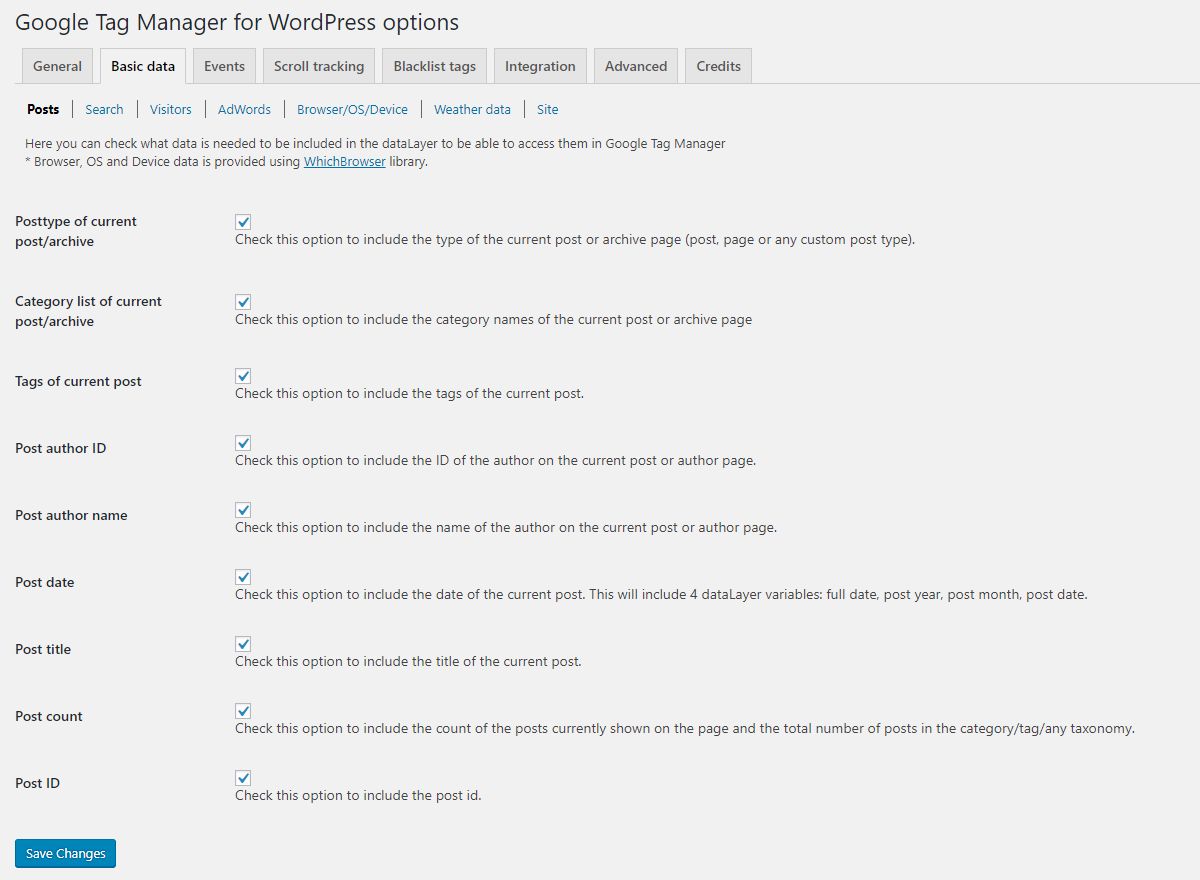
Optional page variables that help with behavior tracking and Google Analytics 4 content grouping:
Data is collected in the browser using User-Agent Client Hints and pushed as a gtm4wp.deviceData event.
Note that Safari and Firefox expose less detail than Chromium based browsers.
Track users‘ interactions with any embedded media:
You can choose to fire data layer events when the media player loads, when the media is played, when it is paused or stopped,
and optionally when the user reaches 10, 20, 30, …, 90, 100% of the media duration. Each event also populates Google Tag
Manager’s built-in Video variables (Video Status, Video URL, Video Title, Video Provider, Video Duration, Video Current Time,
Video Percent, Video Visible).
Tracking is supported for embedded media using the built-in oEmbed feature of WordPress, as well as most other media plugins
and copy/pasted embed codes. Players inserted into the page after it has loaded (for example in a popup, a lightbox or via
AJAX) can also be tracked by turning on the optional „Track dynamically inserted players“ setting.
To increase website security, you have the option to allowlist or blocklist tags, triggers and variables.
You can prevent specific tags from firing, or prevent the use of certain variable types, regardless of your GTM setup.
If the Google account associated with your GTM account is compromised, an attacker could easily
execute malware on your website without accessing its code on your hosting server. By blocklisting custom HTML tags,
custom JavaScript variables and sandboxed scripts (custom tag and variable templates), you can secure the Tag Manager container.
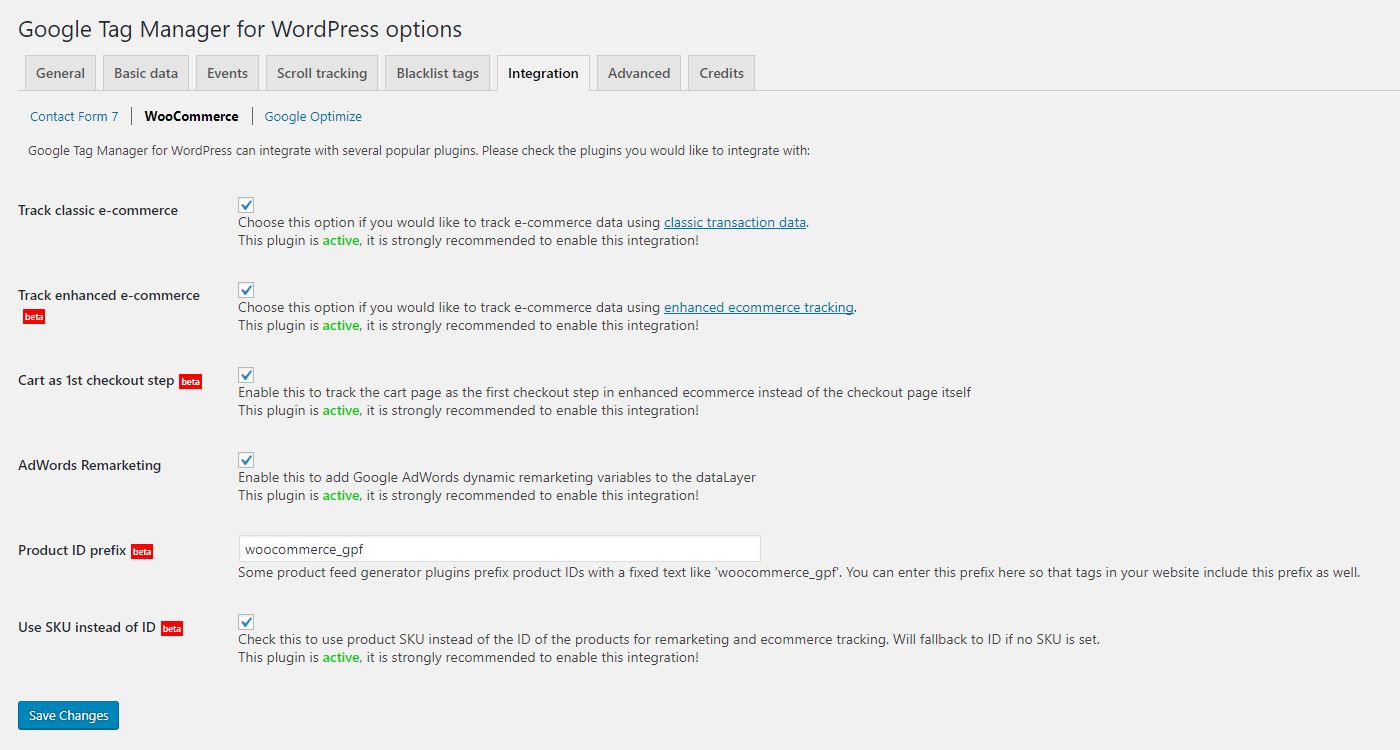
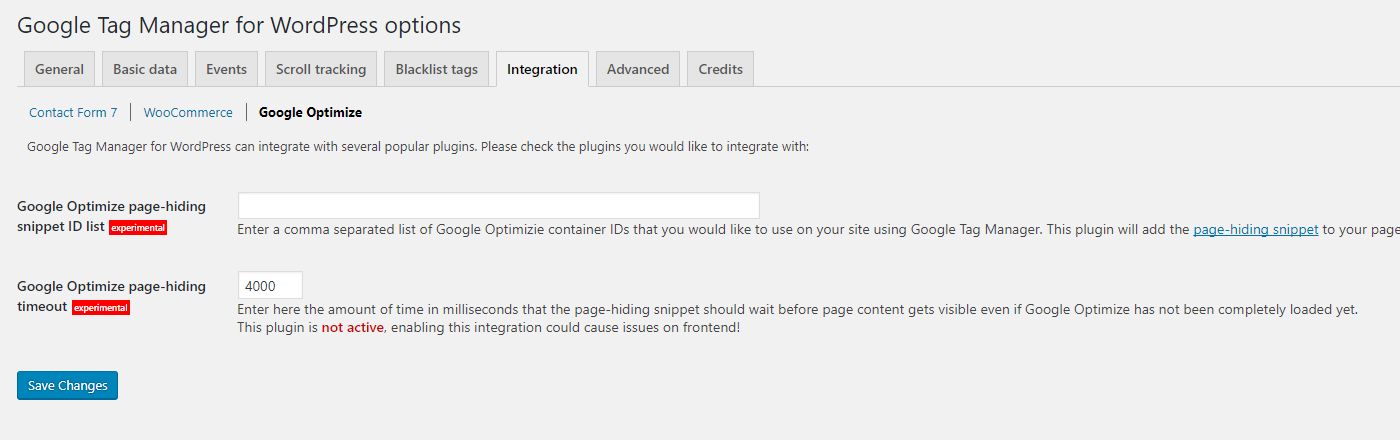
Google Tag Manager for WordPress integrates with several popular plugins. More integrations to come!
If you are using a server side container,
you can enter your custom domain name and custom path to load gtm.js from there. Both can be set per container, so you can mix
server side and standard containers on the same site.
(experimental, off by default)
On sites using a full page cache (LiteSpeed, WP Rocket, Varnish, Cloudflare APO), the HTML generated for one visitor is served
to everyone else as well. Any visitor specific value written into the data layer would therefore leak to other visitors – the
classic example being a page cached while an editor was logged in, then served to anonymous visitors with that editor’s email
address and role still in the data layer.
When this option is enabled, the visitor-specific data layer variables (IP address, logged-in user, store customer and cart) are
left out of cacheable HTML and delivered in the browser instead, under the same names, so your existing Google Tag Manager setup
keeps working. An anonymous page keeps the fixed logged-out values of visitorLoginState and visitorType.
You can export all plugin settings into a JSON file and import them on another site, which makes it easy to roll out the same
configuration across several websites. Imported files are treated as untrusted and every value is validated before it is stored.
(experimental, off by default)
Some signals never reach a browser tag. A refund is issued in the store admin, where no page is loaded and no tag fires, so
Google Analytics keeps counting revenue you have given back. The plugin can send such events from the server through the
Google Data Manager API:
Tools → Site Health reports the whole plugin: every module’s option states, the containers and their placement, the data
layer name and any wp-config.php overrides in the Info section, plus status tests for the configuration, the Google service
account keys and Data Manager sending. The copied text carries no keys, addresses or visitor data, so it can be pasted into a
support thread as it is.
(experimental)
On WordPress 6.9 and newer the plugin registers eleven abilities with the WordPress Abilities API, so an AI assistant
connected through the WordPress MCP Adapter or another client can read the configuration, help work out why an event is
not firing, and change a setting once you have confirmed it. Six abilities are read-only, every one requires the settings
capability, and none returns keys or visitor data. Two filters switch the surface off or keep it read-only.
You can set which user roles need to be excluded from tracking when a user with that role visits the frontend. This will completely disable the container code for that user.
The container can be limited to production environments only, so a cloned or staging copy of your site does not send data into
your production Google Tag Manager container. This relies on the WP_ENVIRONMENT_TYPE setting of WordPress.
Version 2.0 is a complete object oriented rewrite. Every feature is a module, and third party plugins can register their own
modules through the gtm4wp_register_modules action. All public template functions, filter and action names, wp-config constants
and the option storage key of the 1.x versions are unchanged, so existing integrations keep working. A third party module can
report into Site Health and register its own abilities through the same interfaces the built-in modules use.
Beschreibung veröffentlicht von Thomas Geiger auf WordPress.org, lizenziert unter GPLv3.
Tags
google ads
google analytics
google tag manager
gtm
tag manager
Screenshots
Screenshots veröffentlicht von Thomas Geiger auf WordPress.org, lizenziert unter GPLv3.
Historie nach Version
Versionsdetails anzeigen (2 Versionen)
Historie nach Version
Versionsdetails anzeigen (2 Versionen)
Wie sich das Plugin von Version zu Version entwickelt.
| Version | Homepage | Admin | Letzter Scan |
|---|---|---|---|
| v1.22.5 | 1 Scan | — | vor 2 Monaten |
| v1.22.3 | 2 Scans | 1 Scan | vor 3 Monaten |
Alternativen in derselben Kategorie
Weitere Plugins der Kategorie analytics, von der Community gemessen, vom leichtesten zum schwersten sortiert.
Noch nicht genug Scans für eine Bewertung (9 erhalten).
Noch nicht genug Scans für eine Bewertung (4 erhalten).
Noch nicht genug Scans für eine Bewertung (2 erhalten).
Scan-Verlauf
Einzelnes Scan-Protokoll anzeigen (4 Scans)
Scan-Verlauf
Einzelnes Scan-Protokoll anzeigen (4 Scans)
| Datum | Version | Kontext | Score | Bewertung | Zeit | Speicher |
|---|---|---|---|---|---|---|
| vor 2 Monaten | v1.22.5 | Homepage | 98/100 | A | 0 ms | 4.0 MB |
| vor 3 Monaten | v1.22.3 | Admin | 97/100 | A | 24 ms | 0.0 MB |
| vor 3 Monaten | v1.22.3 | Homepage | 99/100 | A | 0 ms | 0.0 MB |
| vor 3 Monaten | v1.22.3 | Homepage | 99/100 | A | 0 ms | 0.0 MB |