
Pas encore assez de scans pour publier le score (3 reçus).
À propos
W3 Total Cache and WP Super Cache are great caching plugins, but they do not know when a widget is updated. WPEngine is the best place to host your WordPress installation, but their caching system is no smarter when it comes to updating widgets and menus. I created this plugin because my website did not see any changes when saving widgets or menus using these caching systems. Clear Cache For Me will purge ALL your cache each time you do a save without having to press an additional button. It may be overkill, which may be why it’s not built in, but some people need simplicity.
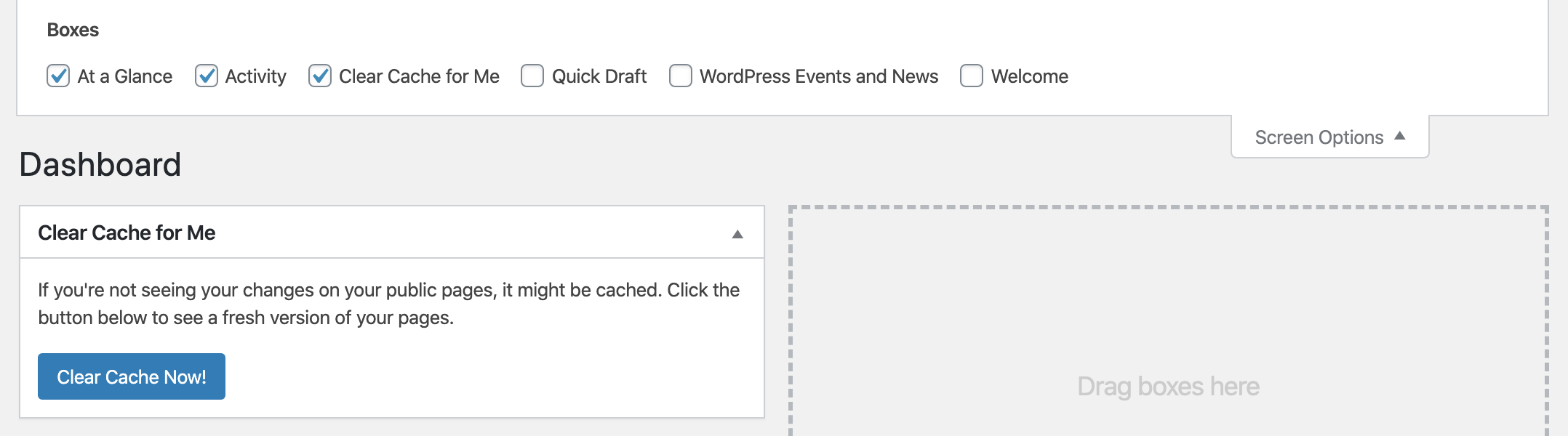
In addition to clearing those pesky caching engines, Clear Cache for Me can force your browser to reload your current theme’s CSS and JS files. I modify my theme’s CSS and JS files every so often and always have trouble with the browser not getting the latest version. So now after clicking on the « Clear Cache Now! » button on the dashboard the browser will be forced to reload the current theme’s CSS and JS files. If you do not click the « Clear Cache Now! » button, the browser will cache the CSS and JS files like it normally does.
The popular Qode themes has a options to set your own custom CSS and JS. Sometimes you may not see your changes for a long while because your browser is trying to get the cached file. Whenever you save your Qode’s options, the CSS and JS files will be forced to reload in the browser on the public side.
Lire la suite Réduire
Works with the following caching plugins:
Clears all cache for following actions (requires a caching system above to be active):
See the plugin’s homepage for more details.
Note: Since some caching systems run in the shutdown hook, this plugin also runs in that hook. This means if PHP does not have enough time, some code including any hooks within the ccfm_clear_cache_for_all() function are not guaranteed to run. If you need code to run, consider using the ccfm_clear_cache_for_me_setup hook.
Some plugins may have « auto purge » (like Cloudflare), but it doesn’t cover all the items this plugin covers.
Use this filter to determine if this plugin should do anything including showing the button on the dashboard. Return true if a caching system is supported.
Default: True if any of the supported caching systems is active.
See Example 1 below.
Use this action to add hooks when cache is to be cleared. Or do any other setup activity.
Use this action to clear cache from an unsupported caching system before the default caching systems clear their cache.
Use this action to clear cache from an unsupported caching system after the default caching systems clear their cache.
If you were using an unsupported caching system you’ll need to identify the caching plugin’s class or function which clears the cache. As an example, if the unsupported caching system called the MyOtherCache::clear_all() function, you would use the following code to get this plugin to clear the cache.
Description publiée par webheadcoder sur WordPress.org, sous licence GPLv2 or later.
Tags
cache
clear
css
JS
Purge
Captures d'écran
Captures publiées par webheadcoder sur WordPress.org, sous licence GPLv2 or later.
Historique par version
Voir le détail par version (1 version)
Historique par version
Voir le détail par version (1 version)
Comment le plugin évolue de version en version.
| Version | Homepage | Admin | Dernier scan |
|---|---|---|---|
| v2.5 | 2 scans | — | il y a 1 mois |
Alternatives dans la même catégorie
D'autres plugins cache mesurés par la communauté, classés du plus léger au plus lourd.
Pas encore assez de scans pour publier le score (1 reçus).
Pas encore assez de scans pour publier le score (3 reçus).
Pas encore assez de scans pour publier le score (3 reçus).
N
NitroPack – Performance, Page Speed & Cache Plugin for Core Web Vitals, CDN & Image Optimization
···
nitropack
Pas encore assez de scans pour publier le score (1 reçus).
Pas encore assez de scans pour publier le score (4 reçus).
Historique des scans
Voir le journal des scans individuels (2 scans)
Historique des scans
Voir le journal des scans individuels (2 scans)
| Date | Version | Contexte | Score | Grade | Temps | Mémoire |
|---|---|---|---|---|---|---|
| il y a 1 mois | v2.5 | Homepage | 100/100 | A | 0 ms | 0.0 MB |
| il y a 2 mois | v2.5 | Homepage | 100/100 | A | 0 ms | 0.0 MB |