Punteggio di impatto
Footprint Score sui due contesti più rappresentativi.
0 scansioni · ultima scansione 3 ore fa
Score Homepage
Impatto misurato sulla home page pubblica
Score Admin
Impatto misurato nell'amministrazione WordPress
Informazioni
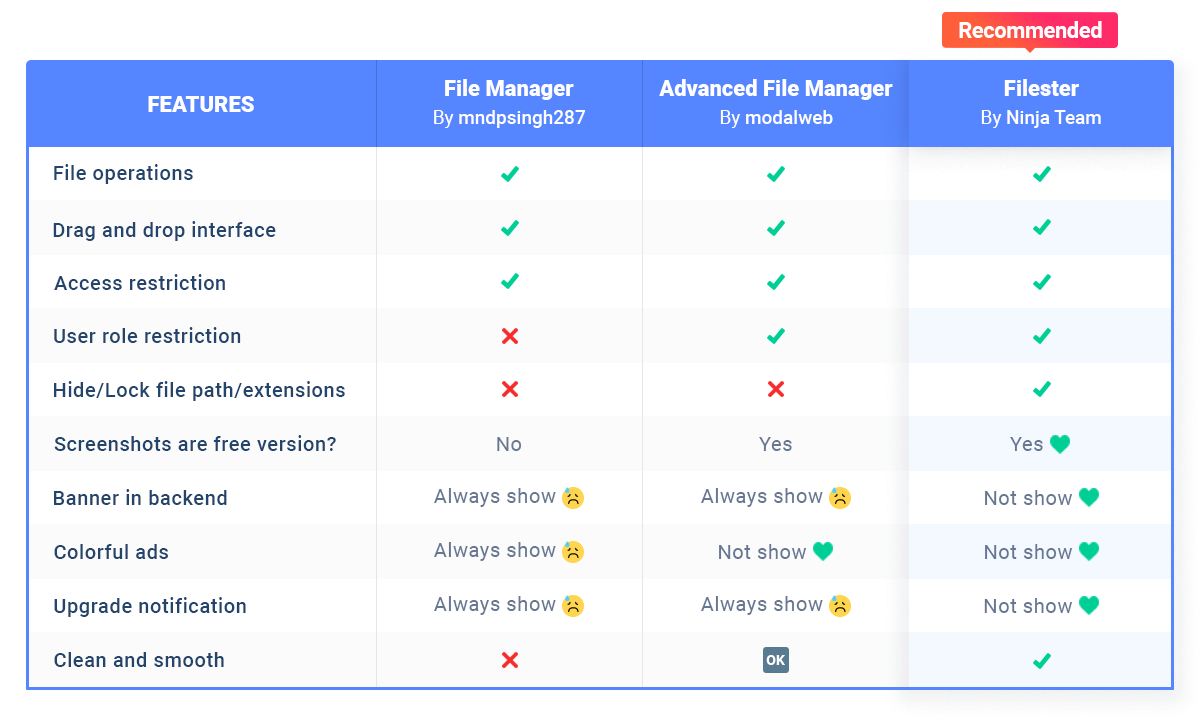
Filester is a WP File Manager Pro plugin, but you can download and use it completely for free. It comes with all the premium features of other WordPress advanced file manager plugins out there.
Filester helps you manage WordPress file directory and edit your website’s base configuration details, while FileBird allows you to manage/upload/download media library folders.
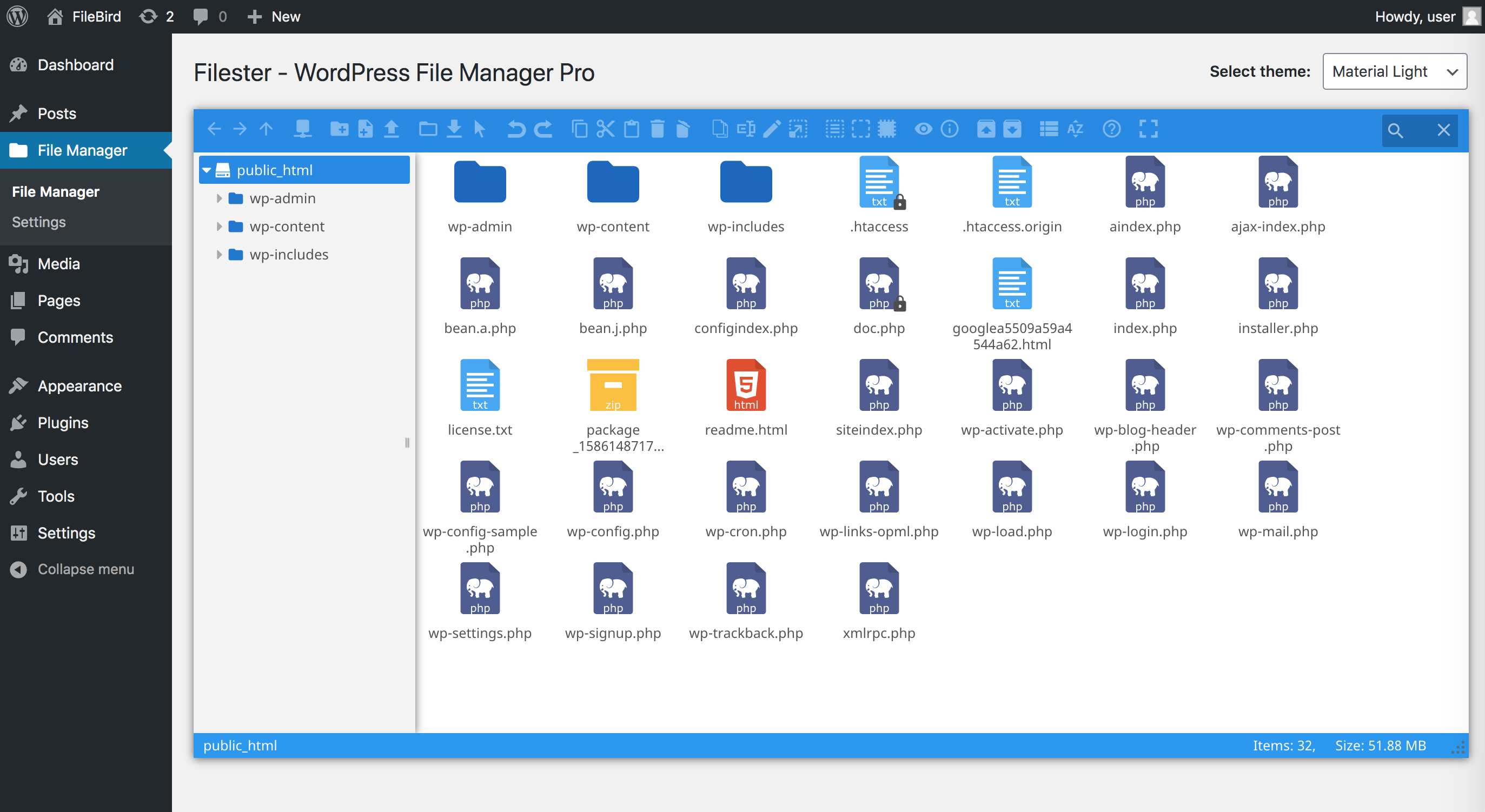
With this File Manager Pro, you can copy, paste, create an archive, download, upload, edit, delete, preview, duplicate, and get info of the WordPress configuration and directory files without FTP access.
Leggi tutto Mostra meno
This file manager plugin is dedicated to boosting your productivity in managing WordPress. All necessary file operations are fully provided and tested on a variety of servers and browsers.
Another thing you will appreciate about it is the clean and compact UI/UX, which makes editing and transferring directory files and folders extra fast.
Did you know?
More than 700,000 WordPress websites were attacked during September 2020.
Malicious bots are looking to exploit vulnerable versions of WP file manager plugins.
Fortunately, Filester comes with this vulnerability fixed!
Filester poses no risk to you, so rest assured! 🤗
Filester plugin helps you easily manage WordPress files so that you don’t have to access directories via FTP or cPanel.
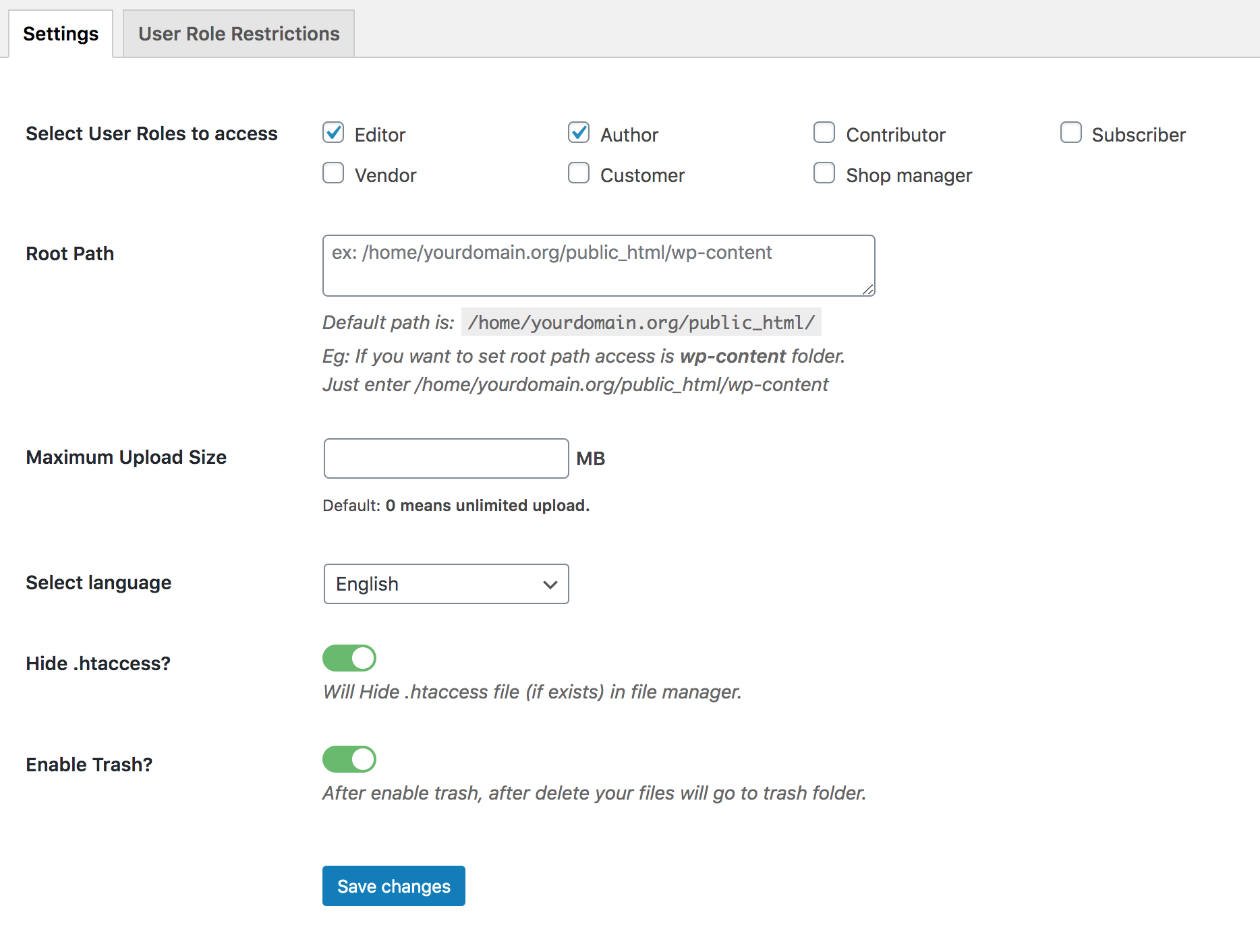
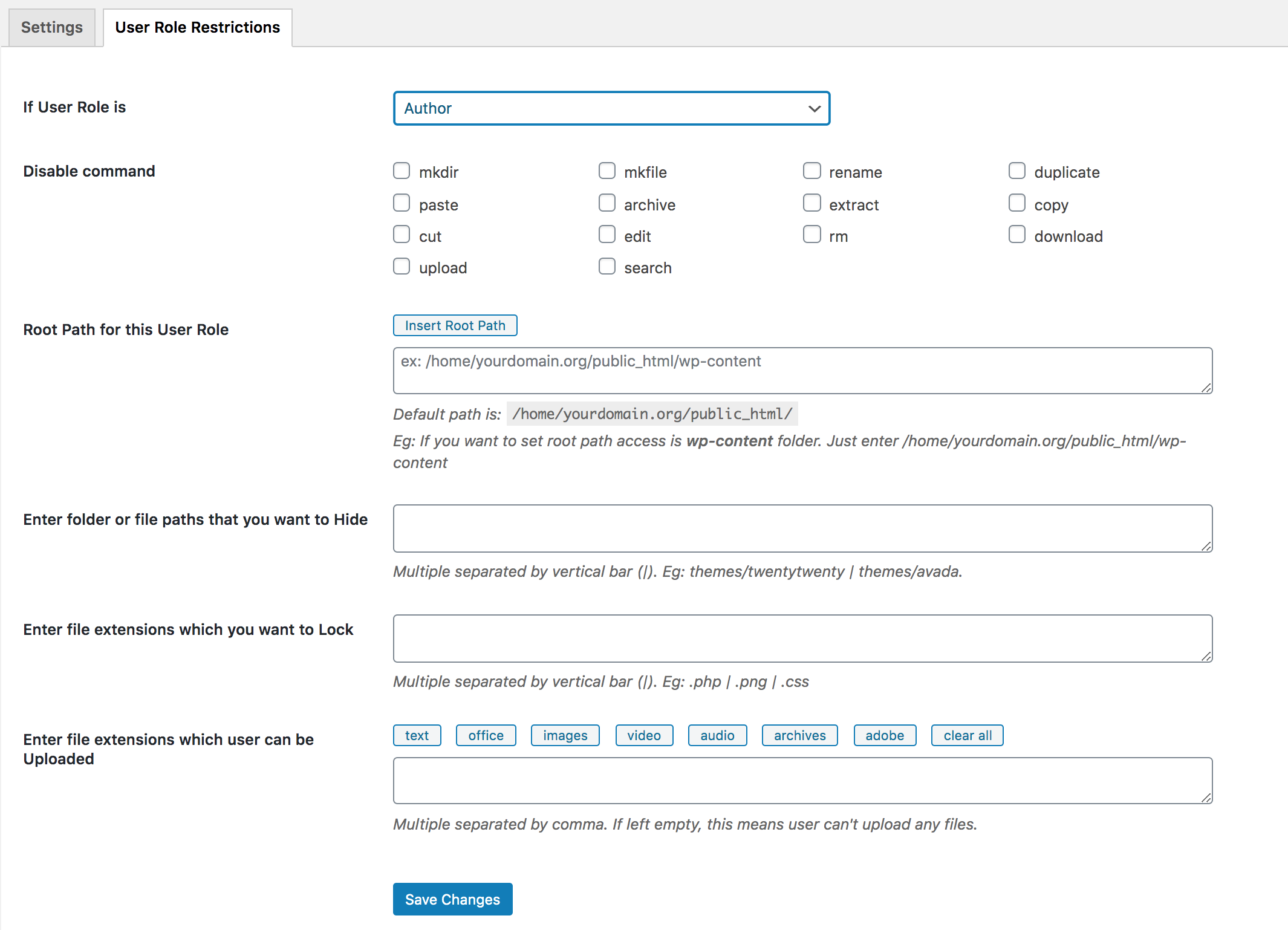
This plugin creates a new menu File Manager in your WordPress dashboard. From then on, you can view all server files, configuration, and media files on your current WordPress website.
You can edit, copy, upload/download files/folders to your server from File Manager section. This toolbar is similar to the settings in an FTP client. It allows you to preview, edit, upload, download, duplicate and delete files or folders.
With Filester, it’s easy to modify the auto-update mechanism with each new version of WordPress. You can quickly search for specific text or code within your WordPress files and replace it efficiently.
With built-in code editors, you can edit code files with syntax highlighting and code completion features for themes, plugins, and custom code snippets. It takes one click to download a plugin’s ZIP file to your local storage. It helps track changes made to files and revert to previous versions if needed.
All webmasters can also download WordPress media library using Filester download options as well. Yet the media files are organized in month- and year-based folders.
Filester works seamlessly with all major WordPress themes, page builders, and website builders.
💙 Like Filester? Write us a review here ✨
👉 Explore recommended plugins and themes:
Big thanks to elFinder – Open-source file manager for web.
Descrizione pubblicata da Ninja Team su WordPress.org, con licenza GPLv2 or later.
Schermate
Schermate pubblicate da Ninja Team su WordPress.org, con licenza GPLv2 or later.