

Ancora troppe poche scansioni per pubblicare il punteggio (3 ricevute).
Informazioni
Trusted by 300,000+ WordPress sites, rated 4.9 stars with 450+ five-star reviews, actively developed for 10+ years, and translated into 15+ languages.
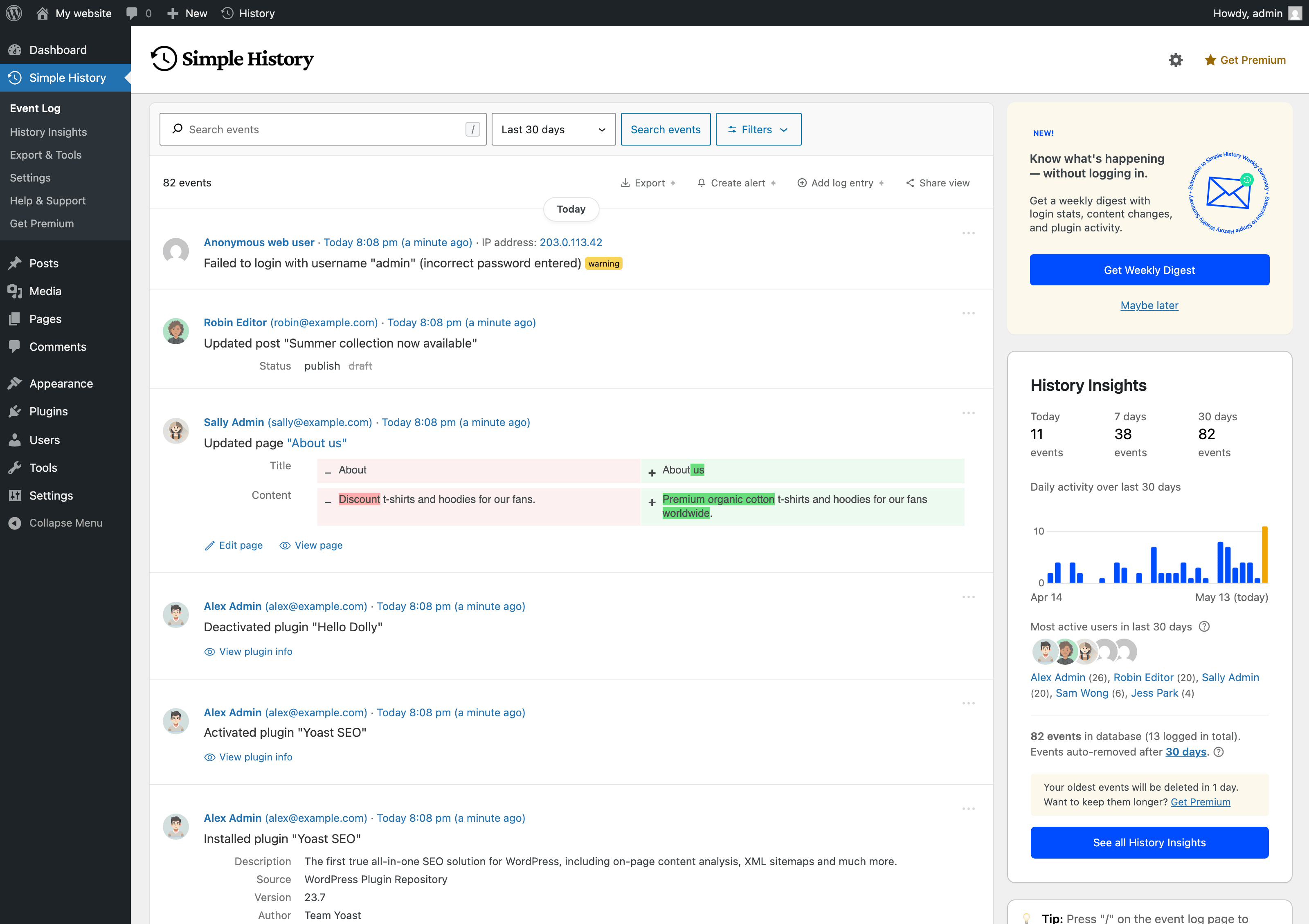
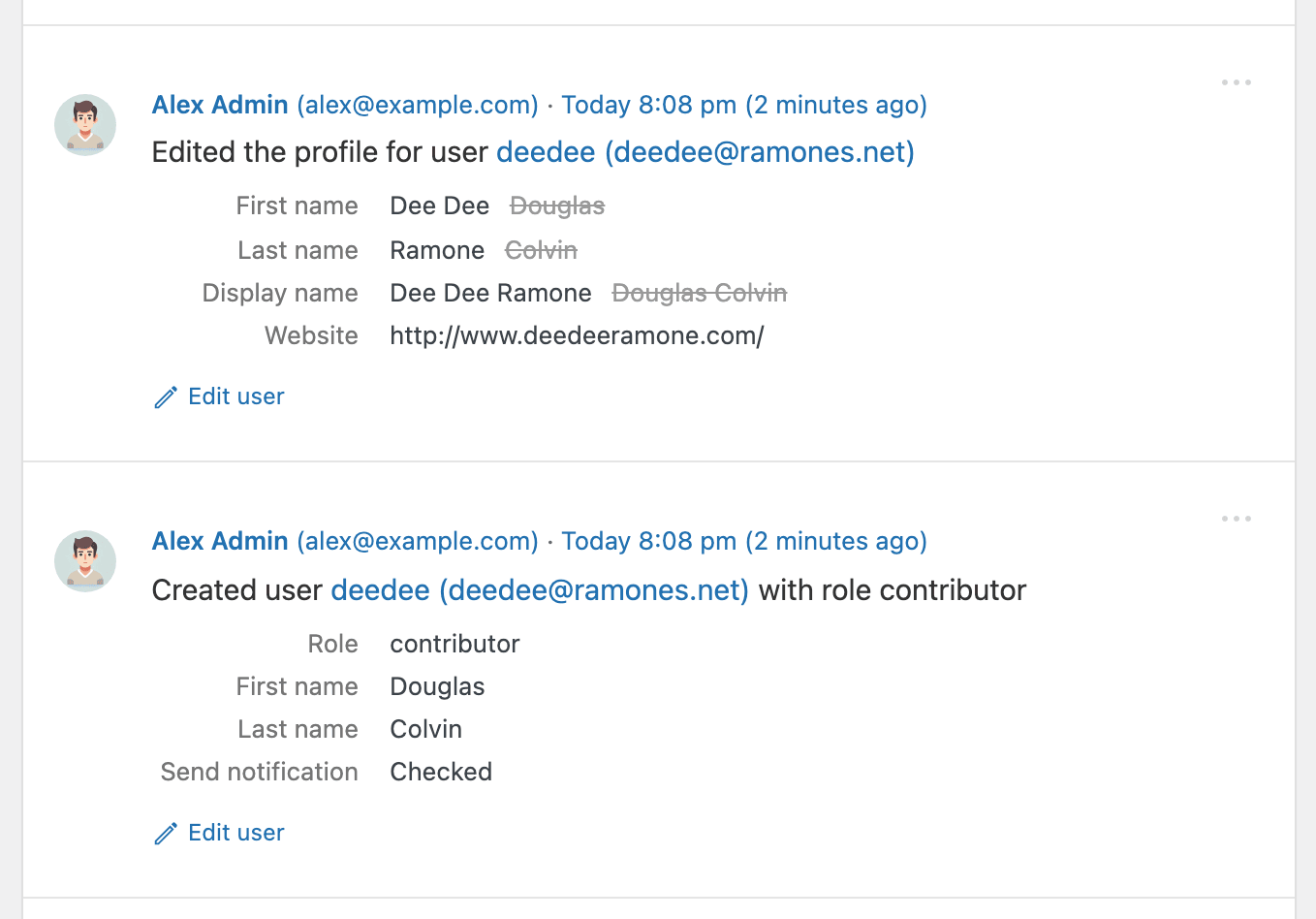
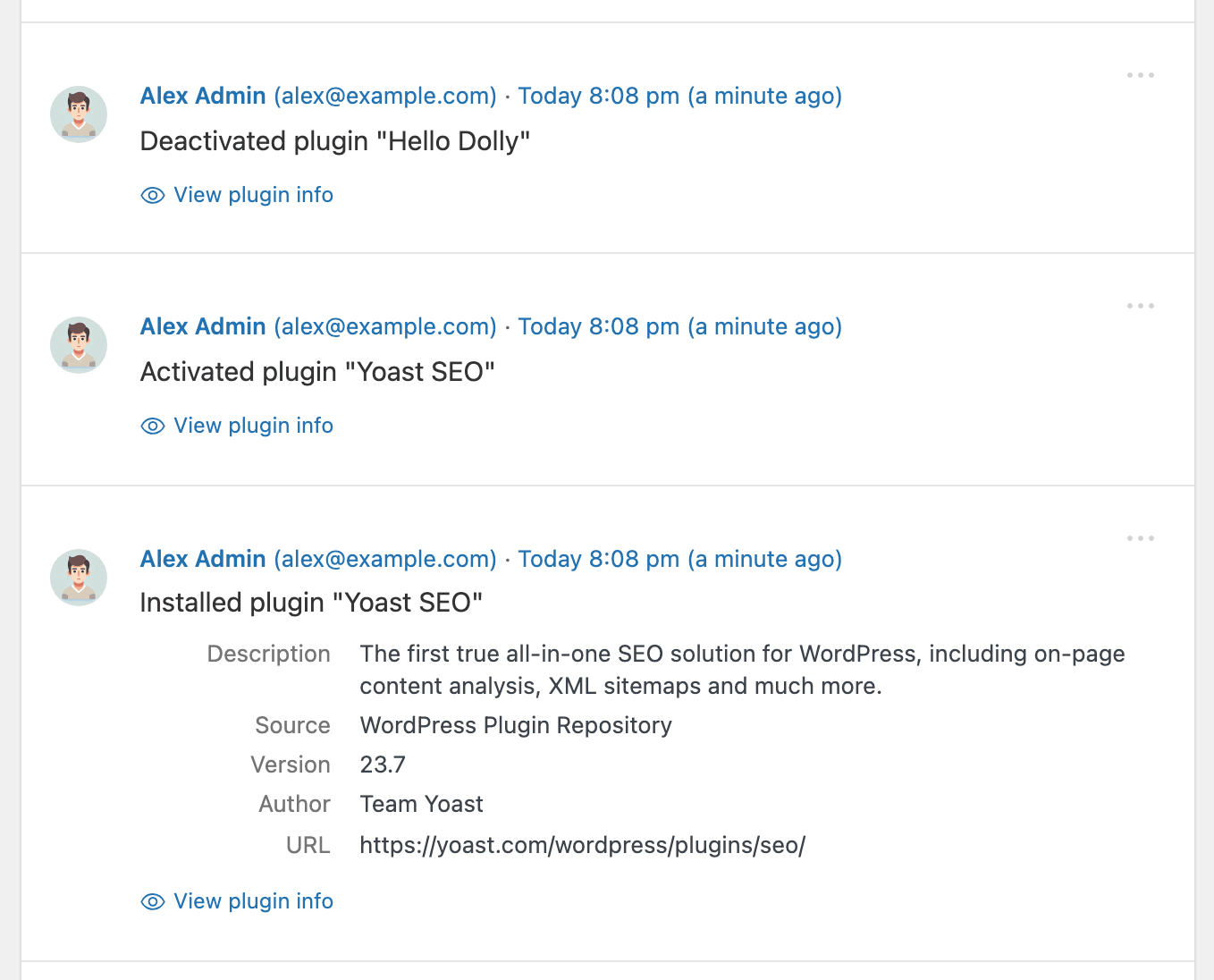
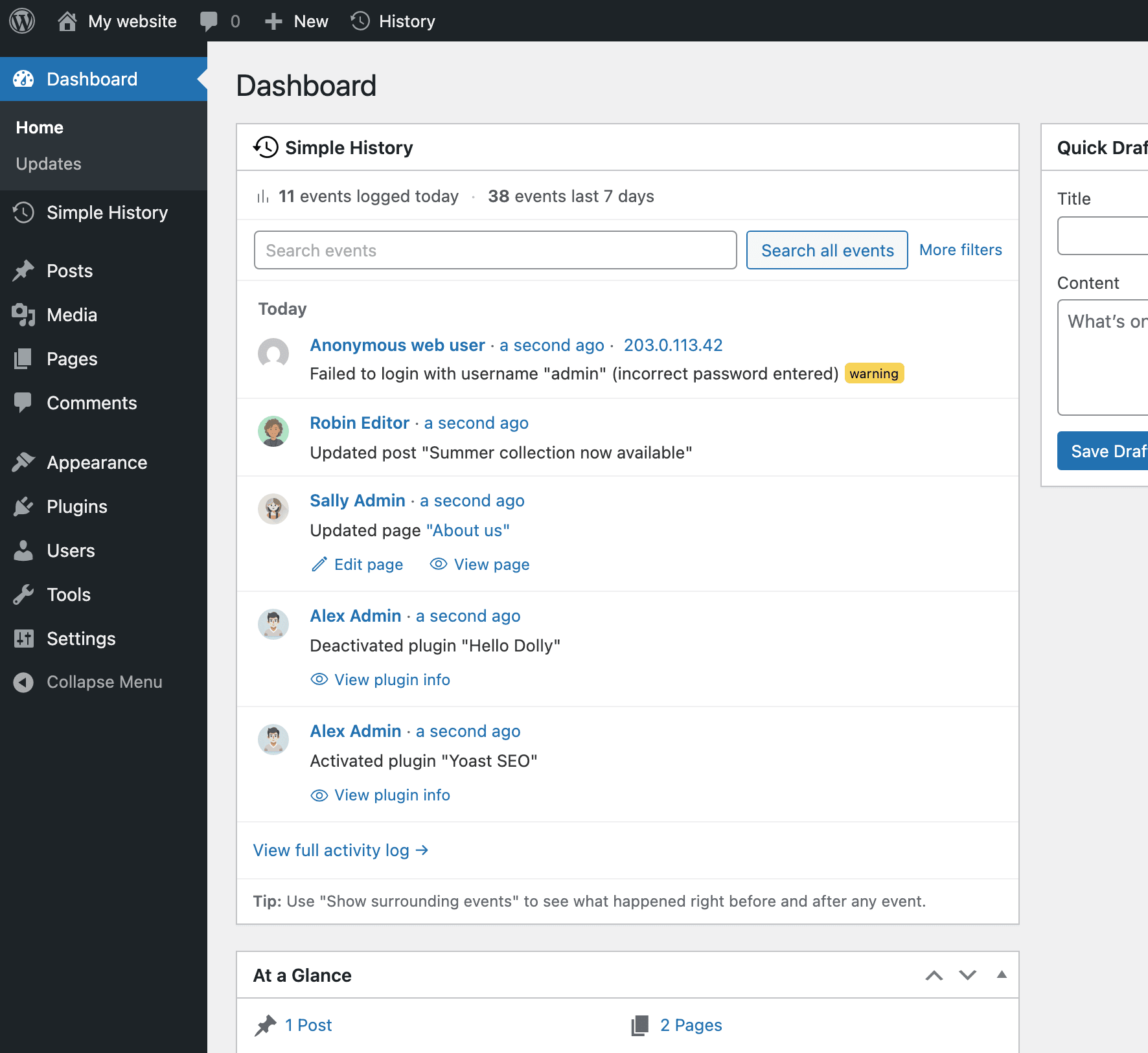
Simple History is the complete audit log for WordPress. It tracks every meaningful change — content edits, user logins, plugin updates, security events, and more — so site owners, teams, agencies, and developers always know who did what and when. Just install and activate; no configuration required.
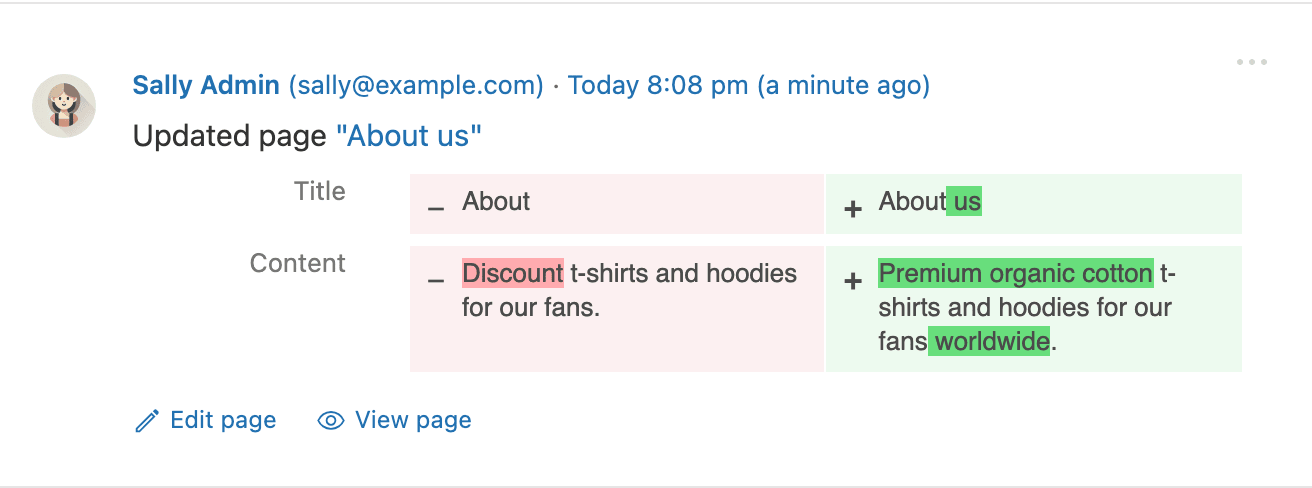
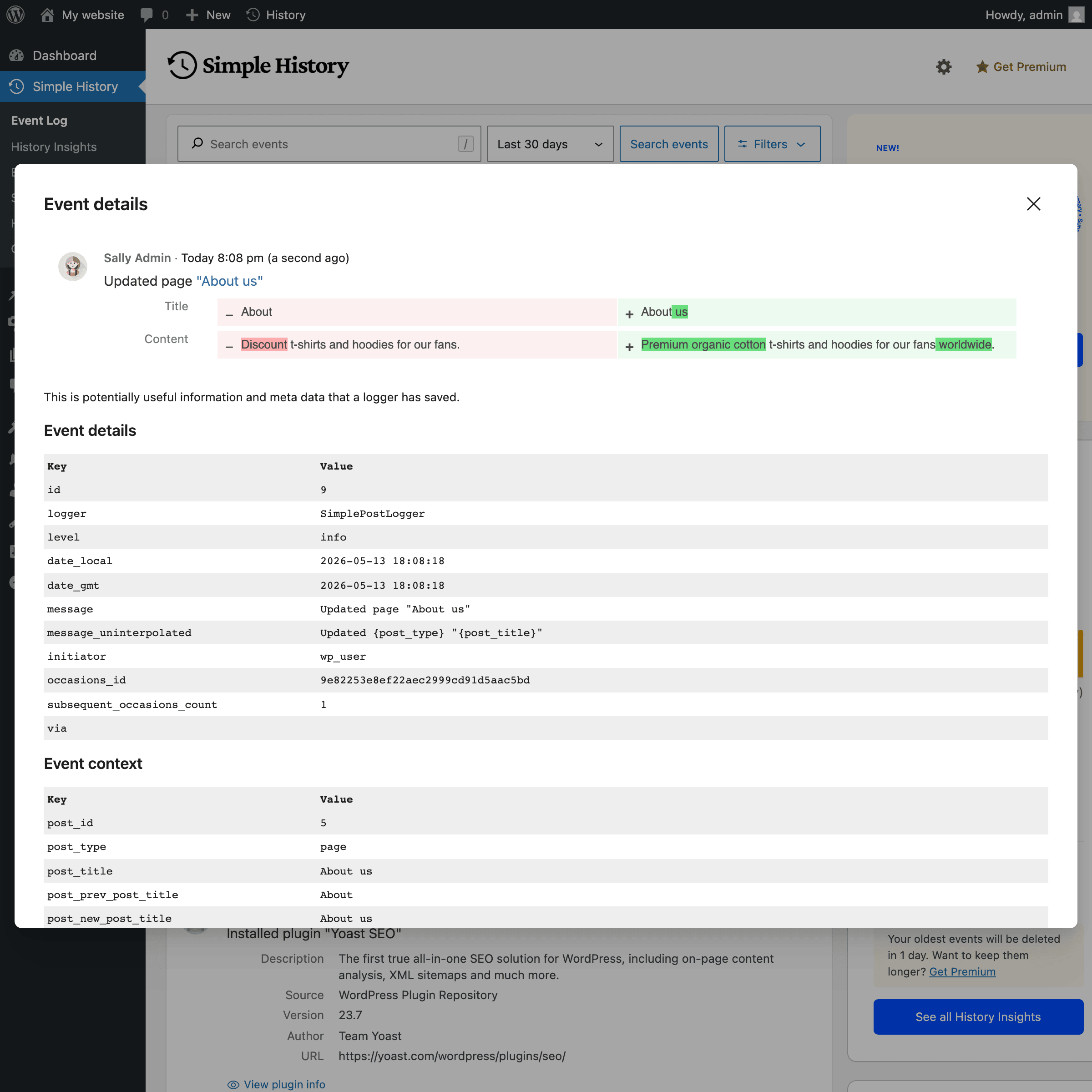
Every event is written to be read: plain language like Updated page “About us”, relative timestamps such as “5 minutes ago”, and before/after comparisons instead of raw data dumps.
Leggi tutto Mostra meno
Track what’s happening on your site
“Has anyone done anything today? Ah, Sarah uploaded the new press release and created an article for it. Great — now I don’t have to do that.”
Identify issues and debug faster
“The site feels slow since yesterday. Has anyone done anything special? … Ah, Steven activated ‘naughty-plugin-x’, that must be it.”
Keep freelancers & agencies accountable
“I hired a developer to optimize my site. But did they actually do anything? A quick glance at Simple History shows me exactly what they worked on.”
Spot suspicious activity early
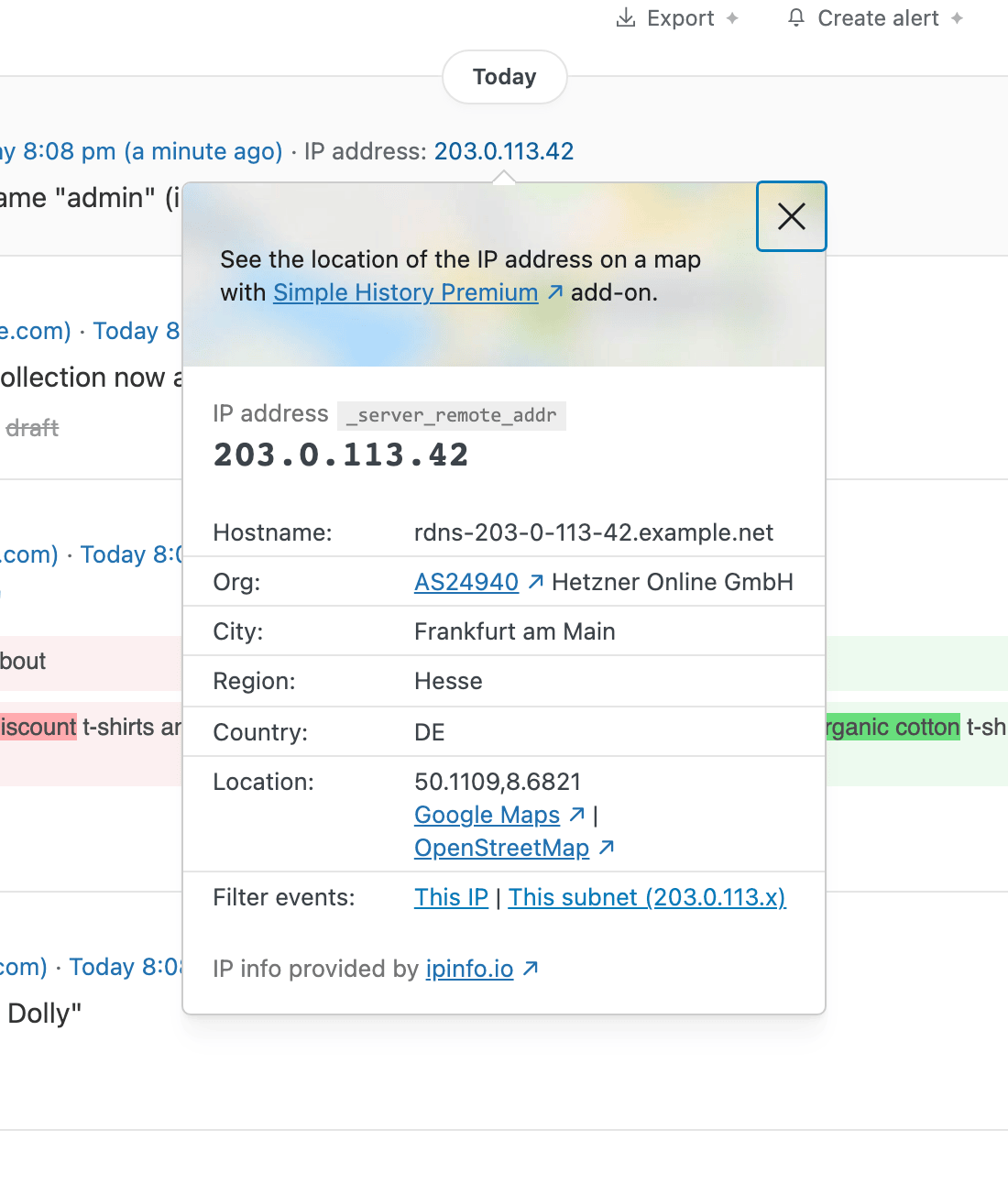
“I see three failed logins from an unfamiliar IP address overnight. Let me click the IP to check all activity from that address — just those attempts, nothing else. Good to know.”
Simple History includes built-in logging for:
Plugins that log to Simple History themselves include my CMS Tree Page View (page moves and new pages) and Simple SEO (SEO title and description changes, with before and after).
Is your plugin missing? Plugin authors can add support using the logging API.
450+ five-star reviews on WordPress.org:
Simple History starts tracking instantly after activation — no setup needed. It even imports recent activity so your log isn’t empty on day one. Access your log from:
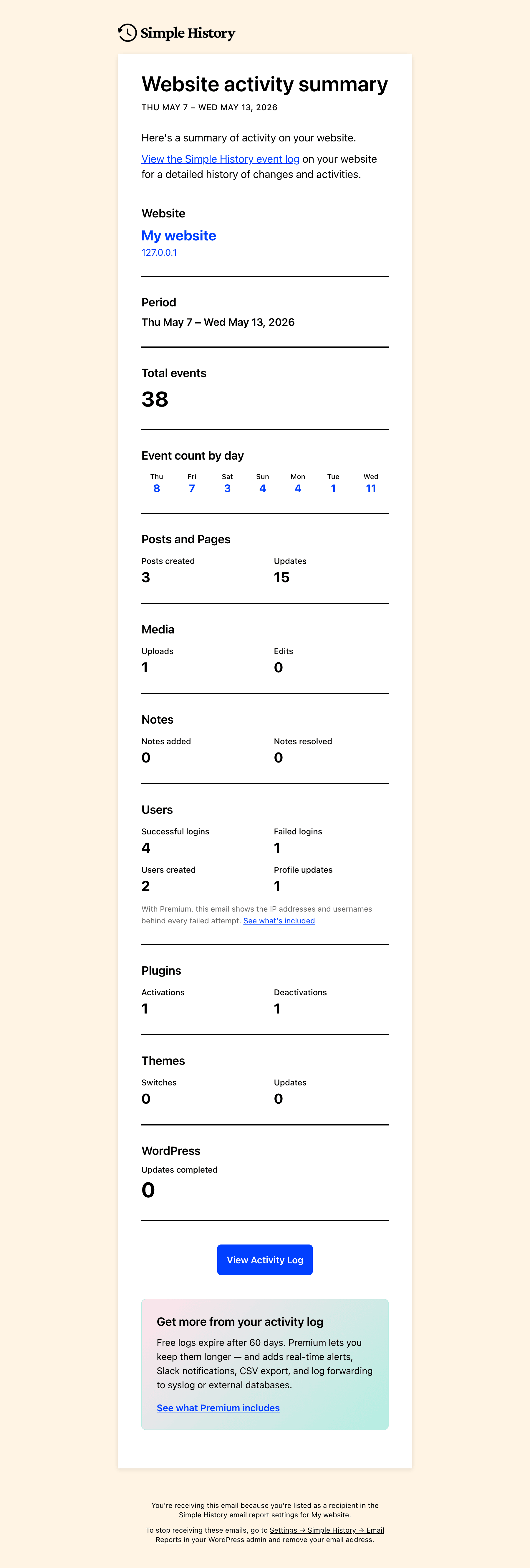
Weekly email reports deliver a summary of your site’s activity every Monday morning — total activity, daily breakdown, key metrics (logins, content updates, plugin changes), and direct links to the full log.
Perfect for site owners, agencies managing client sites, and teams who need regular updates without logging in. Enable it in settings and see what the email looks like before turning it on.
Alerts & Notifications – Get notified instantly via Email, Slack, Discord, or Telegram when important events occur. Start quickly with preset rules for common scenarios or build custom rules filtered by event type, user, role, and log level.
Log Forwarding – Stream events to external destinations: local log files, syslog servers (UDP/TCP/TLS), Datadog, Splunk, webhooks, or external MySQL/MariaDB databases. Perfect for centralized logging, compliance, and backup.
Enhanced Controls – Custom retention periods (or keep logs forever), CSV/JSON export of filtered search results, post activity panel in the block editor, custom log entries for team decisions, stealth mode GUI, logger control to fine-tune which events are recorded, and an ad-free experience.
Track WooCommerce activity: orders, refunds, stock changes, product updates, pricing adjustments, settings modifications, and coupon usage.
Monitor outgoing HTTP requests and emails, debug API calls, and see what’s happening under the hood. Essential for developers and support teams.
If you like this plugin please consider sponsoring the development of the free plugin. The plugin has been free for over 10 years and will continue to be free.
Descrizione pubblicata da Pär Thernström su WordPress.org, con licenza GPLv2 or later.
Tag
activity
audit log
event log
history
user tracking
Schermate
Schermate pubblicate da Pär Thernström su WordPress.org, con licenza GPLv2 or later.
Storico per versione
Mostra il dettaglio per versione (6 versioni)
Storico per versione
Mostra il dettaglio per versione (6 versioni)
Come evolve il plugin di versione in versione.
| Versione | Homepage | Admin | Ultima scansione |
|---|---|---|---|
| v5.36.0 | 1 scansione | — | 1 giorno fa |
| v5.35.0 | 4 scansioni | 2 scansioni | 3 settimane fa |
| v5.32.0 | 1 scansione | — | 1 mese fa |
| v5.31.0 | 1 scansione | — | 2 mesi fa |
| v5.30.0 | 2 scansioni | — | 2 mesi fa |
| v5.29.0 |
A
100/100 · 24
|
A
94/100 · 16
|
3 mesi fa |
Alternative nella stessa categoria
Altri plugin analytics misurati dalla community, ordinati dal più leggero al più pesante.
Ancora troppe poche scansioni per pubblicare il punteggio (3 ricevute).
Ancora troppe poche scansioni per pubblicare il punteggio (4 ricevute).
Ancora troppe poche scansioni per pubblicare il punteggio (2 ricevute).
Storico delle scansioni
Mostra il registro delle singole scansioni (51 scansioni)
Storico delle scansioni
Mostra il registro delle singole scansioni (51 scansioni)
| Data | Versione | Contesto | Punteggio | Grade | Tempo | Memoria |
|---|---|---|---|---|---|---|
| 1 giorno fa | v5.36.0 | Homepage | 99/100 | A | 0 ms | 6.0 MB |
| 3 settimane fa | v5.35.0 | Admin | 86/100 | A | 0 ms | 0.0 MB |
| 3 settimane fa | v5.35.0 | Homepage | 94/100 | A | 0 ms | 4.0 MB |
| 3 settimane fa | v5.35.0 | Admin | 85/100 | A | 31 ms | 0.0 MB |
| 3 settimane fa | v5.35.0 | Homepage | 92/100 | A | 14 ms | 2.0 MB |
| 3 settimane fa | v5.35.0 | Homepage | 93/100 | A | 26 ms | 6.0 MB |
| 4 settimane fa | v5.35.0 | Homepage | 70/100 | B | 1,435 ms | 0.0 MB |
| 1 mese fa | v5.32.0 | Homepage | 88/100 | A | 35 ms | 2.0 MB |
| 2 mesi fa | v5.31.0 | Homepage | 88/100 | A | 31 ms | 2.0 MB |
| 2 mesi fa | v5.30.0 | Homepage | 99/100 | A | 0 ms | 4.0 MB |
| 2 mesi fa | v5.30.0 | Homepage | 89/100 | A | 382 ms | 0.0 MB |
| 3 mesi fa | v5.29.0 | Admin | 75/100 | B | 111 ms | 2.0 MB |
| 3 mesi fa | v5.29.0 | Homepage | 100/100 | A | 0 ms | 0.0 MB |
| 3 mesi fa | v5.29.0 | Homepage | 100/100 | A | 0 ms | 0.0 MB |
| 3 mesi fa | v5.29.0 | Admin | 91/100 | A | 68 ms | 2.0 MB |
| 3 mesi fa | v5.29.0 | Homepage | 100/100 | A | 24 ms | 0.0 MB |
| 3 mesi fa | v5.29.0 | Homepage | 99/100 | A | 0 ms | 0.0 MB |
| 3 mesi fa | v5.29.0 | Admin | 99/100 | A | 107 ms | 2.0 MB |
| 3 mesi fa | v5.29.0 | Admin | 99/100 | A | 0 ms | 2.0 MB |
| 3 mesi fa | v5.29.0 | Admin | 100/100 | A | 5 ms | 2.0 MB |
| 3 mesi fa | v5.29.0 | Admin | 80/100 | B | 374 ms | 6.0 MB |
| 3 mesi fa | v5.29.0 | Admin | 85/100 | A | 229 ms | 0.0 MB |
| 3 mesi fa | v5.29.0 | Admin | 83/100 | B | 357 ms | 6.0 MB |
| 3 mesi fa | v5.29.0 | Admin | 94/100 | A | 91 ms | 2.0 MB |
| 3 mesi fa | v5.29.0 | Admin | 98/100 | A | 0 ms | 2.0 MB |
| 3 mesi fa | v5.29.0 | Admin | 93/100 | A | 46 ms | 0.0 MB |
| 3 mesi fa | v5.29.0 | Admin | 83/100 | B | 109 ms | 0.0 MB |
| 3 mesi fa | v5.29.0 | Homepage | 100/100 | A | 0 ms | 4.0 MB |
| 3 mesi fa | v5.29.0 | Admin | 99/100 | A | 0 ms | 2.0 MB |
| 3 mesi fa | v5.29.0 | Homepage | 100/100 | A | 0 ms | 2.0 MB |
| 3 mesi fa | v5.29.0 | Homepage | 100/100 | A | 0 ms | 4.0 MB |
| 3 mesi fa | v5.29.0 | Homepage | 90/100 | A | 239 ms | 6.0 MB |
| 3 mesi fa | v5.29.0 | Homepage | 100/100 | A | 0 ms | 0.0 MB |
| 3 mesi fa | v5.29.0 | Admin | 100/100 | A | 0 ms | 2.0 MB |
| 3 mesi fa | v5.29.0 | Admin | 91/100 | A | 69 ms | 0.0 MB |
| 3 mesi fa | v5.29.0 | Homepage | 86/100 | A | 218 ms | 0.0 MB |
| 3 mesi fa | v5.29.0 | Admin | 99/100 | A | 23 ms | 0.0 MB |
| 3 mesi fa | v5.29.0 | Homepage | 96/100 | A | 75 ms | 2.0 MB |
| 3 mesi fa | v5.29.0 | Homepage | 100/100 | A | 0 ms | 4.0 MB |
| 3 mesi fa | v5.29.0 | Homepage | 99/100 | A | 0 ms | 8.0 MB |
| 3 mesi fa | v5.29.0 | Homepage | 97/100 | A | 31 ms | 2.0 MB |
| 3 mesi fa | v5.29.0 | Homepage | 100/100 | A | 3 ms | 0.0 MB |
| 3 mesi fa | v5.29.0 | Homepage | 83/100 | B | 224 ms | 0.0 MB |
| 3 mesi fa | v5.29.0 | Homepage | 100/100 | A | 0 ms | 2.0 MB |
| 3 mesi fa | v5.29.0 | Homepage | 99/100 | A | 0 ms | 6.0 MB |
| 3 mesi fa | v5.29.0 | Homepage | 100/100 | A | 5 ms | 4.0 MB |
| 3 mesi fa | v5.29.0 | Homepage | 82/100 | B | 95 ms | 0.0 MB |
| 3 mesi fa | v5.29.0 | Homepage | 100/100 | A | 9 ms | 0.0 MB |
| 3 mesi fa | v5.29.0 | Homepage | 100/100 | A | 10 ms | 4.0 MB |
| 3 mesi fa | v5.29.0 | Homepage | 97/100 | A | 43 ms | 0.0 MB |