
Punteggio di impatto
Footprint Score sui due contesti più rappresentativi.
1 scansioni · ultima scansione 3 mesi fa
Score Homepage
Impatto misurato sulla home page pubblica
v3.50.0 · 1 scansione · Punteggio consolidato su 90 giorni · 1 versioni
Cosa aggiunge a ogni caricamento di pagina
- Tempo aggiunto
- 0 ms
- Memoria aggiunta
- 2.0 MB
- Query SQL
- +9
- File CSS/JS
- +2
- Chiamate esterne
- 0
Score Admin
Impatto misurato nell'amministrazione WordPress
Informazioni
PublishPress Taxonomies allows you to create and manage Tags, Categories, and all your WordPress taxonomy terms. PublishPress Taxonomies can help with all your WordPress content, from adding Tags and Categories to Pages, to managing WooCommerce Product Categories and bbPress Topic Tags.
PublishPress Taxonomies has integrations with AI tools including OpenAI. You can use these AI services to find the best taxonomy terms for your content.
With PublishPress Taxonomies, you can organize, optimize, and showcase all your WordPress content:
Leggi tutto Mostra meno
Upgrade to PublishPress Taxonomies Pro
This plugin is the free version of PublishPress Taxonomies. The Pro version of PublishPress Taxonomies has extra features and expert support. Get the PublishPress Taxonomies Pro plugin now!
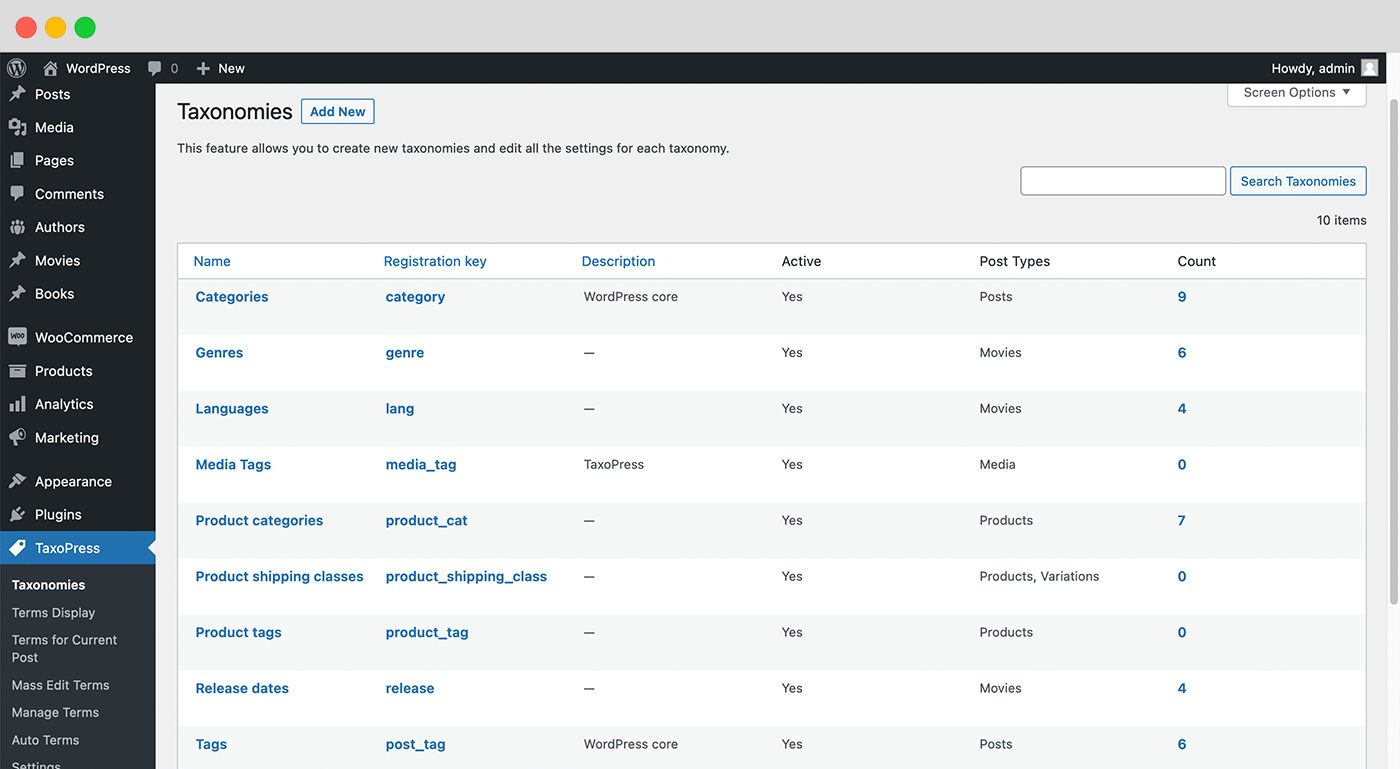
PublishPress Taxonomies can manage all the taxonomies created by WordPress and your plugins and themes. You can change the settings for each taxonomy. For example, you can change the visual labels, and control whether the taxonomy is organized in parent-child relationships. You can also assign your taxonomies to different post types. For example, you can use PublishPress Taxonomies to add Categories to Pages, or WooCommerce Tags to Posts.
Click here to read about managing taxonomies.
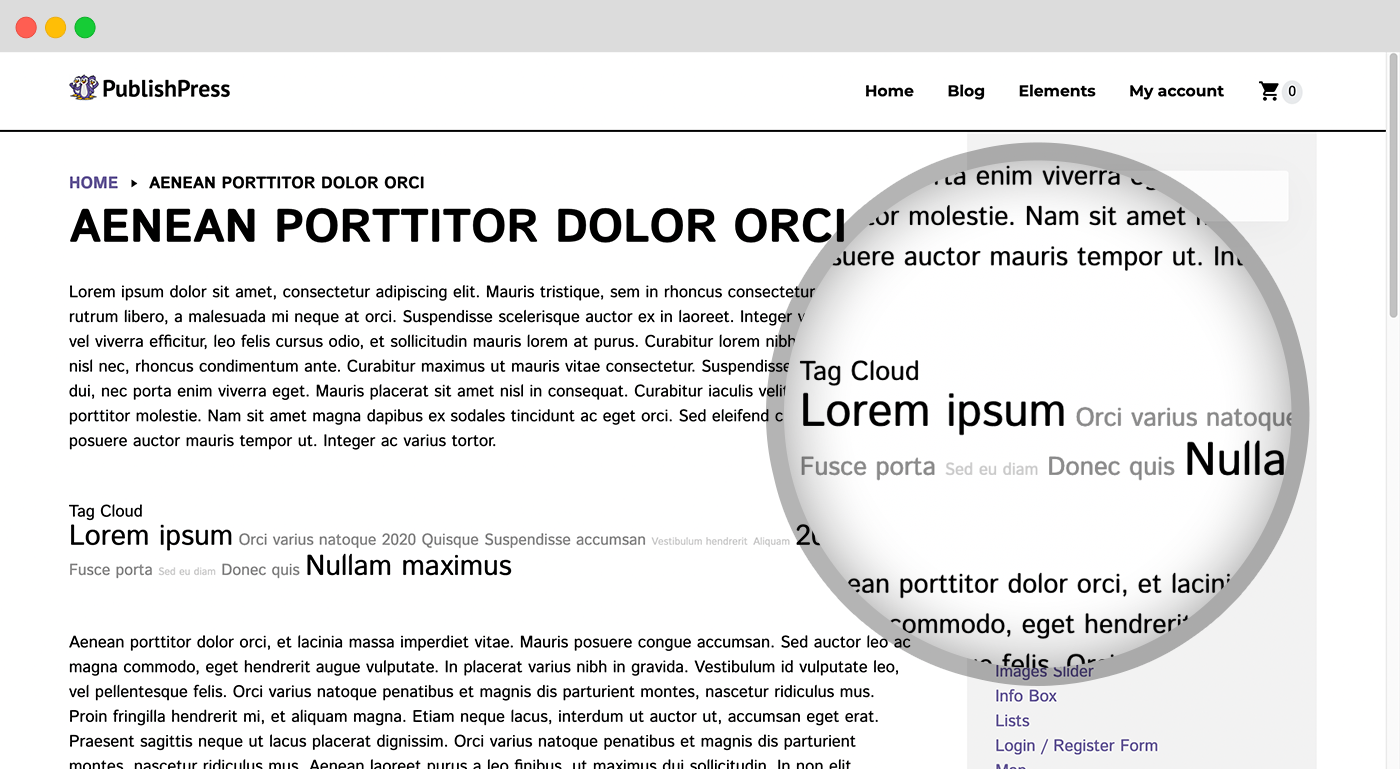
The Terms Display feature in PublishPress Taxonomies allows you to show a cloud or list of the terms used on your site. For example, you can create a “Tag Cloud” showing all your WooCommerce product categories, or you can create a list of all the tags on bbPress topics.
PublishPress Taxonomies makes it easy to customize the format of your terms, and add custom CSS styles. The terms can be shown in a shortcode, a widget, or PublishPress Taxonomies can try and automatically add the terms into your content.
Click here to read about Terms Display.
The Terms for Current Post feature in PublishPress Taxonomies allows you to customize the displays of terms for single posts. This display is separate from any default display of terms in your theme, so you can use this feature to easily show terms anywhere on your site.
PublishPress Taxonomies makes it easy to customize the format of your terms, and add custom CSS styles. The terms can be shown in a shortcode, a widget, or PublishPress Taxonomies can try and automatically add the terms into your content.
Click here to read about Terms for Current Post.
PublishPress Taxonomies can display posts that are related to the current post. This feature works by checking for shared taxonomy terms. If your post has the terms “Vegetables” and “Food”, then this feature will likely display other posts that also have the terms “Vegetables” and “Food”. The more terms that are shared, the more likely a post is to show.
The Related Posts can be shown in a shortcode, a widget, or PublishPress Taxonomies can try and automatically add the related posts into your content.
Click here to read about Related Posts.
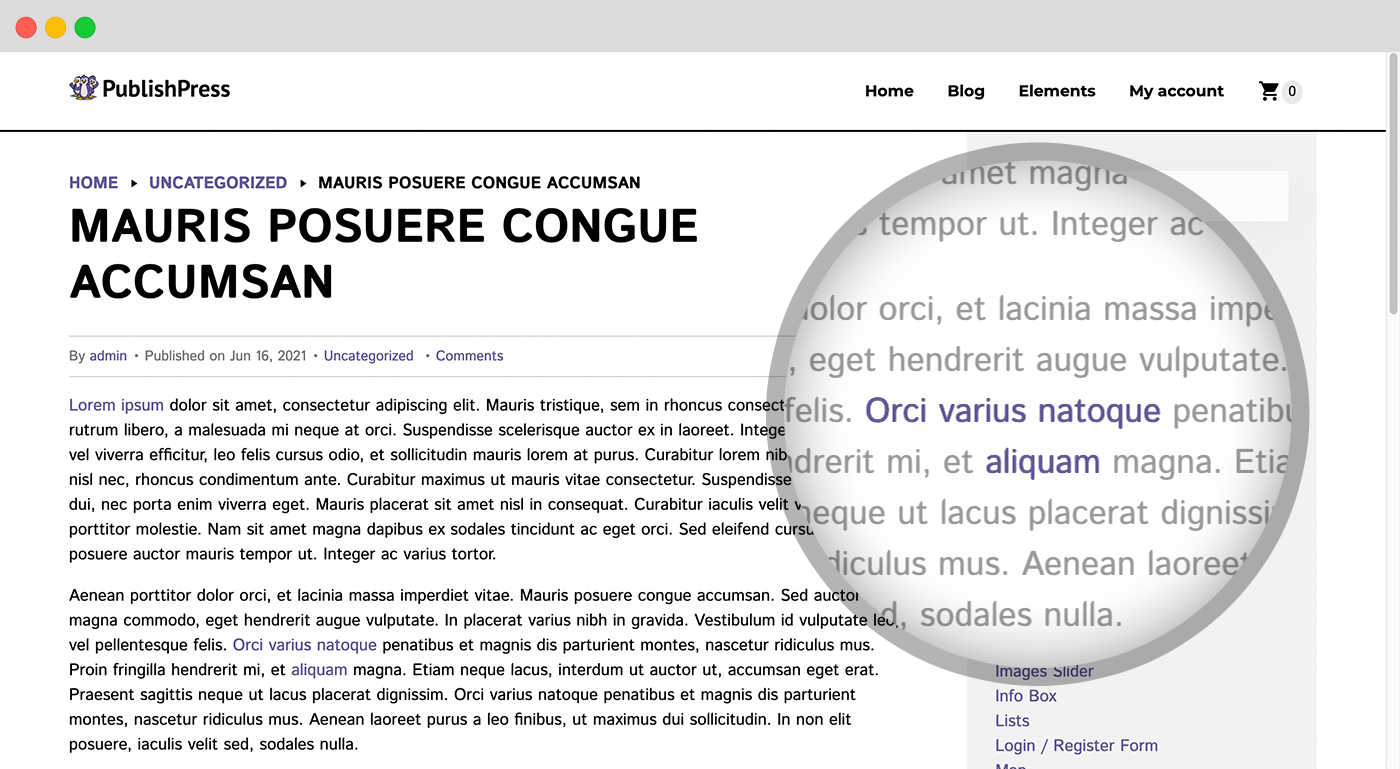
The Auto Links feature in PublishPress Taxonomies will automatically add links to your content. If you have a term called “WordPress”, the Auto Links feature will find any instances of “WordPress” in your content and add a link to the archive page for that tag. So any instances of “WordPress” will link to /tag/wordpress.
Click here to read about Auto Links.
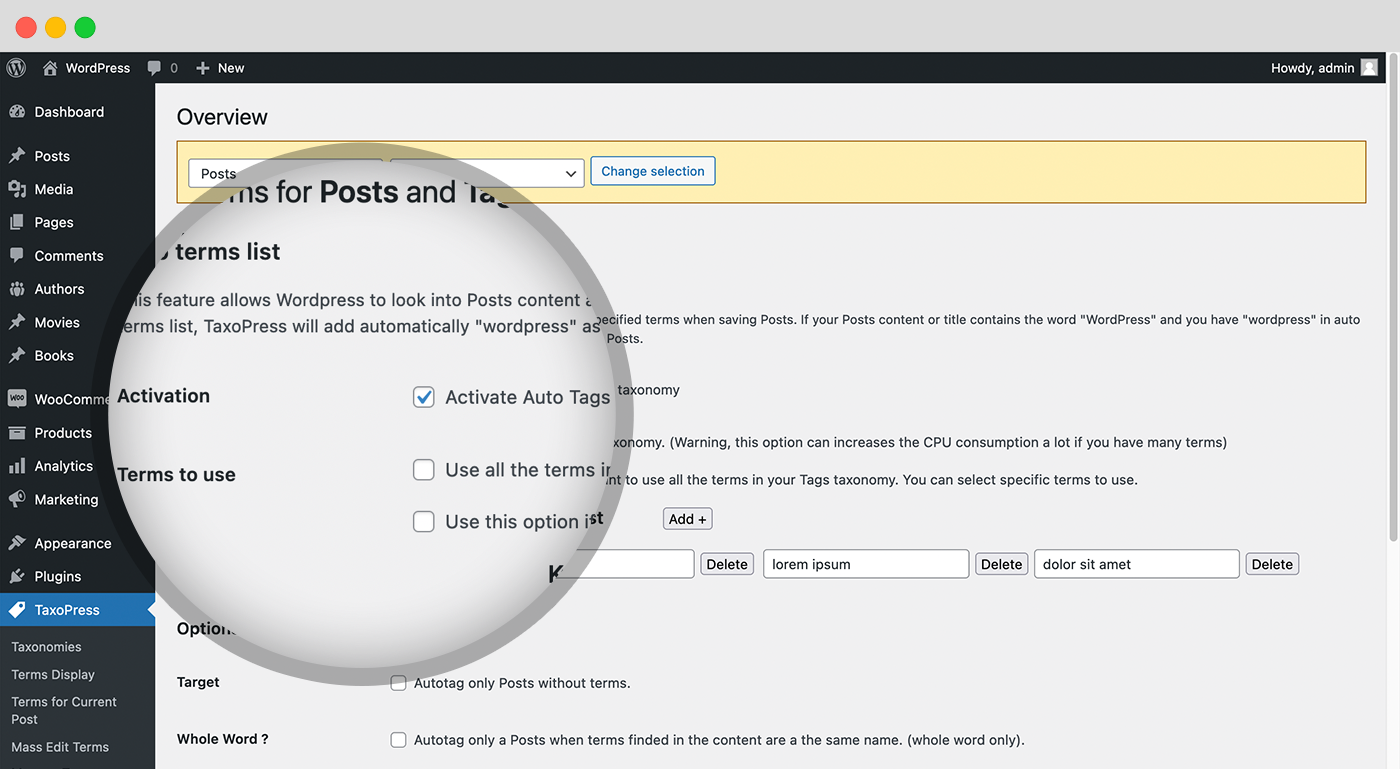
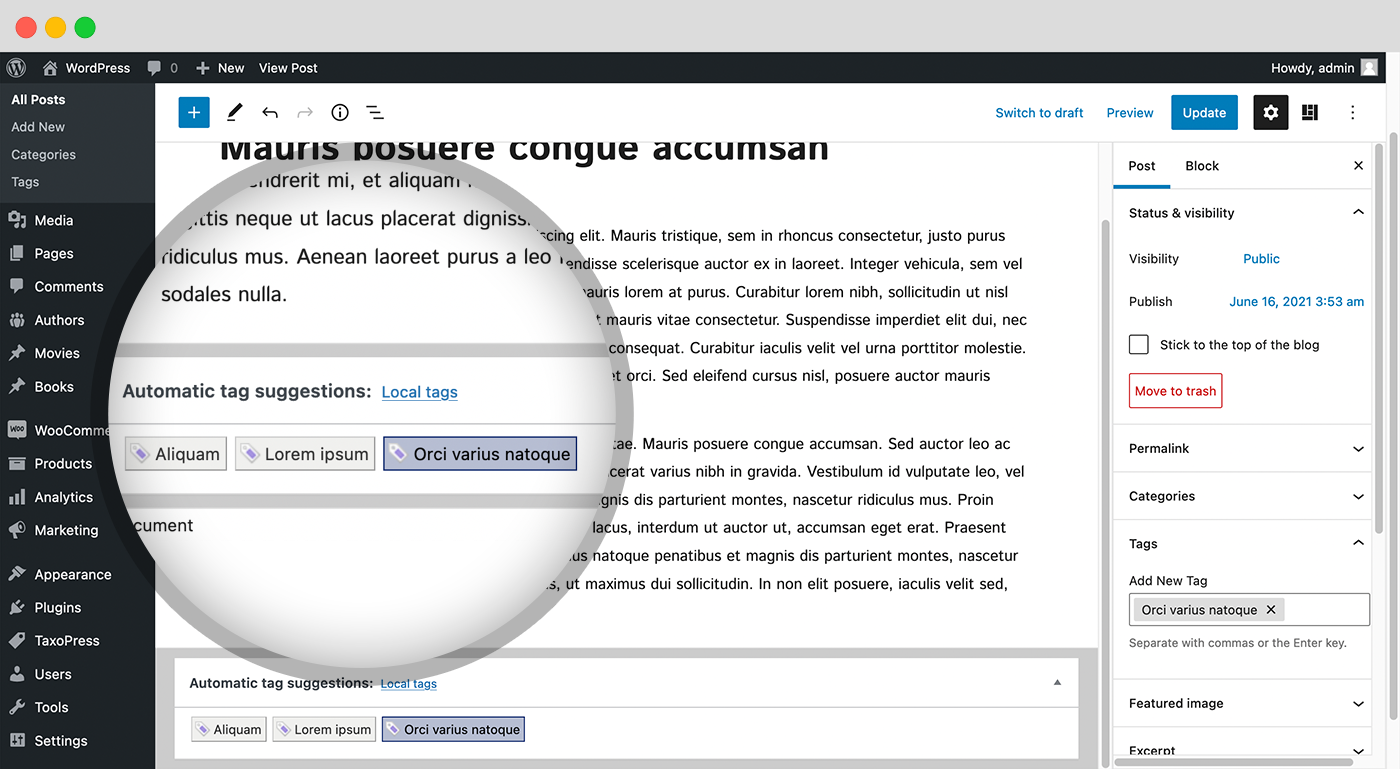
Questa funzione consente a WordPress di esaminare il contenuto e il titolo del tuo articolo per i termini specificati e di aggiungere automaticamente tali termini come tag. Ecco un esempio di come funziona:
Click here to read about automatically adding terms.
This feature makes it easier for you to find or create the best taxonomy terms for your content. PublishPress Taxonomies AI can show a metabox on your post editing screen with all these options:.
Click here to read about PublishPress Taxonomies and AI.
Synonyms is a feature in PublishPress Taxonomies Pro that allows you to have multiple words associated with a single term. If PublishPress Taxonomies scans your content and finds a synonym, it will act as if it has found the main term.
I sinonimi saranno disponibili sulla schermata di ogni termine. Ad esempio, se il tuo termine è “Mela”, puoi creare sinonimi come “Mele”, “Golden”, “Deliziose rosse”, “Imperatore”, “Fuji”, “Honeycrisp”, “Braeburn” e “Gravenstein”.
Click here to read about Term Synonyms.
Linked Terms is a feature in PublishPress Taxonomies Pro that allows you to connect terms. When the main term is added to a post, the linked terms will be added also.
For sites with a lot of terms, this feature makes it easier and quicker for your users to add the correct terms. For example, if you add the term “WordPress” to your posts, PublishPress Taxonomies can automatically add Linked Terms that include “CMS”, “website”, and “website design”.
Click here to read about Linked Terms.
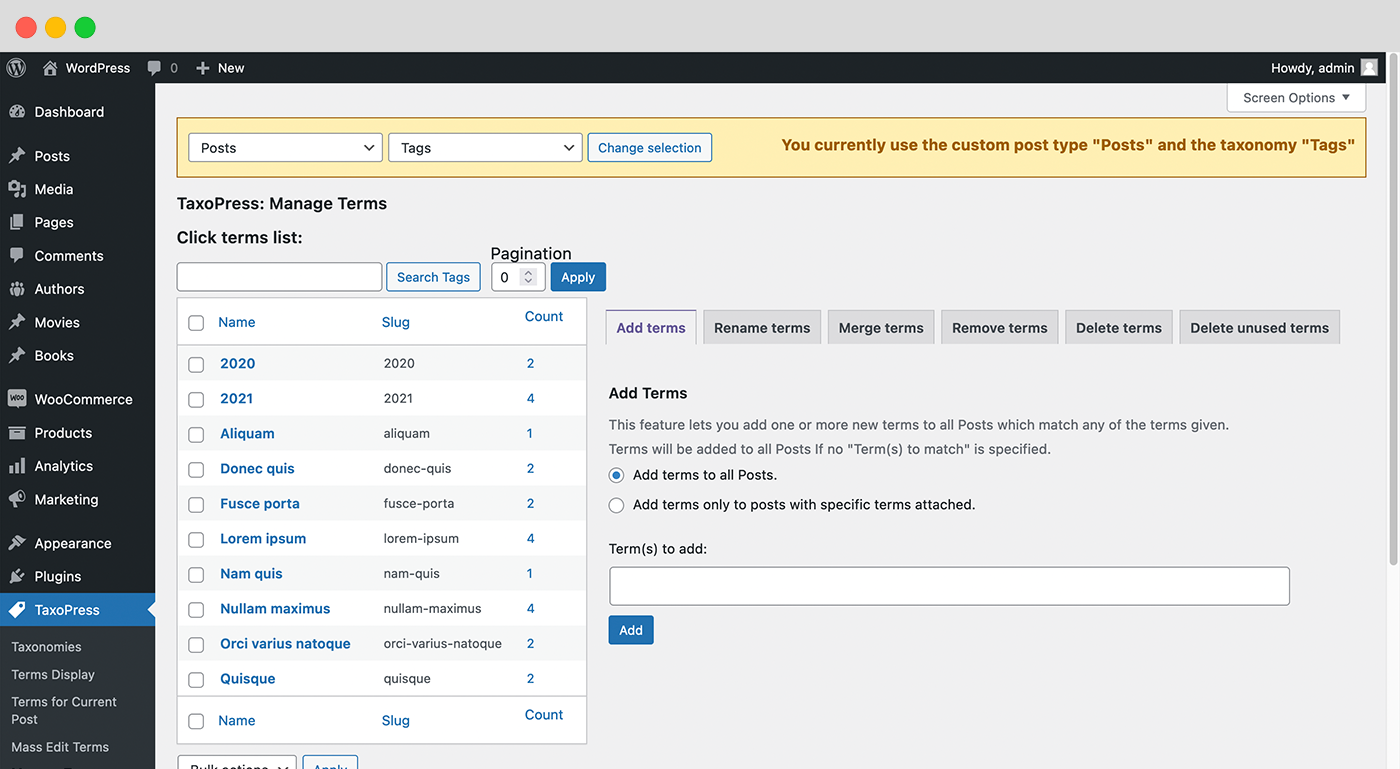
The Manage Terms screen in PublishPress Taxonomies provides you with several useful tools to manage the terms on your site. These tools can be used with any taxonomy. Here are some of the tools on the Manage Terms screen:
Click here to read about managing terms.
Upgrade to PublishPress Taxonomies Pro
This plugin is the free version of PublishPress Taxonomies. The Pro version of PublishPress Taxonomies has extra features and expert support. Get the PublishPress Taxonomies Pro plugin now!
PublishPress Taxonomies is developed by the same team that support the popular Tag Groups plugin. Together PublishPress Tag Groups and PublishPress Taxonomies are an excellent solution for organizing and displaying your site’s content.
Bug reports for PublishPress Taxonomies are welcomed in our repository on GitHub. Please note that GitHub is not a support forum, but a place to report bugs in the plugin that can be replicated outside of a single site.
Follow the PublishPress team and find product news on the PublishPress website.
= [4.0.0] – 28 September, 2026
* Rebrand: Move TaxoPress to PublishPress
The full changelog can be found on GitHub.
Descrizione pubblicata da PublishPress su WordPress.org, con licenza GPLv2 or later.
Schermate
Schermate pubblicate da PublishPress su WordPress.org, con licenza GPLv2 or later.
Storico per versione
Mostra il dettaglio per versione (1 versione)
Storico per versione
Mostra il dettaglio per versione (1 versione)
Come evolve il plugin di versione in versione.
| Versione | Homepage | Admin | Ultima scansione |
|---|---|---|---|
| v3.50.0 | 1 scansione | — | 3 mesi fa |
Storico delle scansioni
Mostra il registro delle singole scansioni (1 scansioni)
Storico delle scansioni
Mostra il registro delle singole scansioni (1 scansioni)
| Data | Versione | Contesto | Punteggio | Grade | Tempo | Memoria |
|---|---|---|---|---|---|---|
| 3 mesi fa | v3.50.0 | Homepage | 97/100 | A | 0 ms | 2.0 MB |