
Punteggio di impatto
Footprint Score sui due contesti più rappresentativi.
2 scansioni · ultima scansione 2 giorni fa
Score Homepage
Impatto misurato sulla home page pubblica
Score Admin
Impatto misurato nell'amministrazione WordPress
v1.9.1 · 1 scansione · Punteggio consolidato su 90 giorni · 1 versioni
Cosa aggiunge a ogni caricamento di pagina
- Tempo aggiunto
- 0 ms
- Memoria aggiunta
- 0.0 MB
- Query SQL
- +8
- File CSS/JS
- +5
- Chiamate esterne
- 0
Informazioni
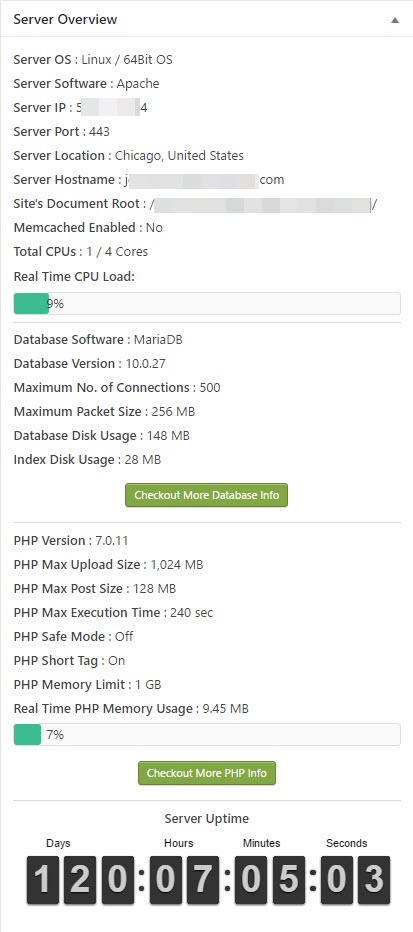
WP Server Health Stats plugin will give you the ability to monitor your WordPress site at its core level. With all-important server health stats like allocated PHP memory, memory usage, realtime RAM usage, CPU usage etc. you can always identify if something wrong is going on with your site.
Now you don’t have to contact your host every single time for minor things. You can easily see the server health stats in your WP admin dashboard and make critical decisions based on that, like if enabling some plugin is consuming a lot of memory or CPU etc.
Please Note: This plugin uses 3rd party systems ip-api.com to get the location details for the server IP. Please check their Privacy Policy and Terms. By default the plugin uses the free version of IP-API service but if you have purchased a premium version then you can enter your API key inside the plugin settings page.
Leggi tutto Mostra meno
It took many countless hours to code, design, test and include useful server info to show up in your WordPress dashboard. If you enjoy this plugin and understand the huge effort I put into this, please consider donating some amount (no matter how small) to keep alive the development of this plugin. Thank you again for using my plugin. If you love using this plugin, I would really appreciate it if you took 2 minutes out of your busy schedule to share your review about this plugin.
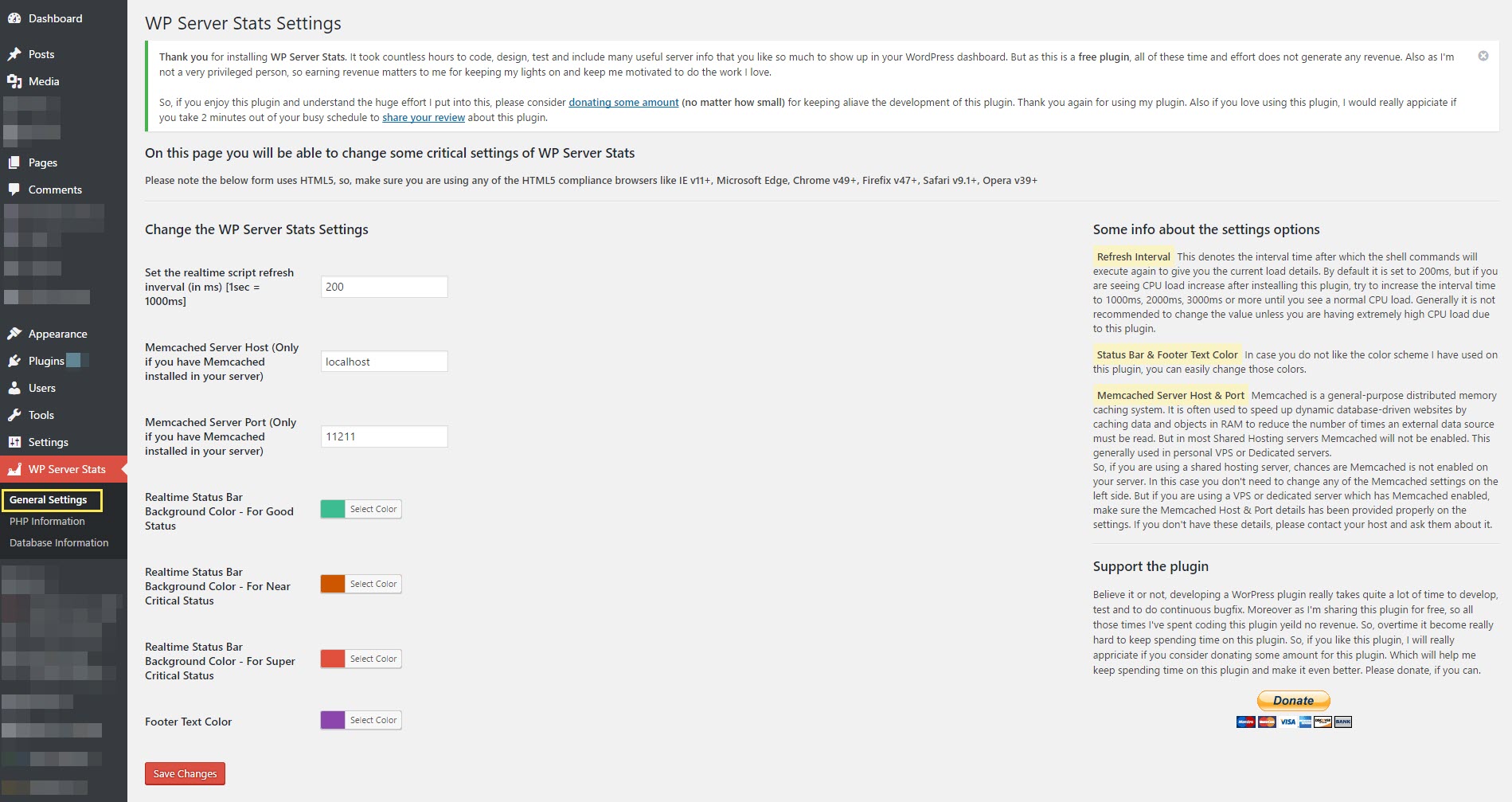
This plugin uses Ajax to call the server after an interval of time to get the latest data about the server, giving you the real-time update. By default, this happens after every 200ms. But if you are using a low-end server with fewer resources, calling the server after each 200ms can increase your server load drastically. You can easily solve this too. On the left-hand side menu of WP Admin panel, you will see a settings panel for WP Server Stats under that you will find another sub-menu called General Settings. Within general settings, the first option is to change the interval time. Change it to how much higher your want like 2000ms (2 sec) or maybe 20000ms (20 sec) depending on your need. Once you save the settings the plugin will call the server only after the interval you have set, reducing your server load back to how it was without this plugin.
But again, generally speaking, if you are in a decent to good hosting, you won’t face this problem at all, as this a very lightweight plugin.
Features of the plugin include:
READ BEFORE INSTALLING
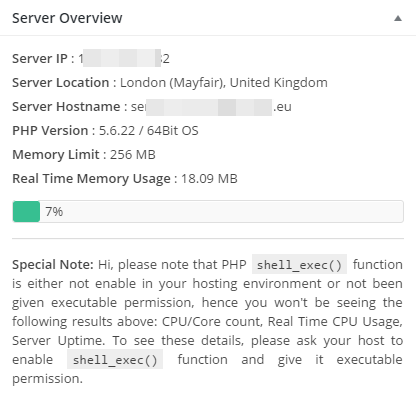
This plugin uses PHP shell_exec() function which is by default enabled by all good hosting companies. But a small percentage of hosting company disable shell_exec() by default. So, please contact your hosting company to make sure shell_exec() is enabled in your account before installing this plugin. Otherwise, you will get an ERROR Code EXEC096T for every feature that uses shell_exec().
Now this plugin is also hosted in Github. But the Github repo will be used for the development of the plugin. So, from now on you can also report the bugs in Github Issue Tracker if you want.
Very Important Note
This plugin has been developed and tested on Linux based servers only so there is a very high chance that it might NOT work for Windows-based servers. So, I highly recommend this plugin to be used by those users who use a Linux based server.
I currently have no plan to add Windows Server support as a very tiny amount of people still use Windows Server in this Linux age. I may add Windows support in future.
ERROR Code List
EXEC096T – PHP shell_exec() function has not been enabled in your account, which this plugin needs to run properly. Contact your server host and ask them to enable PHP shell_exec() function for your account.
IP096T – Your server is not returning the IP properly. There is definitely some issue with your server configuration. Please contact your host and tell them that PHP gethostbyname( gethostname() ) is unable to get the server IP, ask them to look into their server configuration and to fix the configuration issue. If you have a self-hosted VPS or dedicated server, the reason is still the same. If you are unable to find the configuration issue inside your server, I highly suggest you hire a knowledgeable server admin to look into your server. In most cases, you should never get this error message.
Languages
WP Server Stats is 100% compatible with translation and you can translate any text to whatever language you want. As this plugin doesn’t come with an inbuilt translation, I will suggest you to use a plugin like Say What? to change the text, you just have to use the text domain as wp-server-stats within the plugin to change the text.
Very Special Thanks
The list of people whom I especially want to thank without whom this plugin would have never been completed.
Support the Plugin
If you like this plugin please don’t forget to write a review and if possible please Donate some amount to keep the plugin and it’s development alive.
Descrizione pubblicata da iSaumya su WordPress.org, con licenza GPLv2 or later.
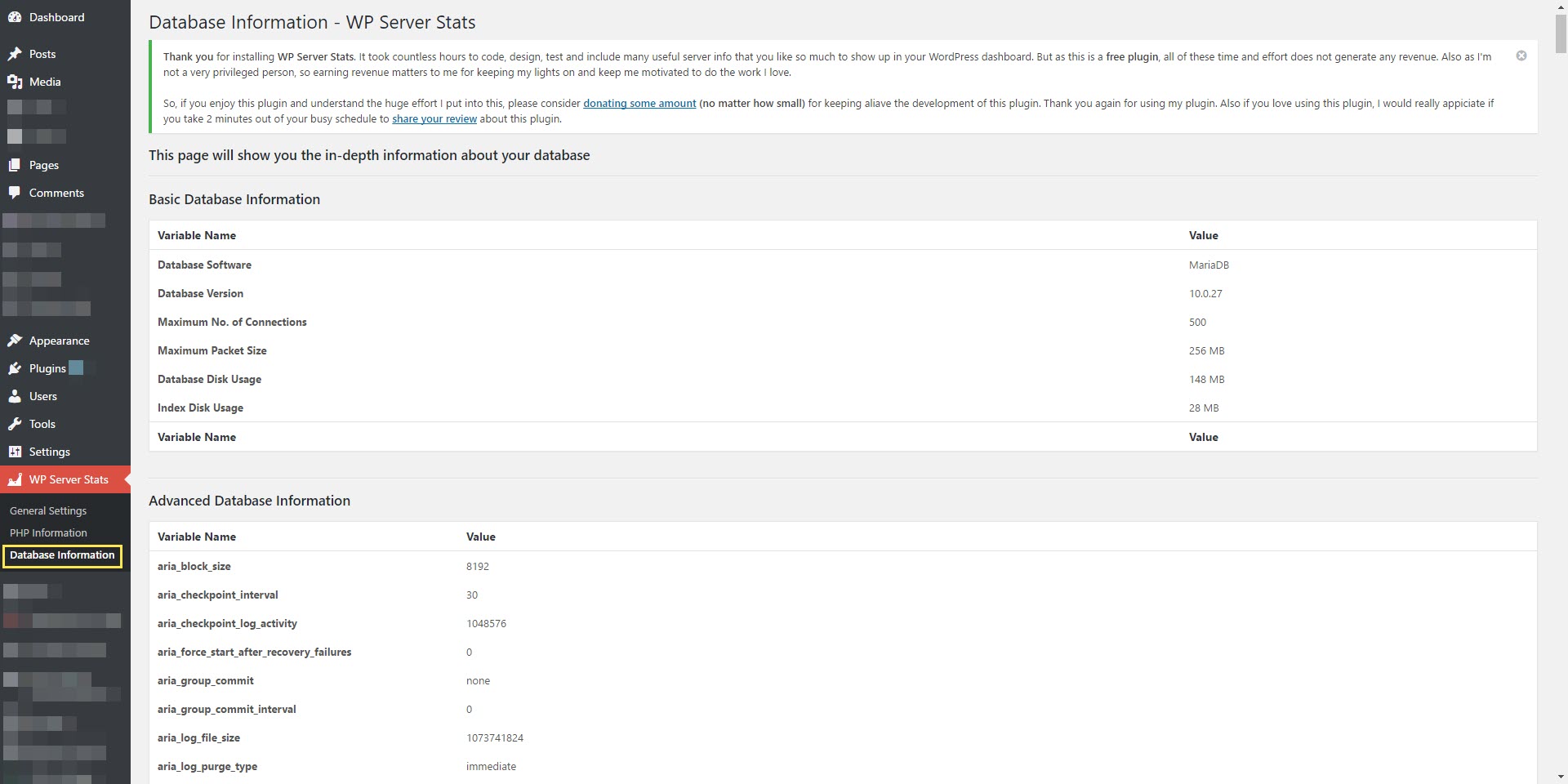
Schermate
Schermate pubblicate da iSaumya su WordPress.org, con licenza GPLv2 or later.
Storico per versione
Mostra il dettaglio per versione (1 versione)
Storico per versione
Mostra il dettaglio per versione (1 versione)
Come evolve il plugin di versione in versione.
| Versione | Homepage | Admin | Ultima scansione |
|---|---|---|---|
| v1.9.1 | — | 1 scansione | 2 giorni fa |
Storico delle scansioni
Mostra il registro delle singole scansioni (1 scansioni)
Storico delle scansioni
Mostra il registro delle singole scansioni (1 scansioni)
| Data | Versione | Contesto | Punteggio | Grade | Tempo | Memoria |
|---|---|---|---|---|---|---|
| 2 giorni fa | v1.9.1 | Admin | 94/100 | A | 0 ms | 0.0 MB |