


Ainda sem análises suficientes para publicar a pontuação (3 recebidas).
Sobre
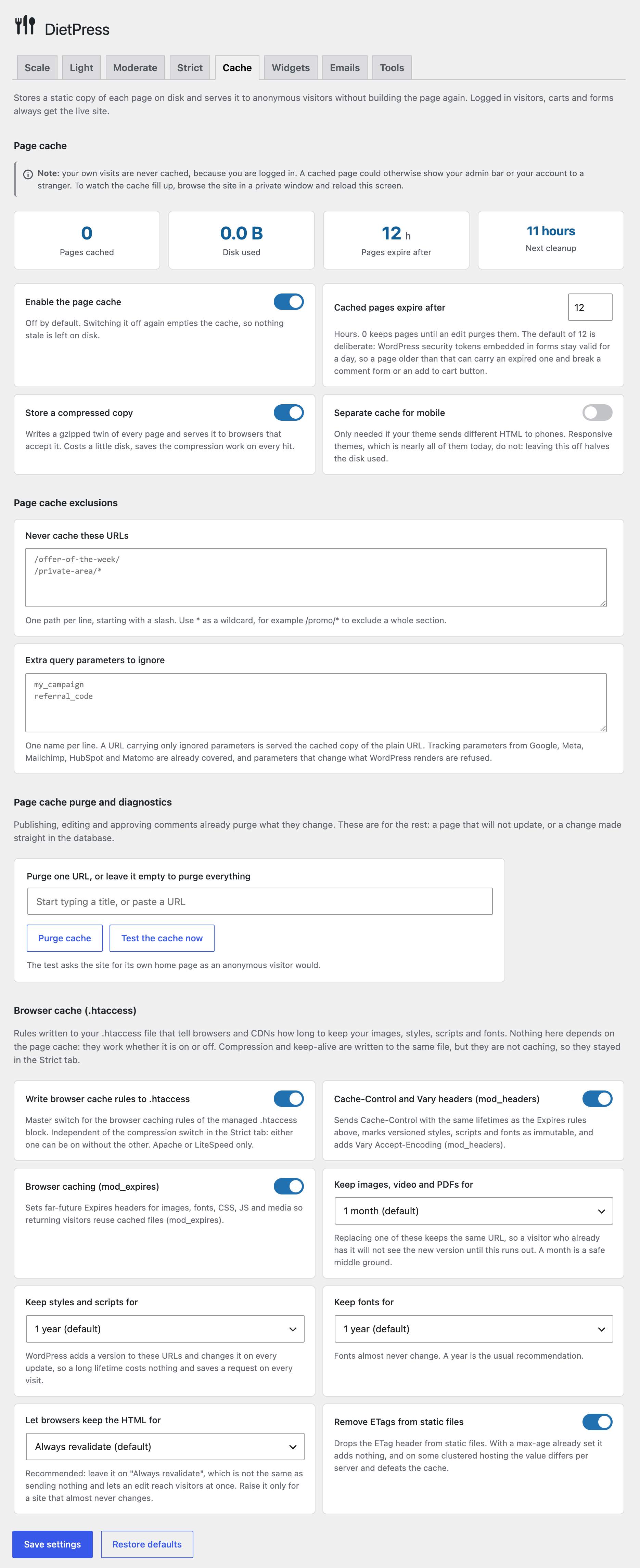
DietPress is a free WordPress speed optimization plugin with a built-in page cache. Page caching, browser caching, GZIP and Brotli compression, deferred JavaScript, critical CSS, image loading attributes, preloading, locally hosted Google Fonts and selective asset loading, all in one plugin and all free.
And it goes further than a caching plugin: it also puts WordPress itself on a diet, switching off the features your site never uses. It pairs that with a clean, risk-based interface. Everything is configurable, the optimizations are already on by default, and nothing is hidden behind a paid tier. Activate it and your site is faster, or open the settings and tune every detail.
By default WordPress loads functions, services and scripts that most sites do not need. They slow down loading times and consume hosting resources. DietPress lets you trim that fat and apply battle-tested performance tweaks, with a clear description of what each option does and what might break, organized by risk level so you always know what is safe.
Ler mais Mostrar menos
Measured on a WordPress 7.1 install with Astra, WooCommerce and 29 active plugins, PHP 8.5 and Apache, taking the median of 15 requests per URL. Your own hosting will give different figures, but the shape of the result will not change.
Server response time for the same pages without the page cache, with the page cache served by PHP, and with the accelerator:
The interesting part is not the percentage, it is that the cached figures barely move. Serving a stored file costs the same whether the page was cheap or expensive to build, so the saving grows with the size of your site rather than with the power of your server. The accelerator also takes away the start of WordPress itself, which is most of what a page served from the cache by PHP still costs.
It also changes how much traffic your hosting can take at once. In the same test the home page went from about 17 visits a second without the page cache to 159 with it and 732 with the accelerator, more than forty times as many, on exactly the same machine. That is what keeps a small site standing up when one of your posts does well.
1. Performance optimizations (on by default)
2. Put WordPress on a diet (risk-based, opt-in)
The plugin includes filters for developers:
Compatible with:
Always measure with tools like Google PageSpeed, GTMetrix or WebPageTest, and run each test at least twice to account for caching.
Need private support or custom development?
Do you need one-on-one help, priority troubleshooting, or a custom feature, integration, or tweak built specifically for your site? I offer private support and custom development. Just contact me and tell me what you need.
Need help or have suggestions?
Love the plugin? Please leave us a 5-star review and help spread the word!
We are specialists in WordPress security, SEO, AI and performance optimization plugins. We create tools that solve real problems for WordPress site owners while maintaining the highest coding standards and accessibility requirements.
Descrição publicada por Fernando Tellado em WordPress.org, sob a licença GPLv2+.
Etiquetas
cache
cleanup
optimization
performance
speed
Capturas de ecrã
Capturas publicadas por Fernando Tellado em WordPress.org, sob a licença GPLv2+.
Histórico por versão
Ver o detalhe por versão (1 versão)
Histórico por versão
Ver o detalhe por versão (1 versão)
Como o plugin evolui de versão em versão.
| Versão | Homepage | Admin | Última análise |
|---|---|---|---|
| v3.6.0 | 1 análise | 1 análise | há 1 mês |
Alternativas na mesma categoria
Outros plugins cache medidos pela comunidade, ordenados do mais leve ao mais pesado.
Ainda sem análises suficientes para publicar a pontuação (3 recebidas).
Ainda sem análises suficientes para publicar a pontuação (1 recebidas).
Ainda sem análises suficientes para publicar a pontuação (2 recebidas).
Ainda sem análises suficientes para publicar a pontuação (3 recebidas).
N
NitroPack – Performance, Page Speed & Cache Plugin for Core Web Vitals, CDN & Image Optimization
···
nitropack
Ainda sem análises suficientes para publicar a pontuação (1 recebidas).
Histórico de scans
Ver o registo de análises individuais (2 análises)
Histórico de scans
Ver o registo de análises individuais (2 análises)
| Data | Versão | Contexto | Pontuação | Nota | Tempo | Memória |
|---|---|---|---|---|---|---|
| há 1 mês | v3.6.0 | Homepage | 94/100 | A | 71 ms | 0.0 MB |
| há 1 mês | v3.6.0 | Admin | 97/100 | A | 51 ms | 0.0 MB |