
Puntuación de impacto
Footprint Score en los dos contextos más representativos.
5 escaneos · último escaneo hace 2 semanas
Score Homepage
Impacto medido en la página de inicio pública
v1.1.46 · 1 escaneo · Puntuación consolidada sobre 90 días · 1 versiones
Lo que añade a cada carga de página
- Tiempo añadido
- 0 ms
- Memoria añadida
- 0.0 MB
- Consultas SQL
- +4
- Archivos CSS/JS
- +0
- Llamadas externas
- 0
Score Admin
Impacto medido en la administración WordPress
v1.1.46 · 1 escaneo · Puntuación consolidada sobre 90 días · 1 versiones
Lo que añade a cada carga de página
- Tiempo añadido
- 229 ms
- Memoria añadida
- 0.0 MB
- Consultas SQL
- +0
- Archivos CSS/JS
- +1
- Llamadas externas
- 0
Acerca de
Header Footer Code Manager by 99 Robots is a easy interface to add snippets to the header or footer or above or below the content of your page.
BENEFITS
- Never have to worry about inadvertently breaking your site by adding code
- Avoid inadvertently placing snippets in the wrong place
- Eliminate the need for a dozen or more silly plugins just to add a small code snippet – Less plugins is always better!
- Never lose your code snippets when switching or changing themes
- Know exactly which snippets are loading on your site, where they display, and who added them
FEATURES
- Add an unlimited number of scripts and styles anywhere and on any post / page
- Manage which posts or pages the script loads
- Supports custom post types
- Supports ability to load only on a specific post or page, or latest posts
- Control where exactly on the page the script is loaded – head, footer, before content, or after content
- Script can load only on desktops or mobile. Enable or disable one or the other.
- Use shortcodes to manually place the code anywhere
- Label every snippet for easy reference
- Plugin logs which user added and last edited the snippet, and when
PAGE DISPLAY OPTIONS
- Site wide on every post / page
- Specific post
- Specific page
- Specific category
- Specific tag
- Specific custom post type
- Latest posts only (you choose how many)
- Manually place using shortcodes
INJECTION LOCATIONS
- Head section
- Footer
- Top of content
- Bottom of content
DEVICE OPTIONS
- Show on All Devices
- Only Desktop
- Only Mobile Devices
SUPPORTED SERVICES
- Google Analytics
- Google Adsense
- Google Tag Manager
- Clicky Web Analytics or other analytics tracking scripts
- Chat modules such as Olark, Drip, or
- Pinterest site verification
- Facebook Pixels, Facebook Scripts, Facebook og:image Tag
- Google Conversion Pixels
- Heatmaps from Crazy Egg, notification bars Hello Bar, etc.
- It can accept ANY code snippet (HTML / Javascript / CSS) from any service
- and the list goes on and on…
MULTISITE NOTE
If using this plugin on a multisite network, please make sure that the plugin is activated on a subsite level only.
Plugin Information
Descripción publicada por DraftPress Team en WordPress.org, bajo licencia GPLv2 or later.
Capturas de pantalla
Capturas publicadas por DraftPress Team en WordPress.org, bajo licencia GPLv2 or later.
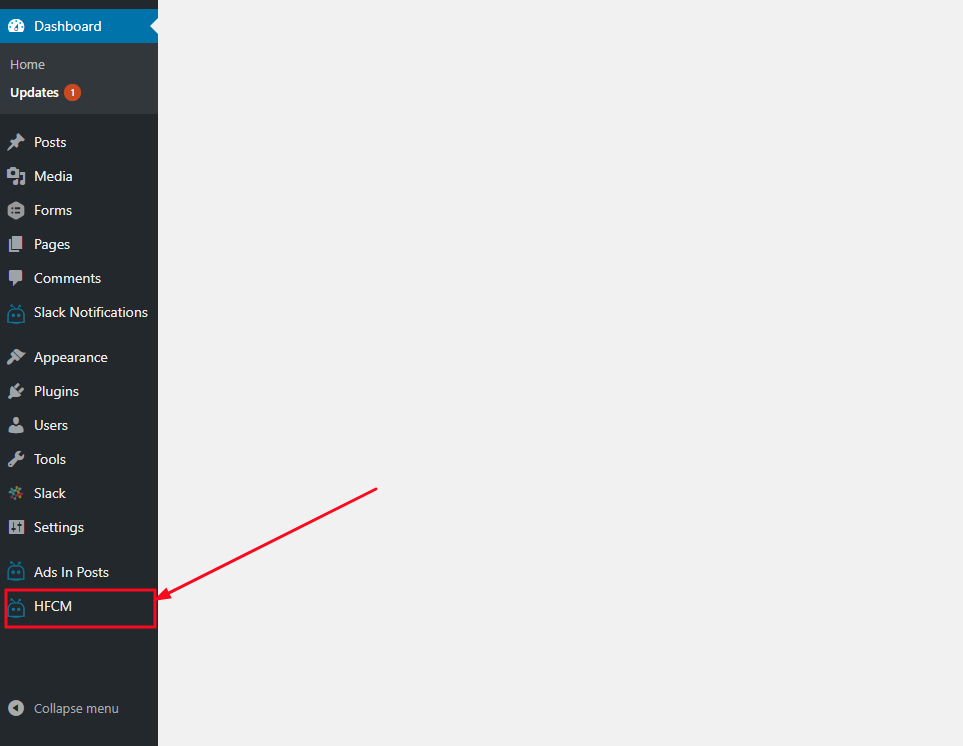
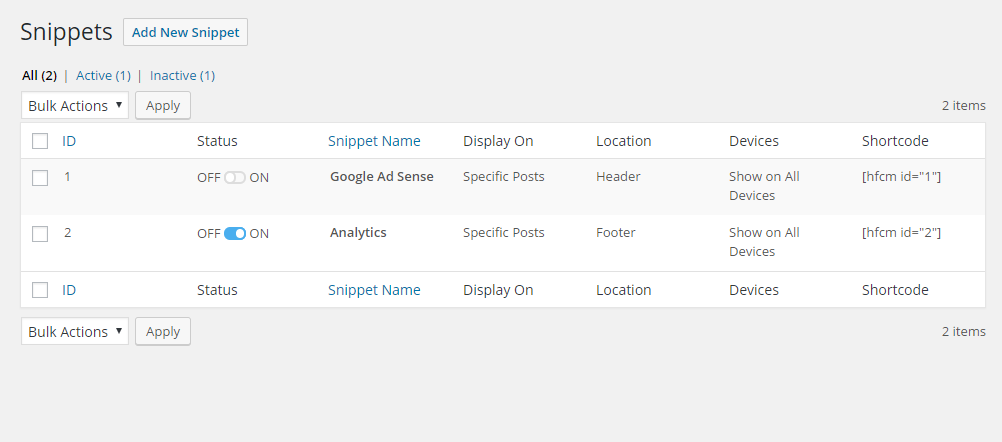
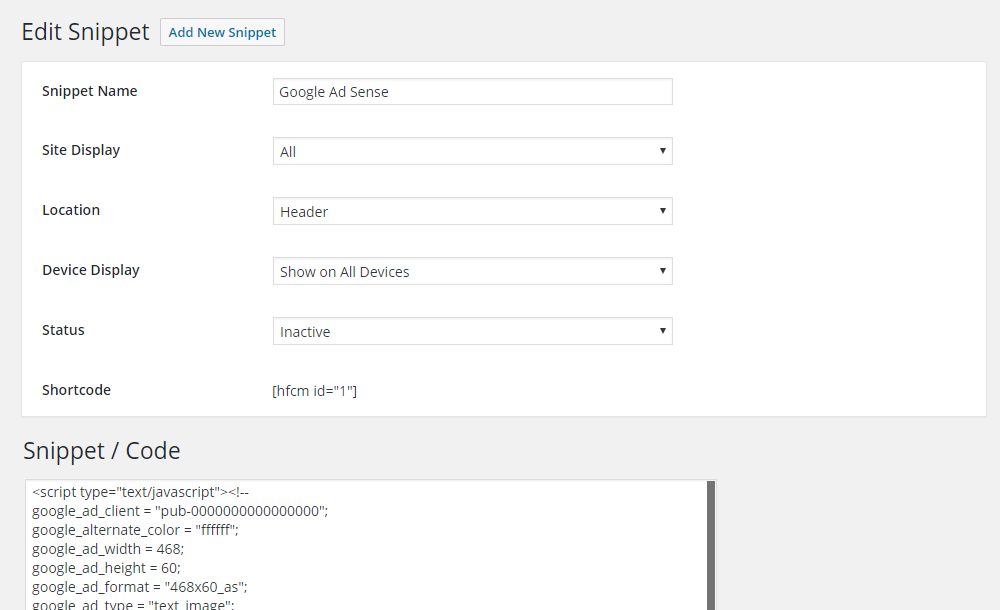

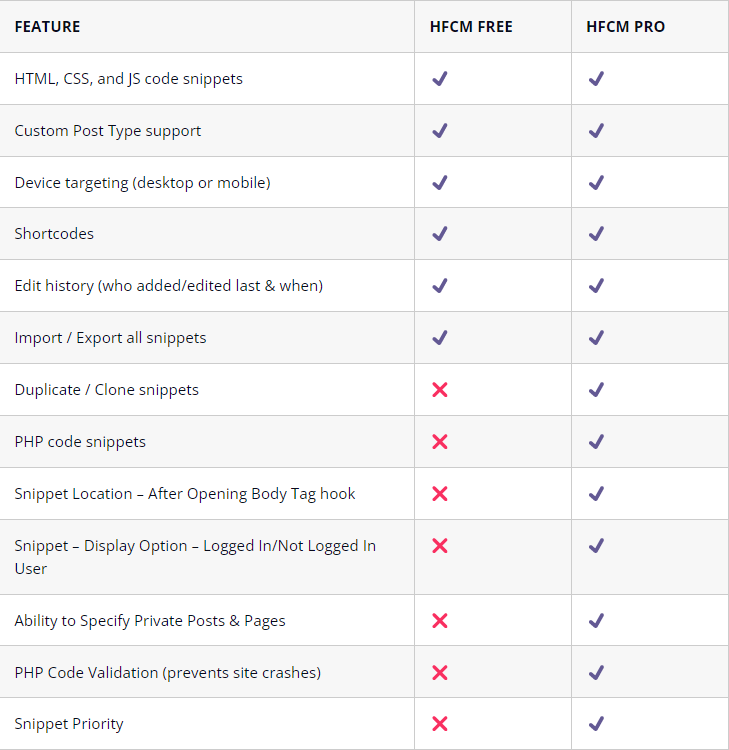
Historial por versión
Ver el detalle por versión (1 versión)
Historial por versión
Ver el detalle por versión (1 versión)
Cómo evoluciona el plugin versión a versión.
| Versión | Homepage | Admin | Último escaneo |
|---|---|---|---|
| v1.1.46 | 4 escaneos | 1 escaneo | hace 2 semanas |
Historial de escaneos
Ver el registro de escaneos individuales (5 escaneos)
Historial de escaneos
Ver el registro de escaneos individuales (5 escaneos)
| Fecha | Versión | Contexto | Puntuación | Nota | Tiempo | Memoria |
|---|---|---|---|---|---|---|
| hace 2 semanas | v1.1.46 | Homepage | 99/100 | A | 0 ms | 0.0 MB |
| hace 3 meses | v1.1.46 | Admin | 89/100 | A | 229 ms | 0.0 MB |
| hace 3 meses | v1.1.46 | Homepage | 100/100 | A | 0 ms | 0.0 MB |
| hace 3 meses | v1.1.46 | Homepage | 100/100 | A | 0 ms | 0.0 MB |
| hace 3 meses | v1.1.46 | Homepage | 100/100 | A | 0 ms | 0.0 MB |