



- Tiempo
- 0 ms
- Memoria
- 0.0 MB
- SQL
- +6
Acerca de
OpenPorte is a free and open-source anti-spam plugin that protects WordPress
forms from spam using a lightweight Proof-of-Work challenge instead of CAPTCHAs.
The goal is to make spam expensive for bots while keeping the experience almost
invisible for legitimate visitors and respecting their privacy.
For site owners, OpenPorte offers an easy to configure and deploy modern
spam protection under their control.
For the site users, it offers an accessible, transparent and privacy-friendly
alternative to CAPTCHAs.
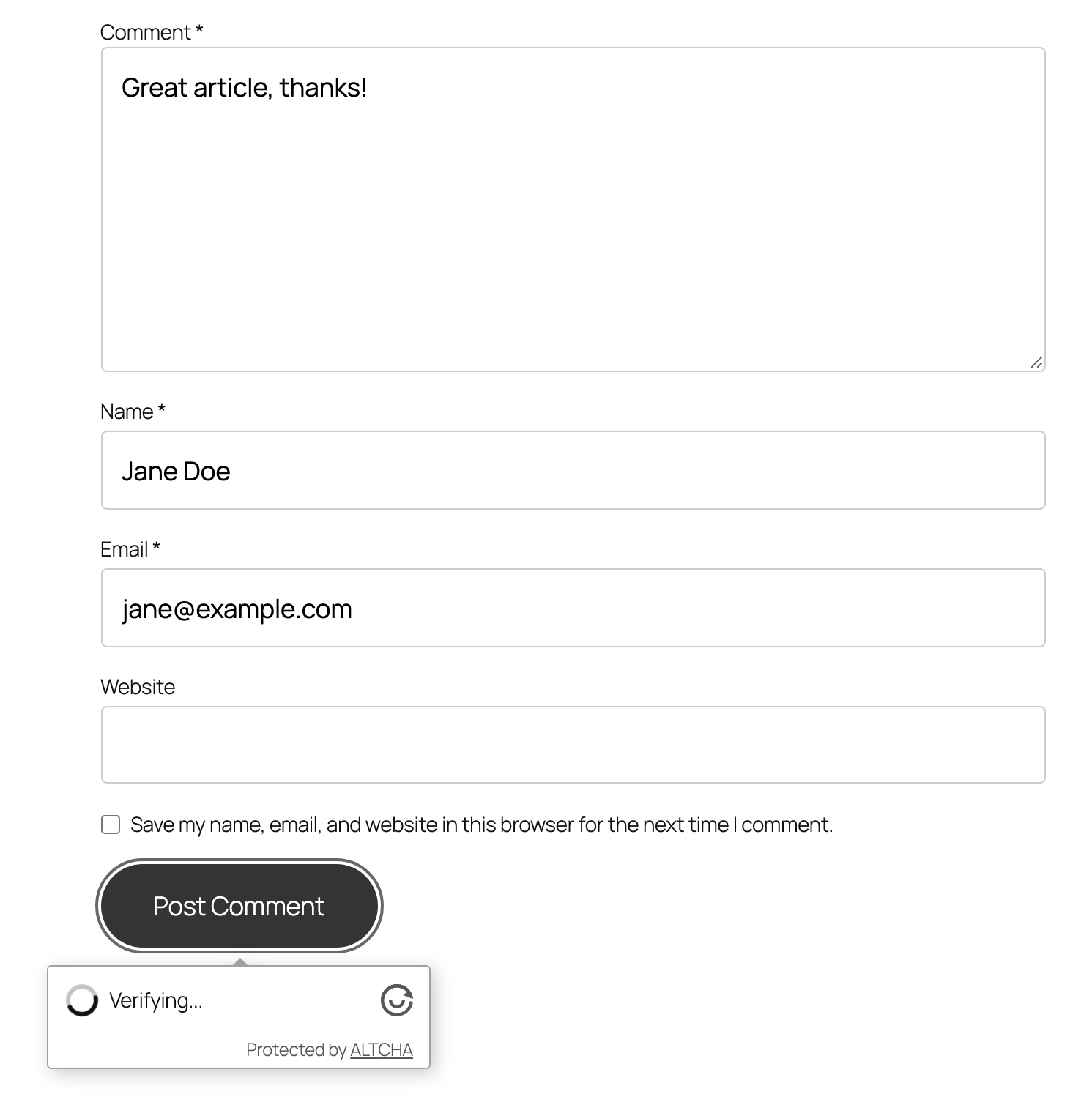
OpenPorte is built around the open-source ALTCHA widget.
Leer más Mostrar menos
Some highlights:
For the list of contributors, refer to our GitHub project: Contributors.
AI-assisted project. Architecture, security decisions, and final review are
mine; AI tools (Claude, Mistral, and others) help with drafting code, tests,
translations, and documentation — without them, one person couldn’t keep
this fork alive.
The original ALTCHA Spam Protection WordPress plugin (v1) was open source
(GPLv2). Its authors have since released a version 2/3 which is no longer
open source. They no longer maintain the open source project and recommend
that users migrate to v2/v3. See the official project at https://altcha.org
for their offering.
OpenPorte started as a fork and continues the v1 line as free software
(GPLv2 or later) for users who want to stay on a fully open-source,
self-hosted solution. It is a faithful fork: existing v1 installations
can switch to OpenPorte and keep their settings (see Upgrading).
OpenPorte is backward-compatible with ALTCHA Spam Protection v1 plugin:
See the Deprecations section for the full list of compatibility aliases and
what they map to.
Deactivate the old ALTCHA plugin, then install and activate OpenPorte. Your
existing configuration is detected and copied into the OpenPorte settings on
first activation; the original ALTCHA settings are left untouched, so you can
roll back to ALTCHA v1 without losing anything. Do not run both plugins at the
same time.
If your site was already moved to ALTCHA v2/v3 (for example by the automatic
3.0.0 update), your original v1 settings are normally still in the database:
the v2/v3 upgrade neither migrates nor removes them. Deactivate ALTCHA, then
install and activate OpenPorte — it finds and imports the v1 settings, even
when the v1 plugin itself has long been deleted. Settings made in v2/v3 are
not read.
Upgrading to 1.30.0 changes nothing: every site keeps serving challenges
through the REST API until you select Ajax under Settings → OpenPorte.
If you selected Ajax and later downgrade to a release before 1.30.0, switch
back to REST API first and purge your page and CDN caches. If you have already
downgraded, purge those caches now: older release have no Ajax endpoint, so a
page cached with the Ajax challenge URL cannot load a challenge.
The following ALTCHA-era identifiers are kept as aliases for backward
compatibility and are scheduled for removal in a future release:
OpenPorte prioritizes user privacy by avoiding the use of cookies and fingerprinting techniques.
This plugin remains fully contained within your WordPress installation, eliminating any reliance on external services.
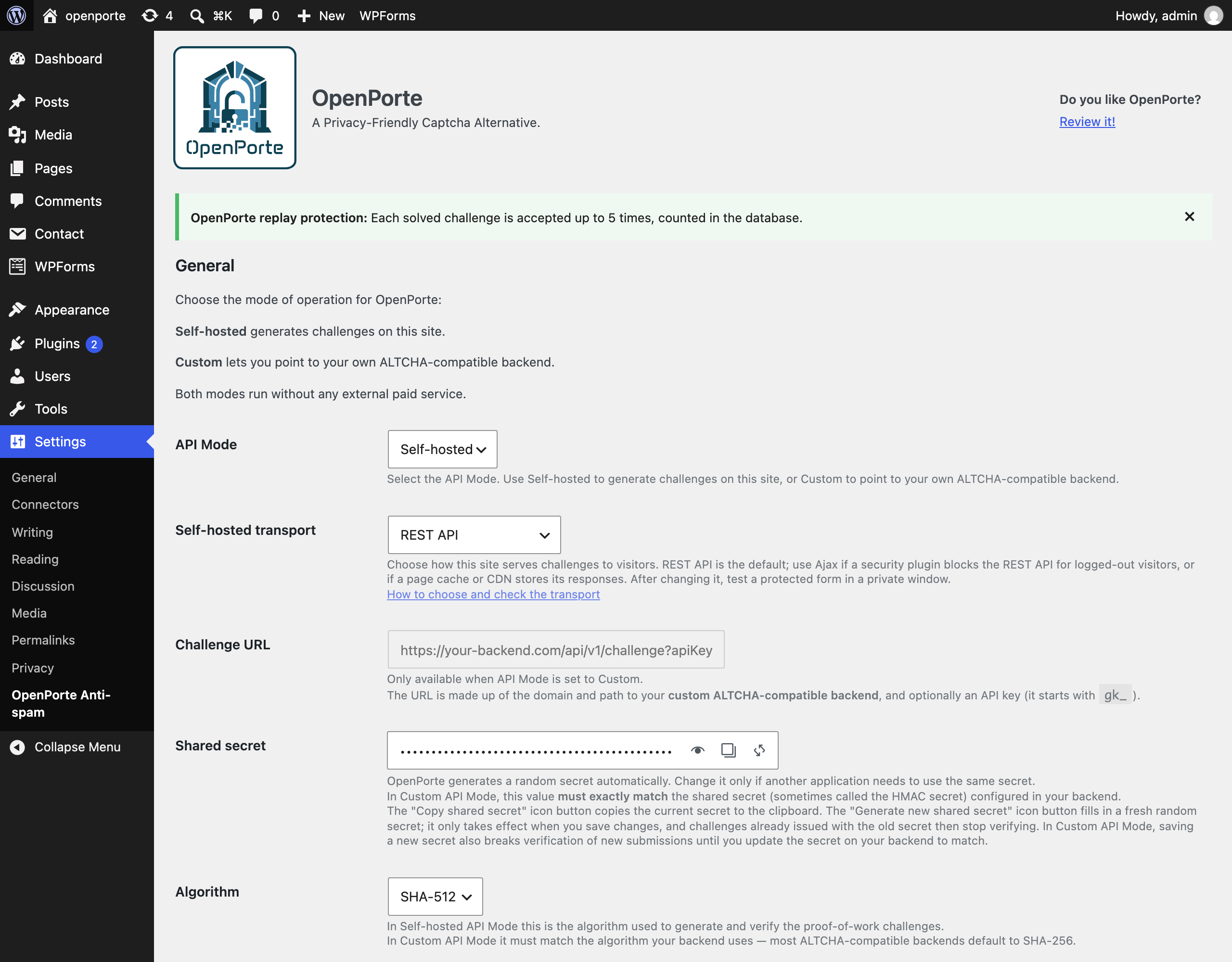
OpenPorte verifies submissions in one of two modes, selected in the settings
(API Mode):
The paid altcha.org regional SaaS classifier offered by earlier versions has
been removed; both remaining modes are free and self-hostable.
In Self-hosted mode the widget fetches each challenge from your own site. The
Self-hosted transport setting (Settings → OpenPorte, below API Mode) chooses
which endpoint serves it:
Both serve the same challenge, are verified the same way, and stay available
whichever one is selected. The deprecated /wp-json/altcha/v1/challenge alias
is still served too. In Custom API mode all of them refuse with an error
instead: your backend issues the challenges there.
Keep REST API unless a security plugin blocks the REST API for logged-out
visitors; then either allow /openporte/v1/challenge in that plugin, or switch
to Ajax. If admin-ajax.php is blocked for visitors instead, stay on REST API.
The same applies when a page cache or CDN stores the REST API’s responses
(opening the challenge URL twice, logged out, shows the same challenge): exclude
/openporte/v1/challenge from it, or switch to Ajax. Since 1.30.1 the challenge
endpoints already opt out of LiteSpeed Cache and of caching plugins that honour
DONOTCACHEPAGE.
OpenPorte does not test this automatically: a check from the server cannot see
firewall, CDN or browser-side rules. See the FAQ for how to check by hand.
On multisite, each site has its own transport setting; a site where it was
never saved uses the REST API.
All source code for the plugin, and the ALTCHA widget is available on GitHub. In the repository, you’ll also find versions of non-minified JavaScript and CSS assets:
Descripción publicada por J-C Berthon en WordPress.org, bajo licencia GPLv2 or later.
Etiquetas
anti-spam
captcha
GDPR
protect
security
Capturas de pantalla
Capturas publicadas por J-C Berthon en WordPress.org, bajo licencia GPLv2 or later.
Historial por versión
Ver el detalle por versión (2 versiones)
Historial por versión
Ver el detalle por versión (2 versiones)
Cómo evoluciona el plugin versión a versión.
| Versión | Homepage | Admin | Último escaneo |
|---|---|---|---|
| v1.29.1 | 1 escaneo | — | hace 1 mes |
| v1.29.0 | 2 escaneos | — | hace 1 mes |
Alternativas en la misma categoría
Otros plugins security medidos por la comunidad, ordenados del más ligero al más pesado.
Aún no hay suficientes escaneos para publicar la puntuación (1 recibidos).
Aún no hay suficientes escaneos para publicar la puntuación (1 recibidos).
Aún no hay suficientes escaneos para publicar la puntuación (1 recibidos).
Aún no hay suficientes escaneos para publicar la puntuación (1 recibidos).
Aún no hay suficientes escaneos para publicar la puntuación (3 recibidos).
Historial de escaneos
Ver el registro de escaneos individuales (7 escaneos)
Historial de escaneos
Ver el registro de escaneos individuales (7 escaneos)
| Fecha | Versión | Contexto | Puntuación | Nota | Tiempo | Memoria |
|---|---|---|---|---|---|---|
| hace 1 mes | v1.29.1 | messages.page_type.custom | 98/100 | A | 4 ms | 0.0 MB |
| hace 1 mes | v1.29.1 | Homepage | 100/100 | A | 0 ms | 0.0 MB |
| hace 1 mes | v1.29.0 | messages.page_type.custom | 92/100 | A | 14 ms | 2.0 MB |
| hace 1 mes | v1.29.0 | messages.page_type.custom | 90/100 | A | 2 ms | 2.0 MB |
| hace 1 mes | v1.29.0 | Homepage | 97/100 | A | 27 ms | 2.0 MB |
| hace 1 mes | v1.29.0 | messages.page_type.custom | 98/100 | A | 0 ms | 0.0 MB |
| hace 1 mes | v1.29.0 | Homepage | 98/100 | A | 6 ms | 0.0 MB |