
Not enough scans yet to publish the score (1 received).
About
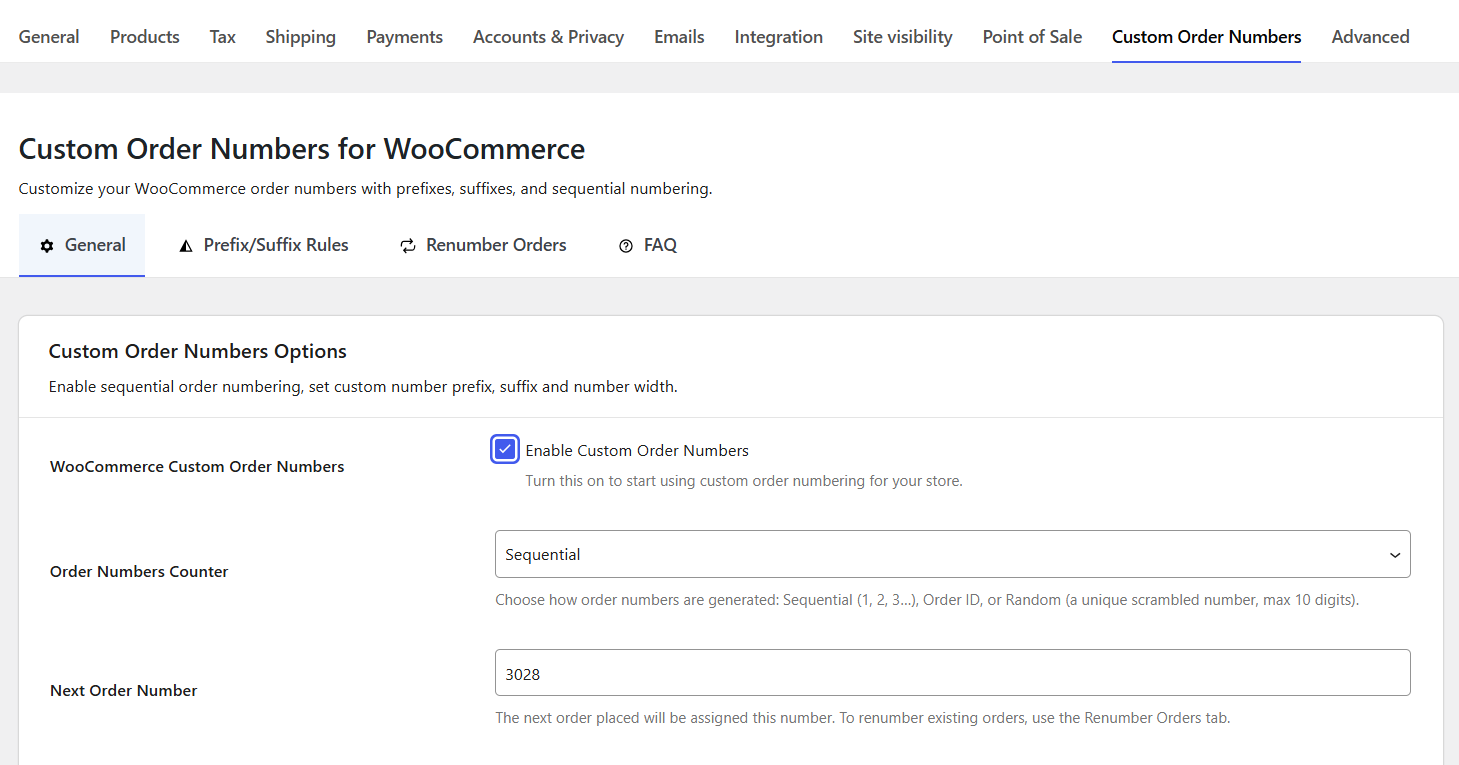
Custom Order Numbers for WooCommerce gives you complete control over how order numbers are generated. Create sequential order numbers, use the WooCommerce order ID, or generate pseudorandom order numbers based on a CRC32 hash. You can also add prefixes, include the order date in the order number, choose a custom starting number, and automatically reset the numbering sequence on a daily, monthly, or yearly basis.
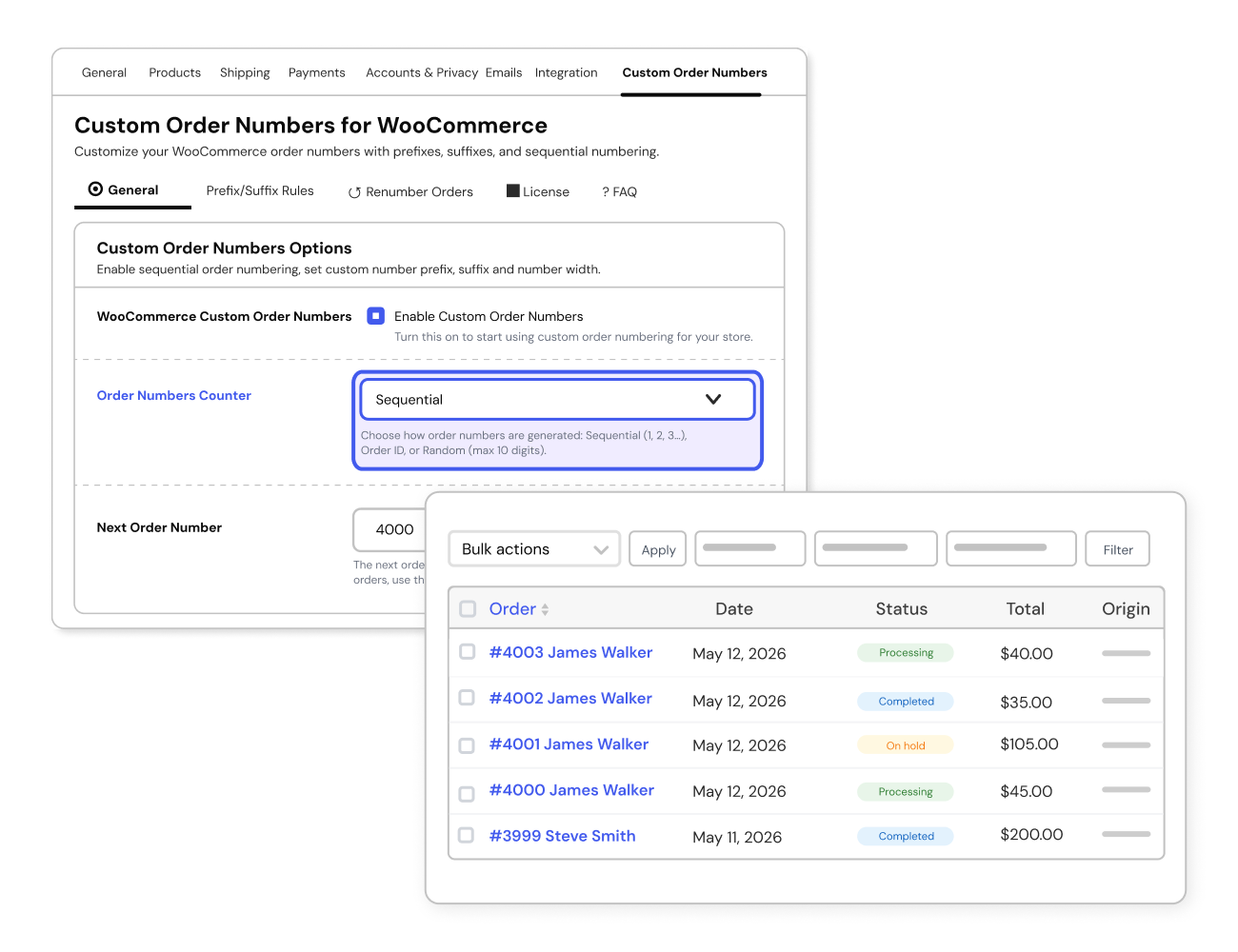
Choose how new order numbers are generated. Use sequential numbering, WooCommerce Order IDs, or pseudorandom (CRC32 hash) values depending on your business requirements.
Migrating from another platform? Starting a new financial year? Choose the number you’d like WooCommerce to begin using for future orders.
Read more Show less
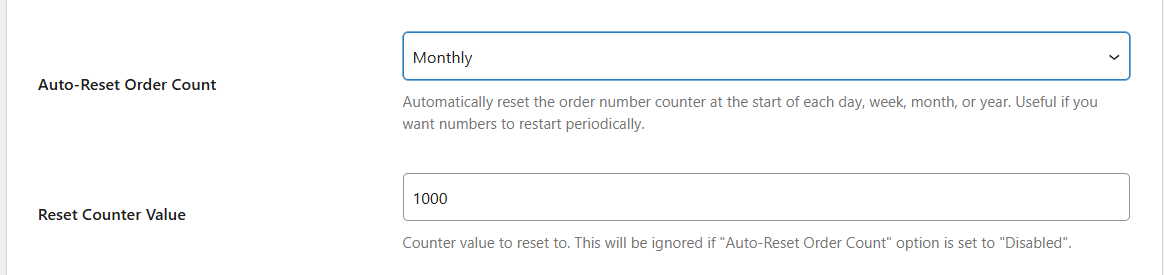
Restart your numbering sequence automatically to match your business workflow.
You can reset order numbers:
* Daily
* Monthly
* Yearly
This is particularly useful for accounting, financial reporting, and yearly record keeping.
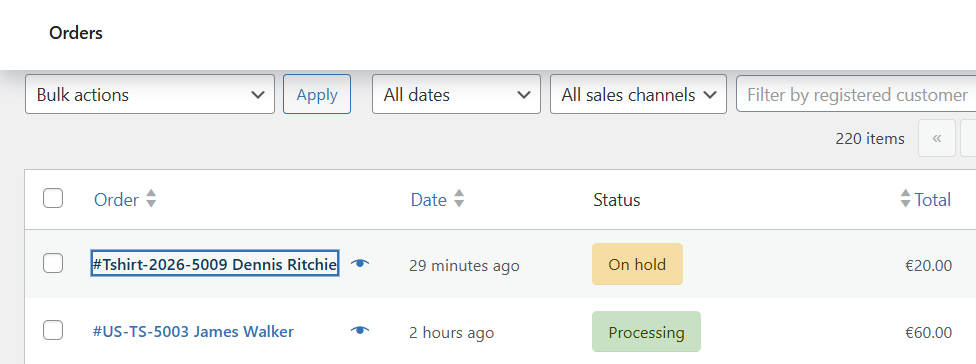
Make order numbers easier to identify by adding:
* Custom text prefixes
* Order date as a prefix
For example: WEB-10025, 2026-10025
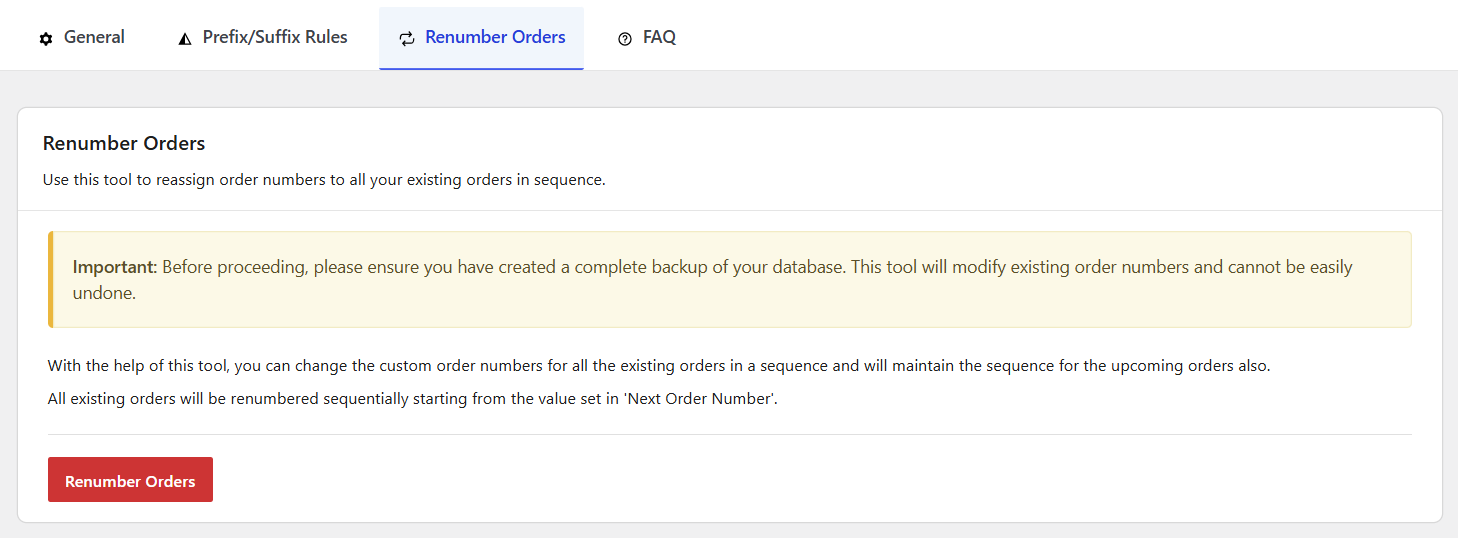
Already have WooCommerce orders? Use the built-in Renumerate Orders tool to assign custom order numbers to your existing orders, creating a consistent numbering system across your store.
Use custom order numbers to quickly find WooCommerce orders in the admin dashboard. Customers can also track their orders through the standard WooCommerce Order Tracking page by entering their custom order number.
Custom Order Numbers plugin is compatible with all popular invoice plugins such that the invoices created by those plugins will have the custom order numbers and not the original order id. Some of those plugins are:
Custom Order Numbers for WooCommerce is ideal for stores that want to:
* Create sequential WooCommerce order numbers
* Continue order numbering after migrating from another ecommerce platform
* Add branded prefixes to order numbers
* Reset order numbers every month or year
* Organize orders for accounting or tax purposes
* Allow customers to track orders using custom order numbers
* Display custom order numbers on invoices and order documents
If you find the plugin useful, a ⭐ 5-star rating is always appreciated — it helps other store owners discover the plugin.
Upgrade to Custom Order Numbers for WooCommerce Pro to unlock advanced order number templates, custom suffixes, configurable order number width, conditional prefixes and suffixes, manual order number counters, and additional customization options.
See the complete Lite vs Pro comparison: https://www.tychesoftwares.com/differences-between-pro-and-lite-versions-of-custom-order-numbers-for-woocommerce-plugin/
Tyche Softwares has been building WooCommerce plugins since 2009, helping merchants simplify order management, delivery scheduling, pricing, checkout customization, product personalization, and other essential ecommerce workflows.
Tyche Softwares also develops plugins for abandoned cart recovery, order delivery scheduling, bookings, invoices and packing slips, custom order statuses, product input fields, BOGO offers, payment gateway fees, call for price, currency management, and other WooCommerce enhancements.
Some of our Pro plugins:
Abandoned Cart Pro for WooCommerce
Booking & Appointment Plugin for WooCommerce
Order Delivery Date Pro for WooCommerce
Product Delivery Date Pro for WooCommerce
Payment Gateway Based Fees and Discounts for WooCommerce – Pro
Custom Order Status for WooCommerce – Pro
Product Input Fields for WooCommerce – Pro
Call for Price for WooCommerce – Pro
Price based on User Role for WooCommerce – Pro
Currency per Product for WooCommerce – Pro
Some of our other free plugins:
Abandoned Cart for WooCommerce
Order Delivery Date for WooCommerce – Lite
Product Delivery Date for WooCommerce – Lite
Payment Gateway Based Fees and Discounts for WooCommerce
Custom Order Status for WooCommerce
Product Input Fields for WooCommerce
Call for Price for WooCommerce
Price based on User Role for WooCommerce
Currency per Product for WooCommerce
This plugin communicates with our tracking server to send usage data only if the user has explicitly opted in to usage tracking. For detailed information about what is tracked, please refer to our usage tracking documentation.
Description published by tychesoftwares on WordPress.org, licensed under GNU General Public License v3.0.
Tags
custom order numbers
sequential order numbers
woocommerce
Screenshots
Screenshots published by tychesoftwares on WordPress.org, licensed under GNU General Public License v3.0.
Per-version history
Show per-version detail (1 version)
Per-version history
Show per-version detail (1 version)
How the plugin evolves version by version.
| Version | Homepage | Admin | Last scan |
|---|---|---|---|
| v2.2.0 | 1 scan | — | 6 days ago |
Alternatives in the same category
Other ecommerce plugins measured by the community, ranked from lightest to heaviest.
Not enough scans yet to publish the score (1 received).
Not enough scans yet to publish the score (1 received).
Not enough scans yet to publish the score (1 received).
Not enough scans yet to publish the score (1 received).
Not enough scans yet to publish the score (3 received).
Scan history
Show individual scan log (1 scans)
Scan history
Show individual scan log (1 scans)
| Date | Version | Context | Score | Grade | Time | Memory |
|---|---|---|---|---|---|---|
| 6 days ago | v2.2.0 | Homepage | 77/100 | B | 473 ms | 52.0 MB |