
Impact score
Footprint Score across the two most representative contexts.
7 scans · last scan 2 months ago
Homepage Score
Impact measured on the public homepage
v4.7 · 4 scans · Consolidated score over 90 days · 1 versions
What it adds to every page load
- Added time
- 19 ms
- Added memory
- 0.0 MB
- SQL queries
- +0
- CSS/JS files
- +0
- External calls
- 0
Admin Score
Impact measured in the WordPress admin
v4.7 · 2 scans · Consolidated score over 90 days · 1 versions
What it adds to every page load
- Added time
- 10 ms
- Added memory
- 2.0 MB
- SQL queries
- +4
- CSS/JS files
- +0
- External calls
- 0
About
This plugin allows users to clone posts of any type, or copy them to new drafts for further editing.
How it works:
In ‘Edit Posts’/’Edit Pages’, you can click on ‘Clone’ link below the post/page title: this will immediately create a copy and return to the list.
Read more Show less
In ‘Edit Posts’/’Edit Pages’, you can select one or more items, then choose ‘Clone’ in the ‘Bulk Actions’ dropdown to copy them all at once.
In ‘Edit Posts’/’Edit Pages’, you can click on ‘New Draft’ link below the post/page title.
On the post edit screen, you can click on ‘Copy to a new draft’ above “Cancel”/”Move to trash” or in the admin bar.
While viewing a post as a logged in user, you can click on ‘Copy to a new draft’ in the admin bar.
3, 4 and 5 will lead to the edit page for the new draft: change what you want, click on ‘Publish’ and you’re done.
There is also a template tag, so you can put it in your templates and clone your posts/pages from the front-end. Clicking on the link will lead you to the edit page for the new draft, just like the admin bar link.
Duplicate Post has many useful settings to customize its behavior and restrict its use to certain roles or post types. Check out the extensive documentation on yoast.com and our developer docs.
If you find this useful and if you want to contribute, there are two ways:
Description published by Yoast on WordPress.org, licensed under GPLv2 or later.
Screenshots
Screenshots published by Yoast on WordPress.org, licensed under GPLv2 or later.
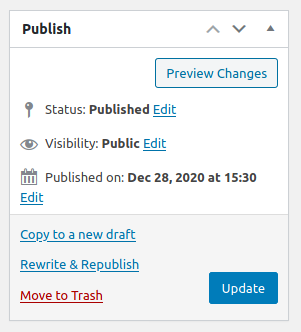
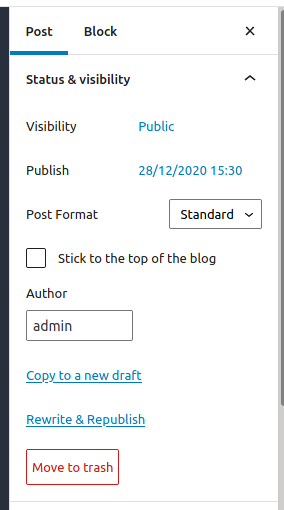


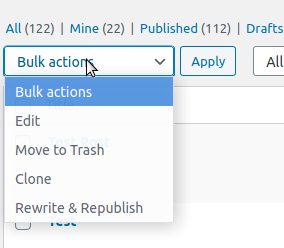
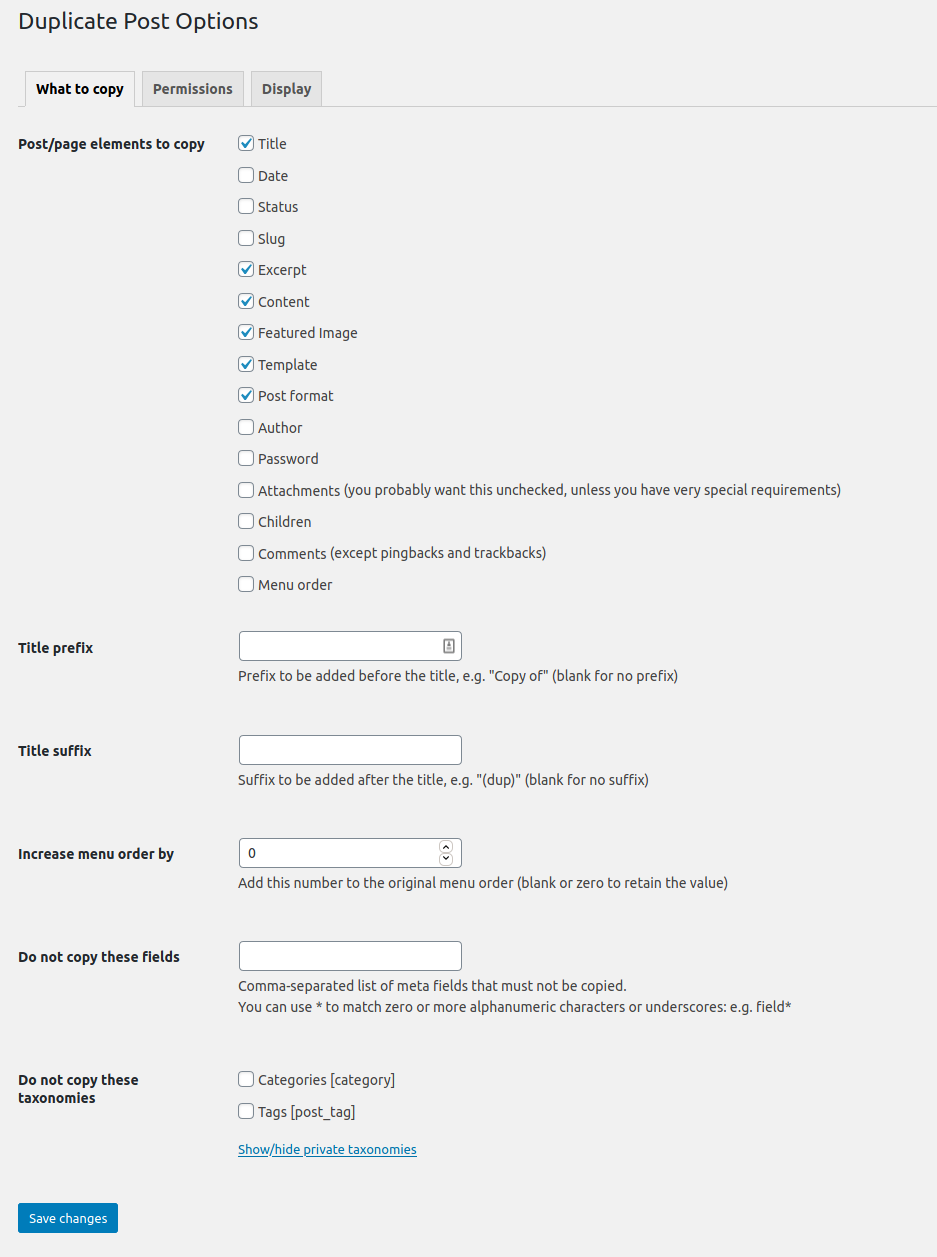
Per-version history
Show per-version detail (1 version)
Per-version history
Show per-version detail (1 version)
How the plugin evolves version by version.
| Version | Homepage | Admin | Last scan |
|---|---|---|---|
| v4.7 | 4 scans | 2 scans | 2 months ago |
Scan history
Show individual scan log (6 scans)
Scan history
Show individual scan log (6 scans)
| Date | Version | Context | Score | Grade | Time | Memory |
|---|---|---|---|---|---|---|
| 2 months ago | v4.7 | Homepage | 100/100 | A | 0 ms | 0.0 MB |
| 3 months ago | v4.7 | Homepage | 100/100 | A | 0 ms | 0.0 MB |
| 3 months ago | v4.7 | Homepage | 84/100 | B | 484 ms | 0.0 MB |
| 3 months ago | v4.7 | Admin | 99/100 | A | 14 ms | 2.0 MB |
| 3 months ago | v4.7 | Admin | 99/100 | A | 6 ms | 2.0 MB |
| 3 months ago | v4.7 | Homepage | 100/100 | A | 38 ms | 0.0 MB |