
Impact score
Footprint Score across the two most representative contexts.
6 scans · last scan 2 months ago
Homepage Score
Impact measured on the public homepage
v0.19.2 · 4 scans · Consolidated score over 90 days · 1 versions
What it adds to every page load
- Added time
- 66 ms
- Added memory
- 0.0 MB
- SQL queries
- +1
- CSS/JS files
- +1
- External calls
- 0
Admin Score
Impact measured in the WordPress admin
v0.19.2 · 2 scans · Consolidated score over 90 days · 1 versions
What it adds to every page load
- Added time
- 9 ms
- Added memory
- 2.0 MB
- SQL queries
- +1
- CSS/JS files
- +0
- External calls
- 0
About
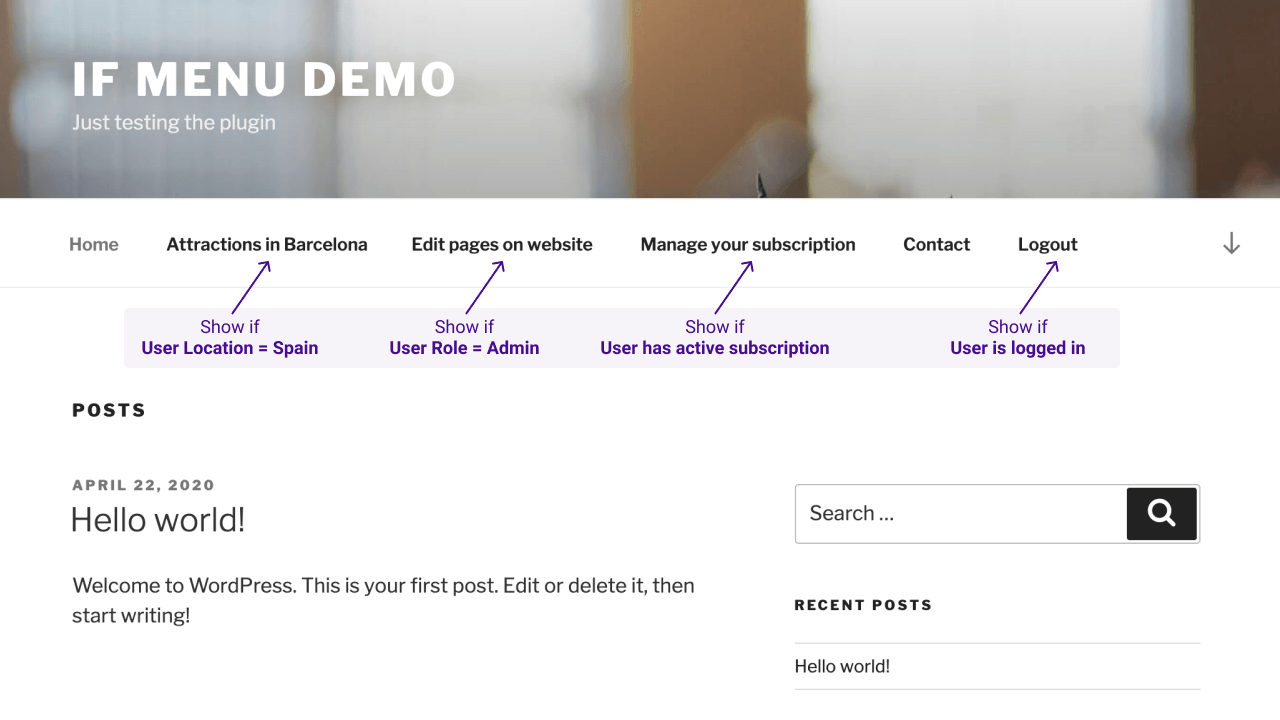
Control what menu items your site’s visitors see, with visibility rules. Here are a few examples:
- Display a menu item only if
User is logged in - Hide menus if
Device is mobile - Display menus only for
Admins and Editors - Hide Login or Register links for
Logged in Users - Display menus for
Users from US or UK - Display menus only for
Customers with active membership - Display menus for visitors browsing with
Language English or Spanish
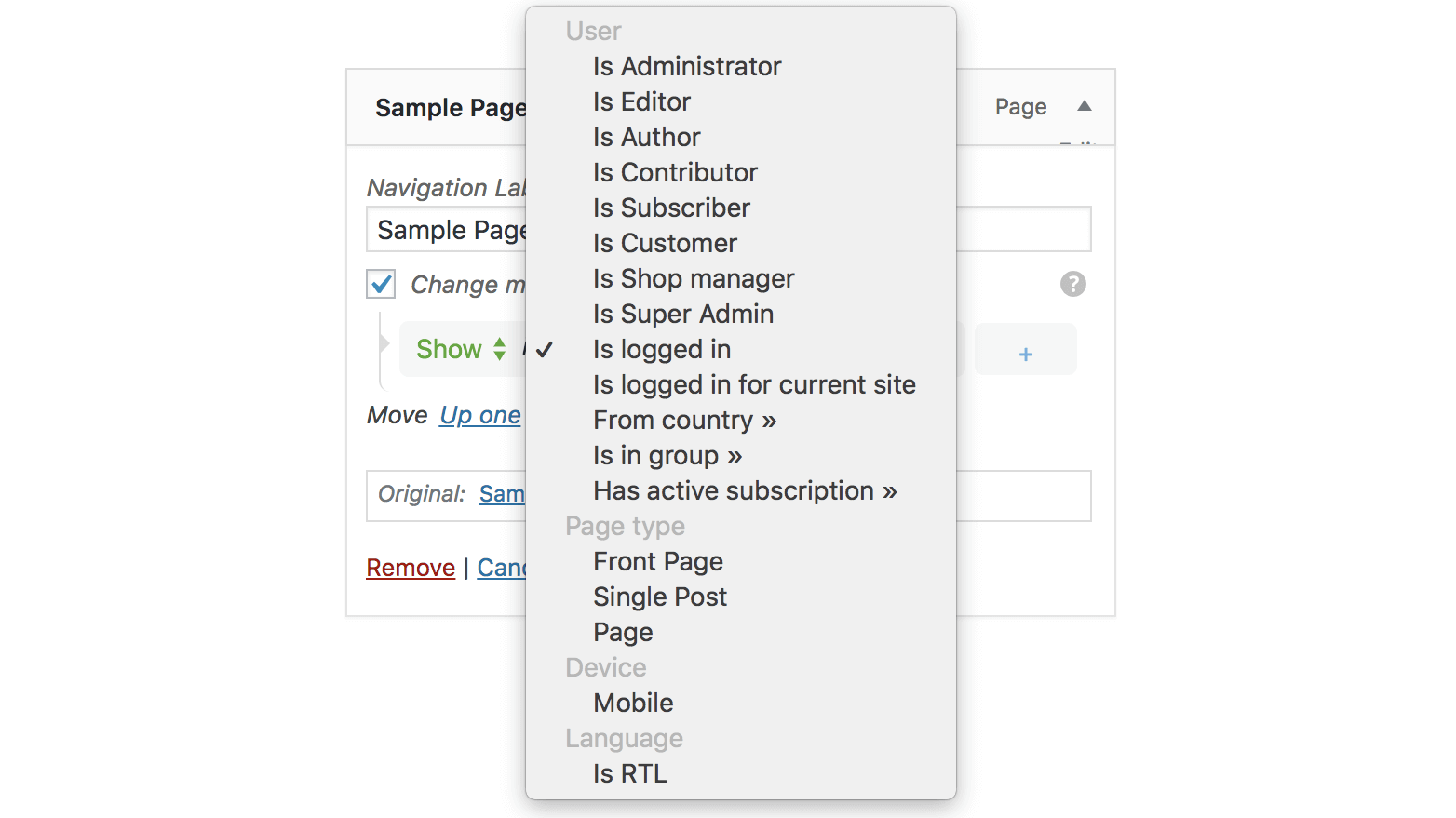
After the plugin is enabled, each menu item will have a new option “Change menu item visibility” which will enable the selection of visibility rules.
Check the examples in screenshots or try it here → demos.layered.store
Features
- Basic set of visibility rules
- User state
User is logged in - User roles
AdminEditorAuthoretc - Page type
Front pageSingle pageSingle post - Is Archive page (year, category, search results, etc)
- Visitor device
Is Mobile
- User state
- Advanced visibility rules – requires More Visibility Rules Add-on
- Visitor location – detect visitor’s Country
- Visitor language – detect visitor’s selected Language
- WooCommerce Subscriptions – Display menus for users with active subscription
- WooCommerce Memberships – Display menus for customers with active membership plans
- Groups – Detect if users are in specific groups
- WishList Member – Detect the users’ membership level
- Restrict Content Pro – Detect the users’ subscription level
- Multiple rules – mix multiple rules for a menu item visibility
- show if
User is logged inANDDevice is mobile - show if
User is AdminANDIs front page
- show if
- Support for adding your custom rules
Description published by Andrei on WordPress.org, licensed under GPL-3.0-or-later.
Screenshots
Screenshots published by Andrei on WordPress.org, licensed under GPL-3.0-or-later.

Per-version history
Show per-version detail (1 version)
Per-version history
Show per-version detail (1 version)
How the plugin evolves version by version.
| Version | Homepage | Admin | Last scan |
|---|---|---|---|
| v0.19.2 | 4 scans | 2 scans | 2 months ago |
Scan history
Show individual scan log (6 scans)
Scan history
Show individual scan log (6 scans)
| Date | Version | Context | Score | Grade | Time | Memory |
|---|---|---|---|---|---|---|
| 2 months ago | v0.19.2 | Homepage | 100/100 | A | 0 ms | 0.0 MB |
| 3 months ago | v0.19.2 | Homepage | 100/100 | A | 0 ms | 0.0 MB |
| 3 months ago | v0.19.2 | Admin | 100/100 | A | 18 ms | 2.0 MB |
| 3 months ago | v0.19.2 | Admin | 100/100 | A | 0 ms | 2.0 MB |
| 3 months ago | v0.19.2 | Homepage | 91/100 | A | 166 ms | 0.0 MB |
| 3 months ago | v0.19.2 | Homepage | 90/100 | A | 132 ms | 0.0 MB |