
Impact score
Footprint Score across the two most representative contexts.
23 scans · last scan 2 months ago
Homepage Score
Impact measured on the public homepage
Negligible impact on performance
v1.7.3 · 15 scans · Consolidated score over 90 days · 2 versions
What it adds to every page load
- Added time
- 0 ms
- Added memory
- 0.0 MB
- SQL queries
- +1
- CSS/JS files
- +0
- External calls
- 0
Admin Score
Impact measured in the WordPress admin
v1.7.2 · 6 scans · Consolidated score over 90 days · 1 versions
What it adds to every page load
- Added time
- 0 ms
- Added memory
- 0.0 MB
- SQL queries
- +1
- CSS/JS files
- +2
- External calls
- 0
About
The Login as a User WordPress plugin lets you see the site exactly as another user sees it.
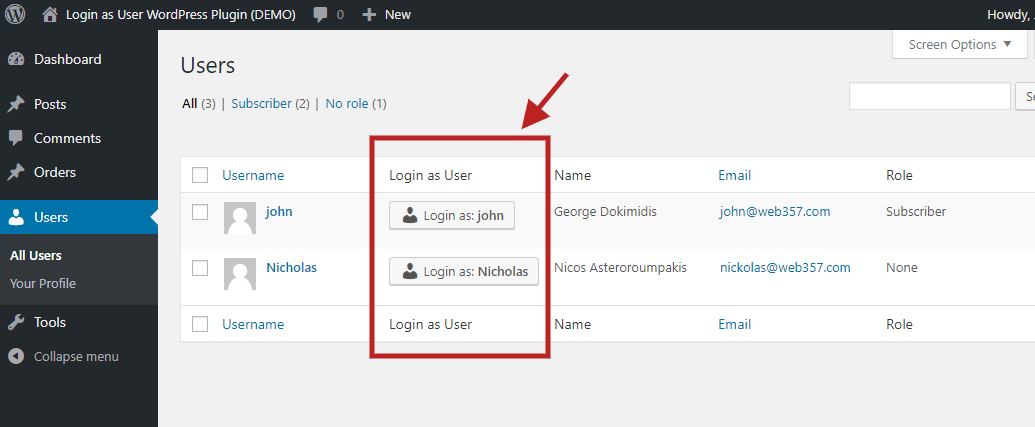
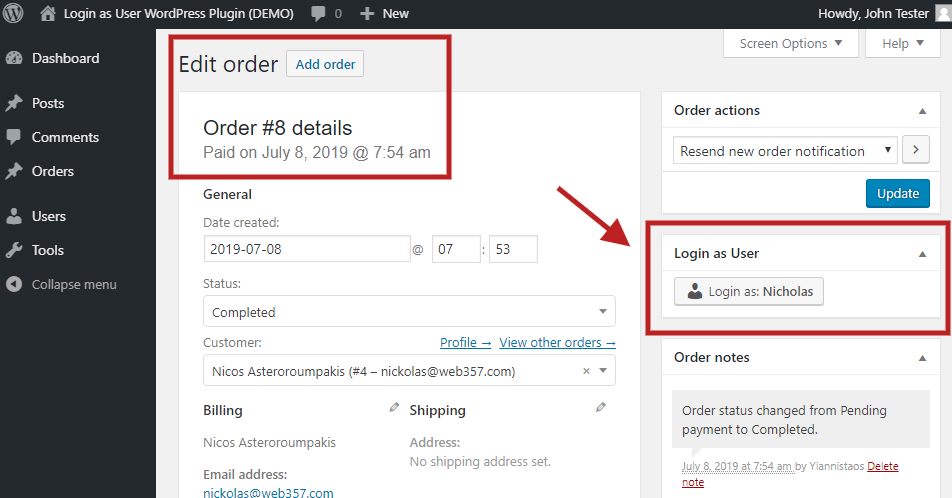
A customer says “my order is missing”. A member cannot open a course. A subscriber sees the wrong menu. Instead of asking for their password, you click Login as… next to their name. You are now that user. When you are done, click Go back to admin. That is the whole plugin.
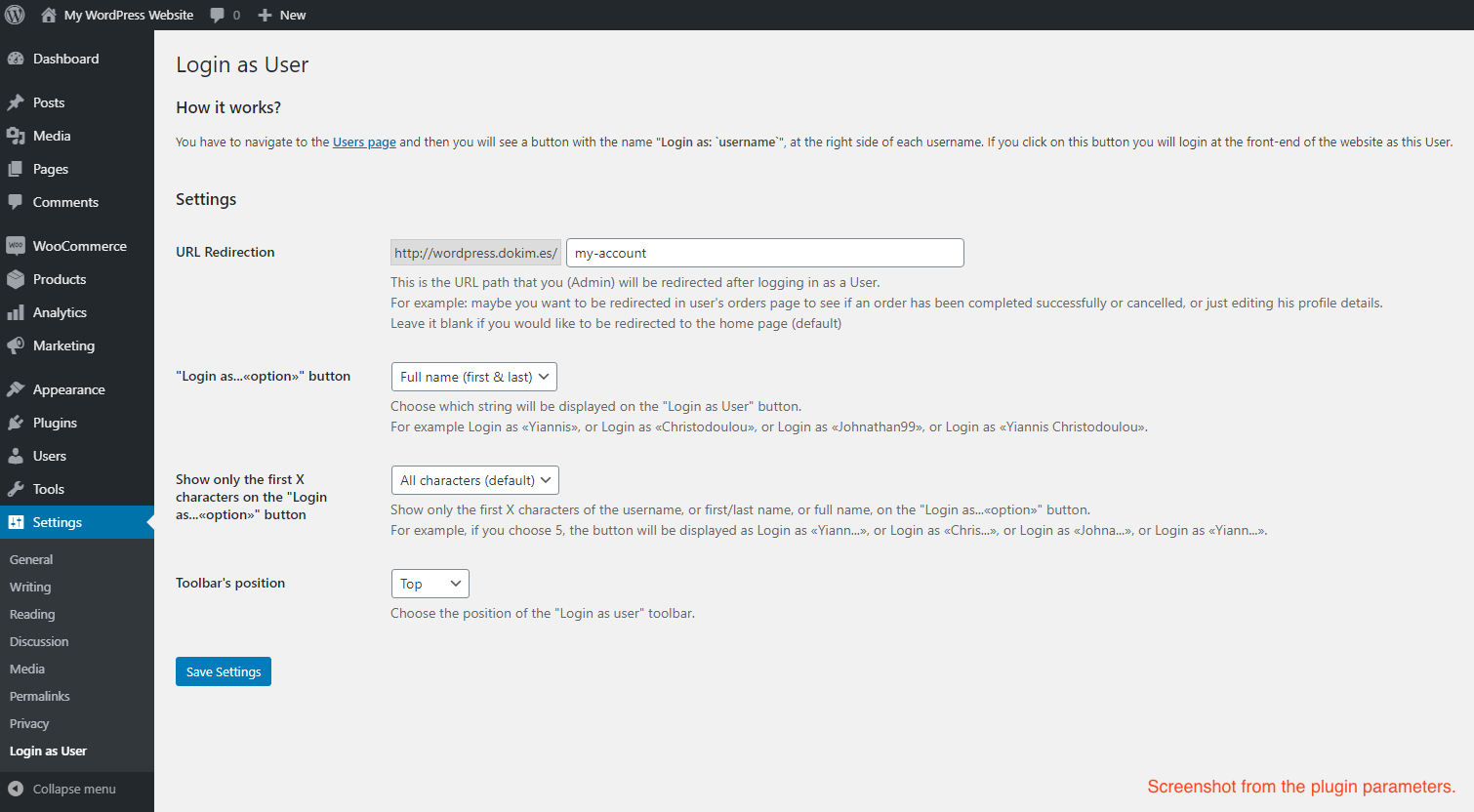
Full setup, settings, and integrations are in the official documentation.
Read more Show less
👉 Try the live demo. Credentials are shown on the login screen.
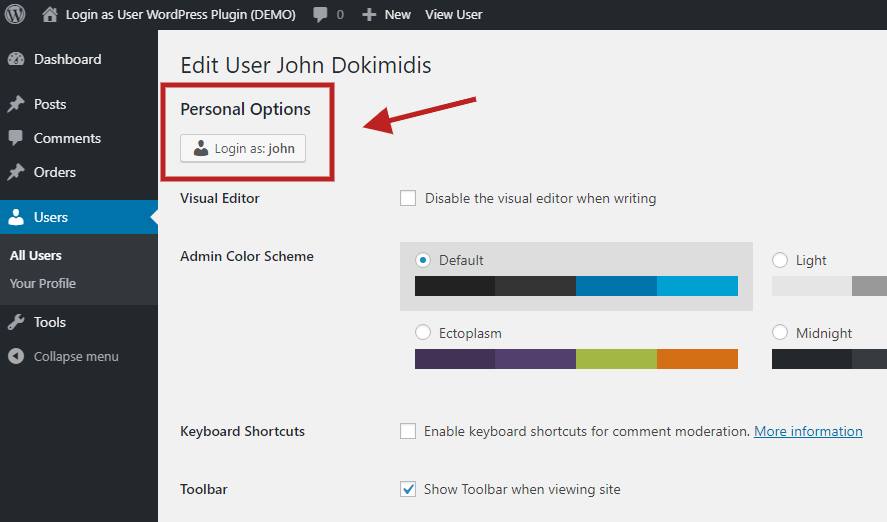
No password is requested, stored, or exposed. You can also start from the user’s profile page. See Accessing the Settings.
Upgrade to Login as User PRO for store and team-permission tools. Plans cover 1, 3, 5 or unlimited sites and include 1 year of updates and support, with a 30-day money-back guarantee.
All PHP, JavaScript, and CSS in this plugin ship as readable source. The files named .min.js and .min.css in admin/ and public/ are not minified. The only minified file is the bundled Select2 library (admin/lib/select2/), whose source is at https://github.com/select2/select2.
The free version does not connect to any external service. Nothing leaves your server: settings are stored in your WordPress database, and switching users uses WordPress’s own login cookies.
Description published by Web357 on WordPress.org, licensed under GPLv3 or later.
Screenshots
Screenshots published by Web357 on WordPress.org, licensed under GPLv3 or later.

Per-version history
Show per-version detail (2 versions)
Per-version history
Show per-version detail (2 versions)
How the plugin evolves version by version.
| Version | Homepage | Admin | Last scan |
|---|---|---|---|
| v1.7.3 | 1 scan | — | 2 months ago |
| v1.7.2 | 14 scans | 6 scans | 3 months ago |
Scan history
Show individual scan log (21 scans)
Scan history
Show individual scan log (21 scans)
| Date | Version | Context | Score | Grade | Time | Memory |
|---|---|---|---|---|---|---|
| 2 months ago | v1.7.3 | Homepage | 100/100 | A | 0 ms | 0.0 MB |
| 3 months ago | v1.7.2 | Admin | 94/100 | A | 162 ms | 0.0 MB |
| 3 months ago | v1.7.2 | Admin | 99/100 | A | 0 ms | 0.0 MB |
| 3 months ago | v1.7.2 | Admin | 99/100 | A | 0 ms | 0.0 MB |
| 3 months ago | v1.7.2 | Admin | 83/100 | B | 288 ms | 0.0 MB |
| 3 months ago | v1.7.2 | Admin | 99/100 | A | 0 ms | 0.0 MB |
| 3 months ago | v1.7.2 | Homepage | 100/100 | A | 0 ms | 0.0 MB |
| 3 months ago | v1.7.2 | Admin | 99/100 | A | 0 ms | 0.0 MB |
| 3 months ago | v1.7.2 | Homepage | 100/100 | A | 0 ms | 0.0 MB |
| 3 months ago | v1.7.2 | Homepage | 100/100 | A | 0 ms | 0.0 MB |
| 3 months ago | v1.7.2 | Homepage | 80/100 | B | 485 ms | 0.0 MB |
| 3 months ago | v1.7.2 | Homepage | 100/100 | A | 0 ms | 2.0 MB |
| 3 months ago | v1.7.2 | Homepage | 91/100 | A | 410 ms | 0.0 MB |
| 3 months ago | v1.7.2 | Homepage | 96/100 | A | 63 ms | 2.0 MB |
| 3 months ago | v1.7.2 | Homepage | 100/100 | A | 0 ms | 0.0 MB |
| 3 months ago | v1.7.2 | Homepage | 100/100 | A | 0 ms | 0.0 MB |
| 3 months ago | v1.7.2 | Homepage | 100/100 | A | 0 ms | 0.0 MB |
| 3 months ago | v1.7.2 | Homepage | 99/100 | A | 0 ms | 0.0 MB |
| 3 months ago | v1.7.2 | Homepage | 100/100 | A | 0 ms | 0.0 MB |
| 3 months ago | v1.7.2 | Homepage | 100/100 | A | 0 ms | 0.0 MB |
| 3 months ago | v1.7.2 | Homepage | 100/100 | A | 9 ms | 0.0 MB |