
Impact score
Footprint Score across the two most representative contexts.
11 scans · last scan 1 day ago
Homepage Score
Impact measured on the public homepage
v8.0.7 · 8 scans · Consolidated score over 90 days · 1 versions
What it adds to every page load
- Added time
- 9 ms
- Added memory
- 2.5 MB
- SQL queries
- +0
- CSS/JS files
- +0
- External calls
- 0
Admin Score
Impact measured in the WordPress admin
v8.0.7 · 3 scans · Consolidated score over 90 days · 1 versions
What it adds to every page load
- Added time
- 0 ms
- Added memory
- 0.0 MB
- SQL queries
- +0
- CSS/JS files
- +1
- External calls
- 0
About
Key Features in the Free File Manager plugin include:
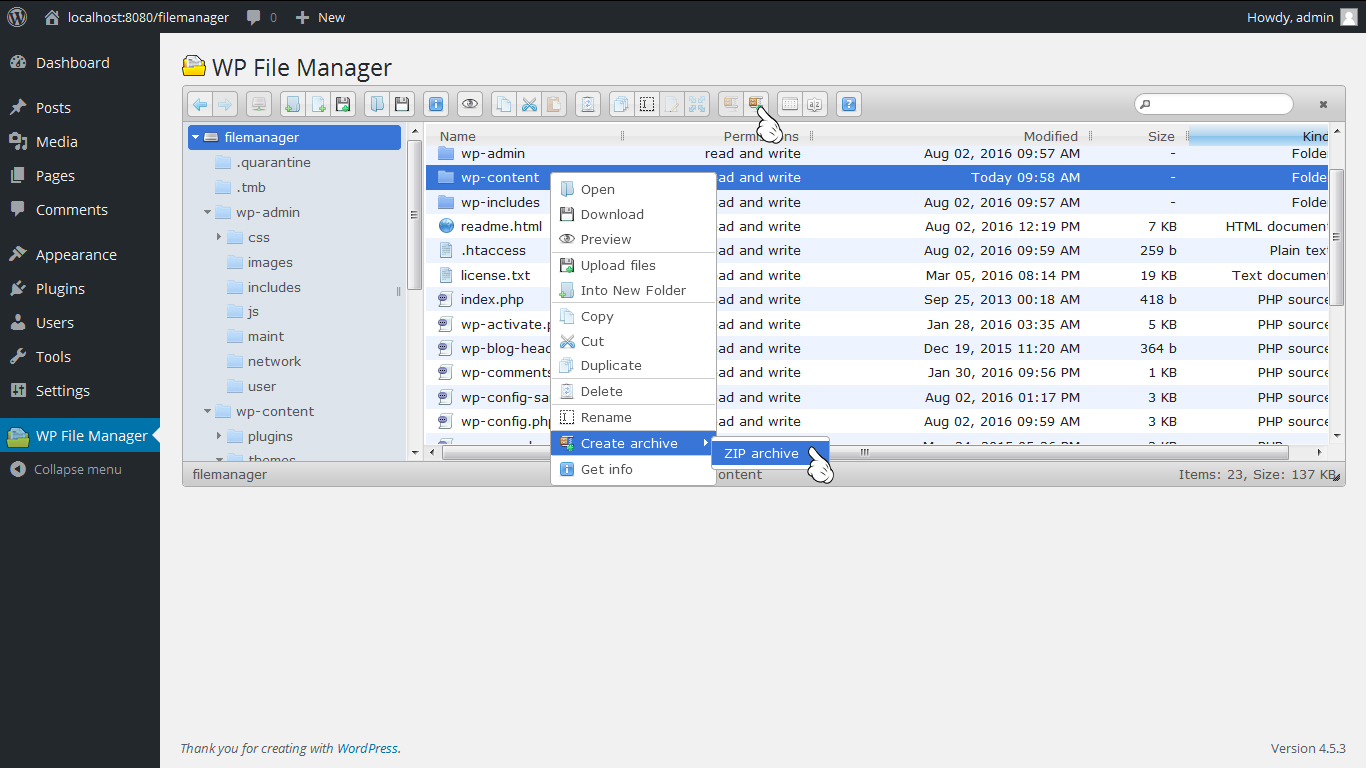
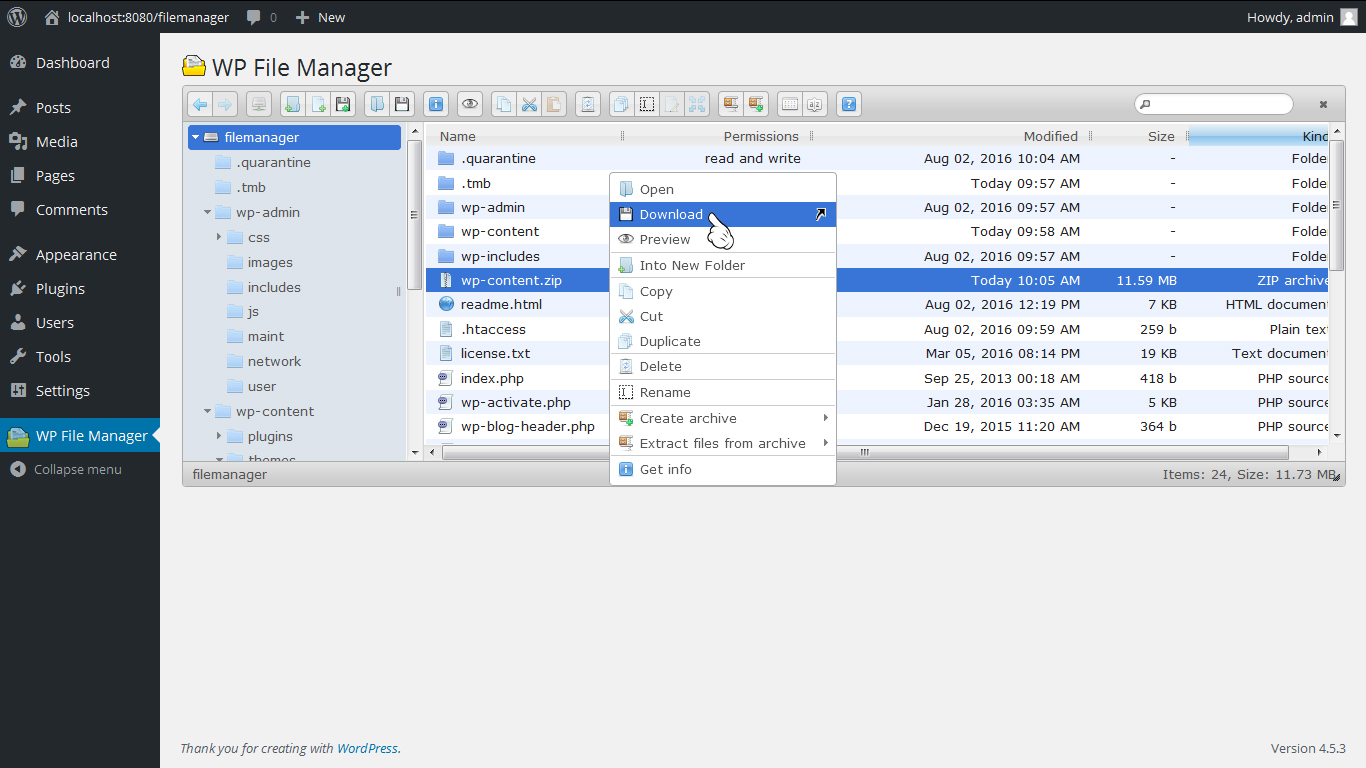
* Operations: Various operations with files and folders on a remote server (copy, move, upload, create folder/file, rename, edit, delete, etc.)
* Move/Copy: Admin can Move/Copy files with Drag & Drop. Also includes multi file selection.
* Archives: Admin can create, archive and extract files(zip, rar, tar, gzip).
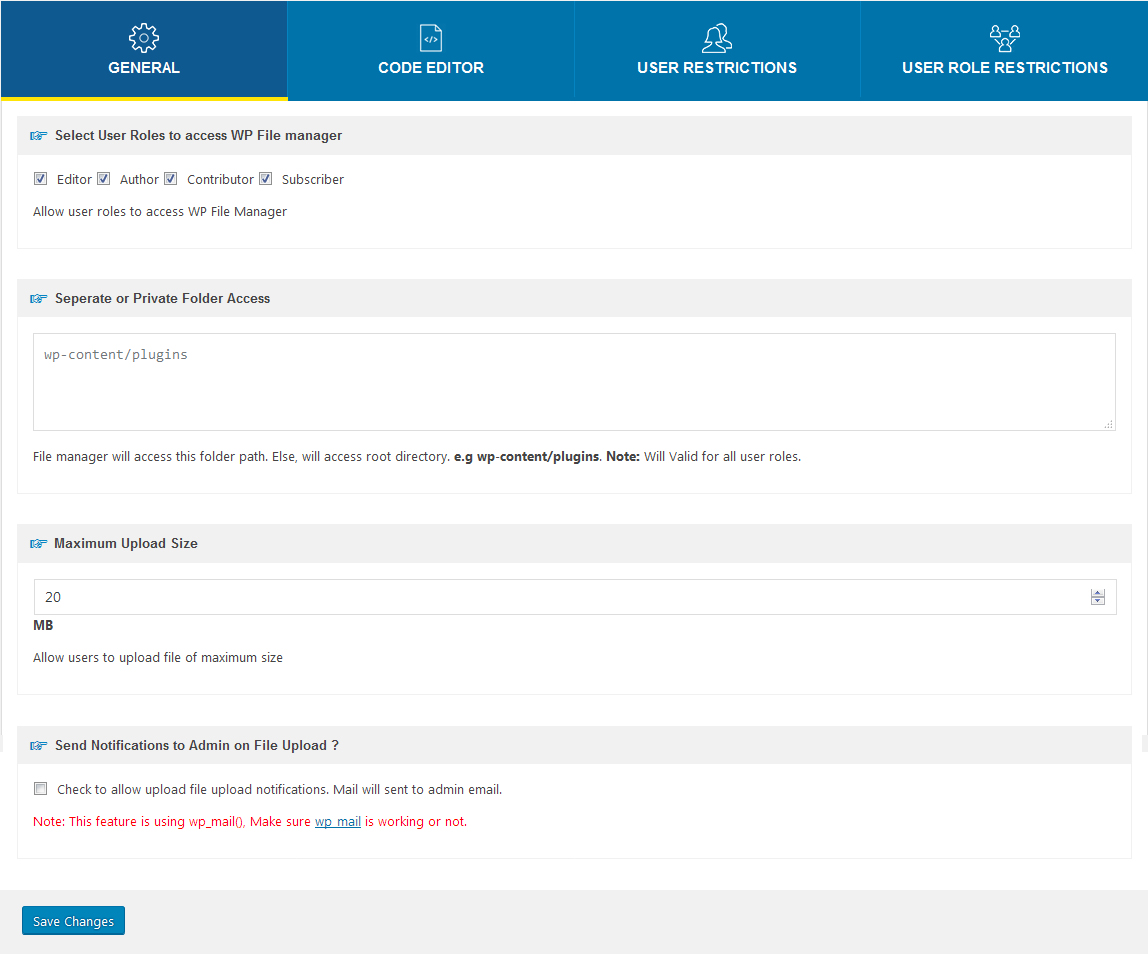
* File Size: Admin/User can upload any size files.
* File Type: Control what files can be uploaded and what file can be downloaded.
* Code Editor: File Manager comes with a built in integrated development environment (IDE) – New Feature
* Syntax Checker: File Manager now can complete code reviews before saving files to ensure your site will not go down when updating code. Reviewing code for errors has never been so easy! – New Feature
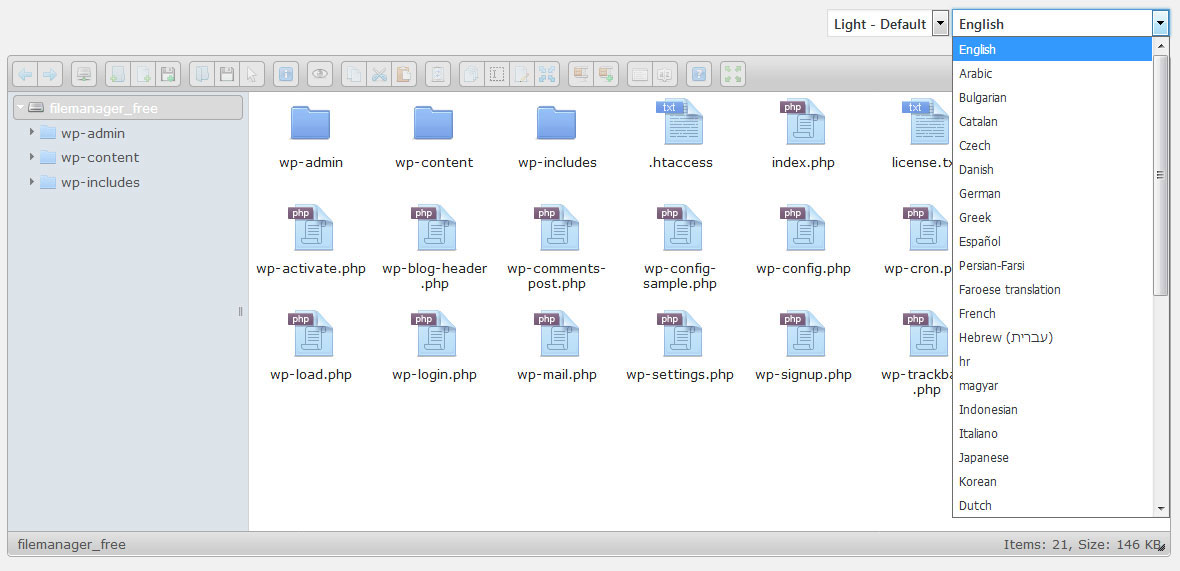
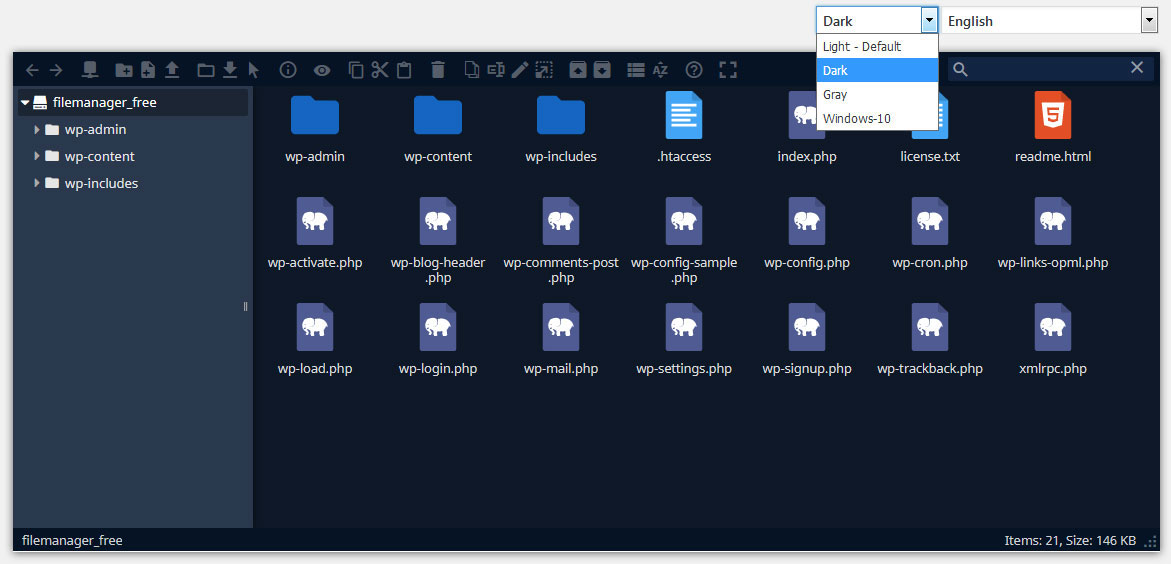
* Multiple Themes: Multiple File Manager Themes Available – New Feature
* Get Info: All file details, properties, information is now available by simply right clicking a file and selecting Get Info – New Feature
* Share Files by Email: With File Manager you can easily and quickly share files by Email. Simply right click a file and press share, that’s it! – New Feature
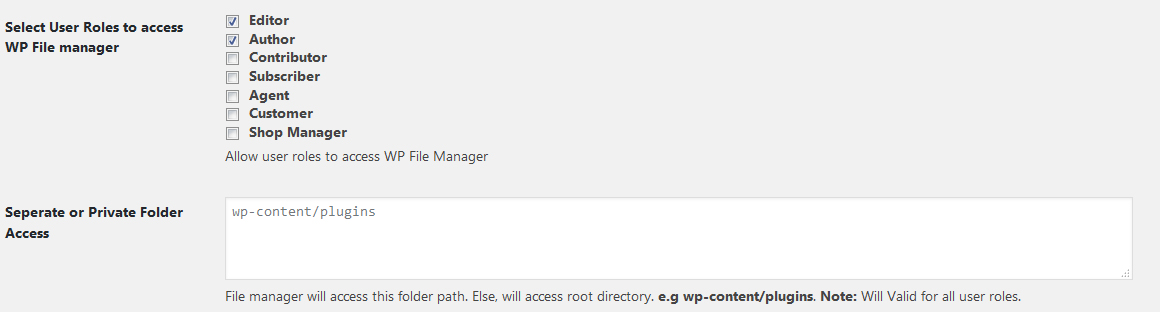
* Private Folder: Available only for File Manager Pro Edition
* Shortcode: Available only for File Manager Pro Edition
* Root Directory: Quickly and easily edit your root path directory. With this feature you can access files inside and outside of WordPress
* PDF Support: Preview PDF files easily
* Built-in Trash: Delete files by moving them to trash
* File View: Icon and list view both available for easy navigation
* Preview Support: Easily preview common file types including media (video, audio, mp3, thumbnails, etc)
* Search: Search functionality is built directly into File Manager making it simple to find your files.
* Shortcut Support: Common shortcuts are available in File Manager
* Automatic File Resize: automatically resize files once uploaded.
* Responsive UI: File Manager works on tablet and mobile devices
* Browsing History: File and folders browsing history
* Trash function: Move to Trash Folder Feature
* PDF Preview: PDF Preview feature available
* FTP/SFTP Support: Alternative to FTP or Cpanel
* File Preview: preview for common MIMEs and file types
* Directory Size: Calculate directory size
* Icon View: List and Icons view available for files and files
* Keyboard shortcuts: Keyboard shortcuts available e.g. copy,paste,drag & drop
* Drag and drop: File Drag & Drop file upload function available
* Functions Toolbar: Rich context menu and file manager functions toolbar
* Thumbnails: Thumbnails for all types of image files
* Upload to Media Library: We have now included the ability to enable images, pdf’s, and zip files to be uploaded to you folders and as well be available via the native WordPress Media Library
* Backup/Restore: Backup and restore themes files, plugins files,uploads folder and db data on server.
* Multi Languages Added
* File Upload Email Notifications: Admin will get a Notification whenever a file is Uploaded.
* File Download Notifications: Admin will get a Notification whenever a file is Downloaded.
* File Edit Email Notifications. Admin will get a Notification whenever a file is Edited.
Buy Pro Version with various features & support.
Contact us for Support Only Pro Version Users.
Documentation Click Here.
Addons with various features & support.
Upgrade to Pro Version
Read more Show less
File Manager Cloudflare R2 provides you ability to edit, delete, upload, download, copy and paste files and folders in Cloudflare R2 bucket.
File Manager Digital Ocean provides you ability to edit, delete, upload, download, copy and paste files and folders in Digital Ocean.
File Manager Google Drive provides you ability to edit, delete, upload, download, copy and paste files and folders in Google Drive.
File Manager OneDrive provides you ability to edit, delete, upload, download, copy and paste files and folders in OneDrive from File Manager.
File Manager Dropbox provides you ability to edit, delete, upload, download, copy and paste files and folders in dropbox.
File Manager Box provides you ability to edit, delete, upload, download, copy and paste files and folders in Box.
File Manager AWS S3 provides you ability to edit, delete, upload, download, copy and paste files and folders in AWS S3 bucket.
File Manager Git Github integration for file manager.
File Manager Slack Slack incoming webhook integration to file manager.
File Manager Google Cloud provides you ability to edit, delete, upload, download, copy and paste files and folders in Google Cloud bucket.
* WordPress 3.3+
* PHP 5.x
* MySQL 5.x
If any problem occurs, please contact us at https://filemanagerpro.io/contact/
Description published by mndpsingh287 on WordPress.org, licensed under GPLv2 or later.
Screenshots
Screenshots published by mndpsingh287 on WordPress.org, licensed under GPLv2 or later.




Per-version history
Show per-version detail (1 version)
Per-version history
Show per-version detail (1 version)
How the plugin evolves version by version.
| Version | Homepage | Admin | Last scan |
|---|---|---|---|
| v8.0.7 | 8 scans | 3 scans | 1 day ago |
Scan history
Show individual scan log (11 scans)
Scan history
Show individual scan log (11 scans)
| Date | Version | Context | Score | Grade | Time | Memory |
|---|---|---|---|---|---|---|
| 1 day ago | v8.0.7 | Homepage | 100/100 | A | 6 ms | 3.0 MB |
| 1 day ago | v8.0.7 | Homepage | 100/100 | A | 24 ms | 0.0 MB |
| 1 day ago | v8.0.7 | Admin | 99/100 | A | 0 ms | 0.0 MB |
| 1 day ago | v8.0.7 | Homepage | 100/100 | A | 6 ms | 4.0 MB |
| 1 day ago | v8.0.7 | Homepage | 98/100 | A | 28 ms | 8.5 MB |
| 1 day ago | v8.0.7 | Admin | 100/100 | A | 4 ms | 0.0 MB |
| 1 day ago | v8.0.7 | Homepage | 100/100 | A | 0 ms | 0.0 MB |
| 2 days ago | v8.0.7 | Homepage | 100/100 | A | 12 ms | 1.5 MB |
| 2 days ago | v8.0.7 | Homepage | 99/100 | A | 35 ms | 4.0 MB |
| 2 days ago | v8.0.7 | Admin | 100/100 | A | 0 ms | 0.0 MB |
| 2 days ago | v8.0.7 | Homepage | 100/100 | A | 0 ms | 2.0 MB |