
Auswirkungsbewertung
Footprint Score in den beiden repräsentativsten Kontexten.
5 Scans · letzter Scan vor 1 Woche
Homepage-Score
Auswirkung auf der öffentlichen Startseite
v4.1.1 · 4 Scans · Konsolidierte Bewertung über 90 Tage · 2 Versionen
Was bei jedem Seitenaufruf hinzukommt
- Zusätzliche Zeit
- 31 ms
- Zusätzlicher Speicher
- 6.0 MB
- SQL-Abfragen
- +3
- CSS/JS-Dateien
- +0
- Externe Aufrufe
- 0
Admin-Score
Auswirkung im WordPress-Admin
v4.0.7 · 1 Scan · Konsolidierte Bewertung über 90 Tage · 1 Versionen
Was bei jedem Seitenaufruf hinzukommt
- Zusätzliche Zeit
- 33 ms
- Zusätzlicher Speicher
- 0.0 MB
- SQL-Abfragen
- +0
- CSS/JS-Dateien
- +0
- Externe Aufrufe
- 0
Über
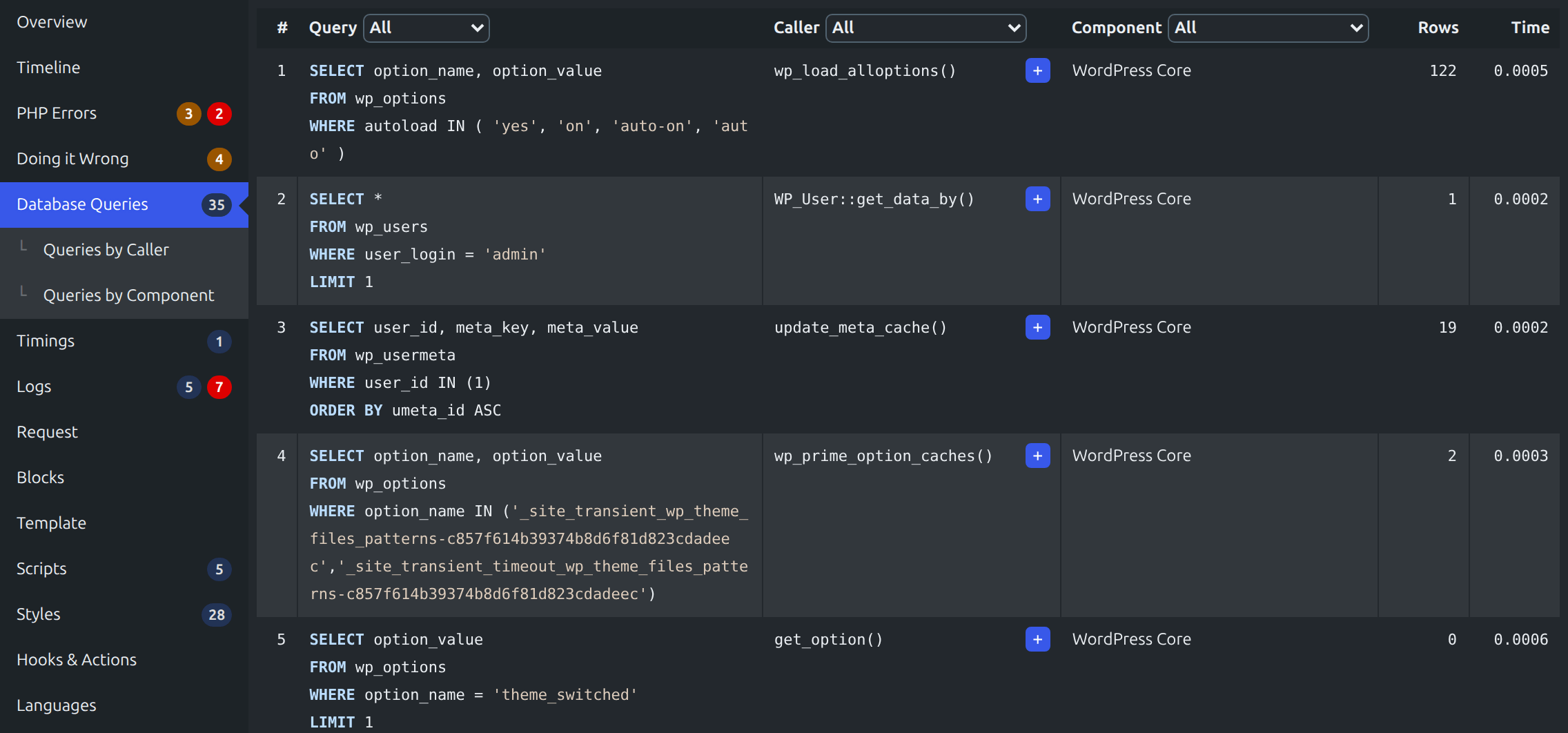
Query Monitor is the developer tools panel for WordPress and WooCommerce. It enables debugging of database queries, PHP errors, hooks and actions, block editor blocks, enqueued scripts and stylesheets, HTTP API calls, and more.
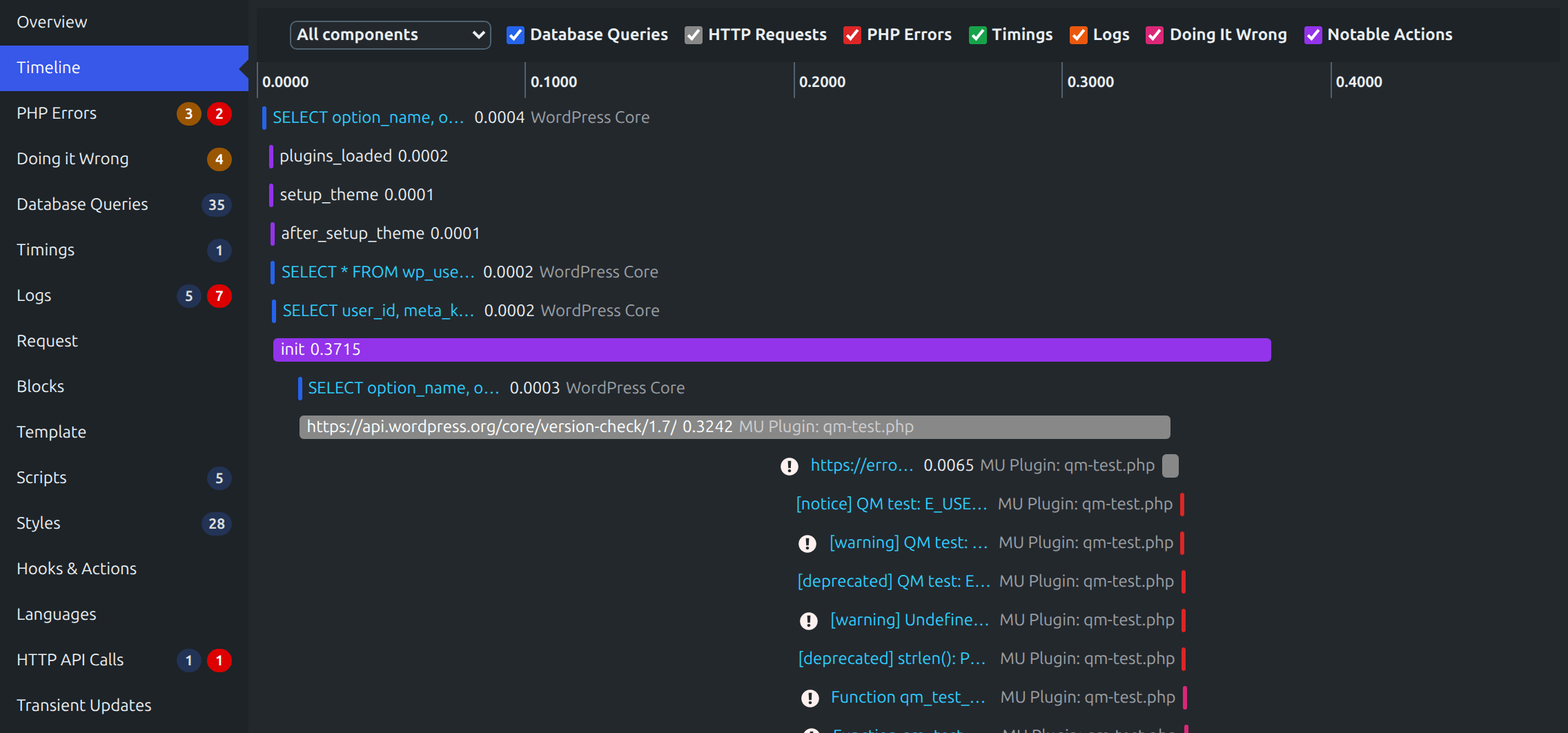
It includes some advanced features such as debugging of Ajax calls, REST API calls, user capability checks, and full support for block themes and full site editing. It includes the ability to narrow down much of its output by plugin or theme, allowing you to quickly determine poorly performing plugins, themes, or functions.
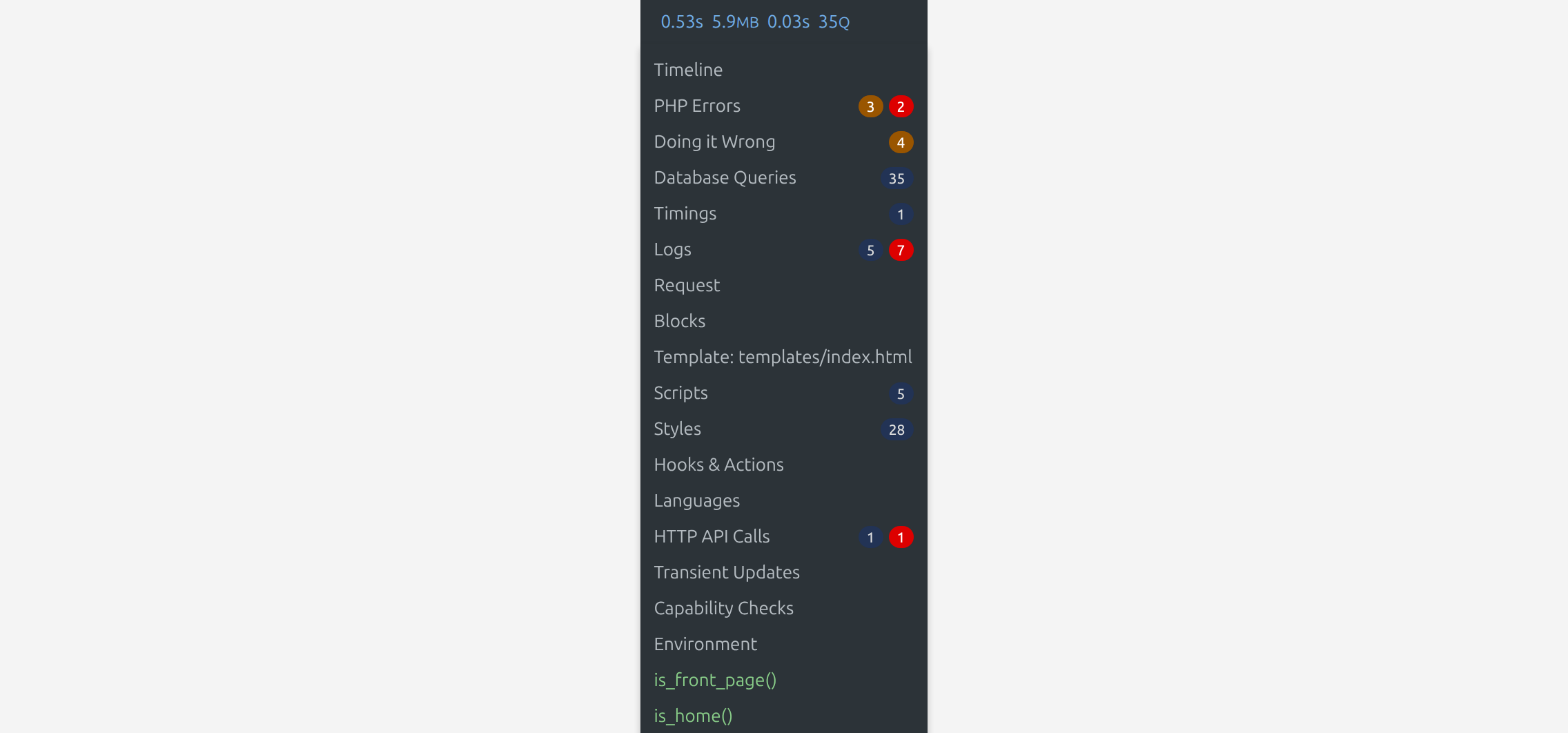
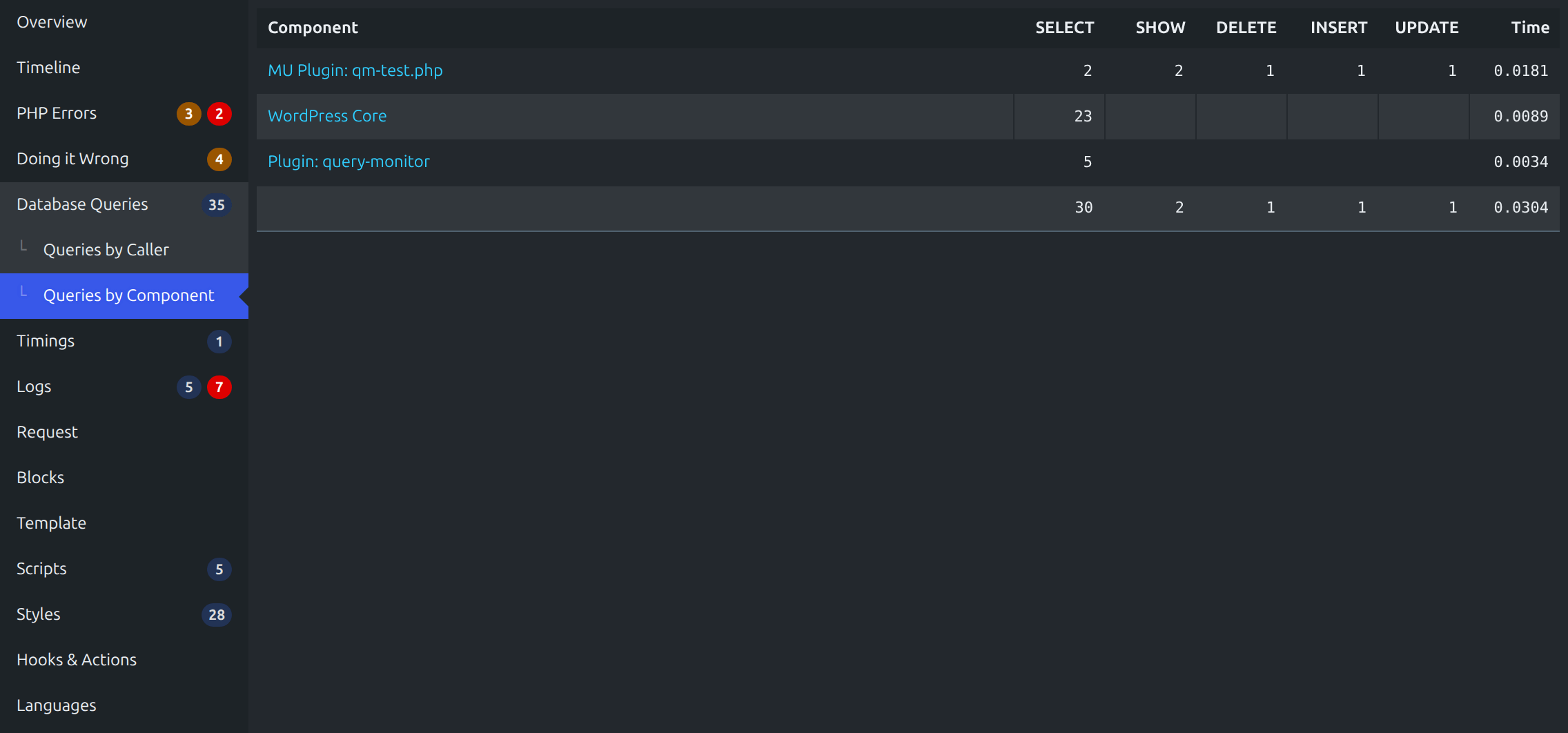
Query Monitor focuses heavily on presenting its information in a useful manner, for example by showing aggregate database queries grouped by the plugins, themes, or functions that are responsible for them. It adds an admin toolbar menu showing an overview of the current page, with complete debugging information shown in panels once you select a menu item.
Mehr lesen Weniger anzeigen
Query Monitor supports versions of WordPress up to three years old, and PHP version 7.4 or higher.
For complete information, please see the Query Monitor website.
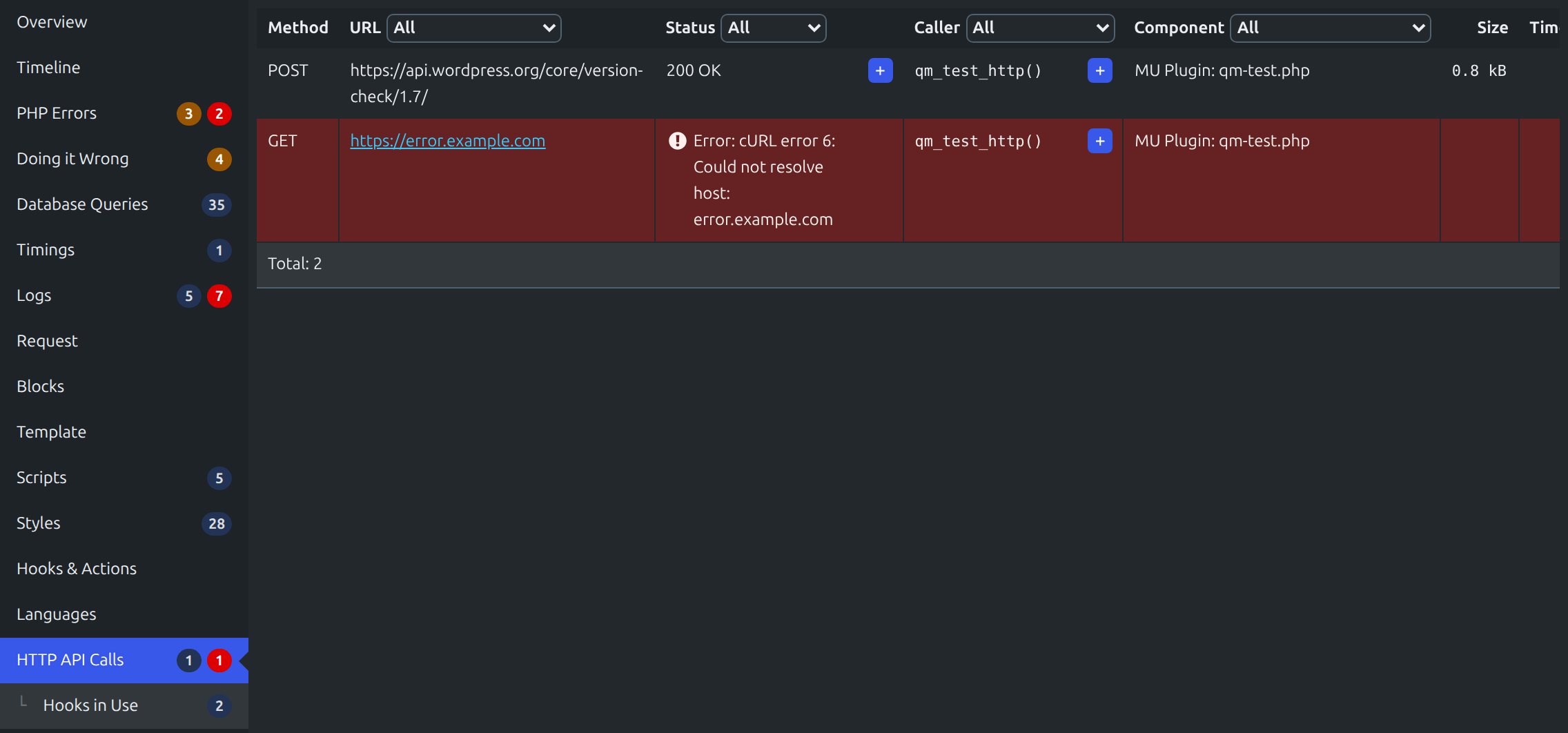
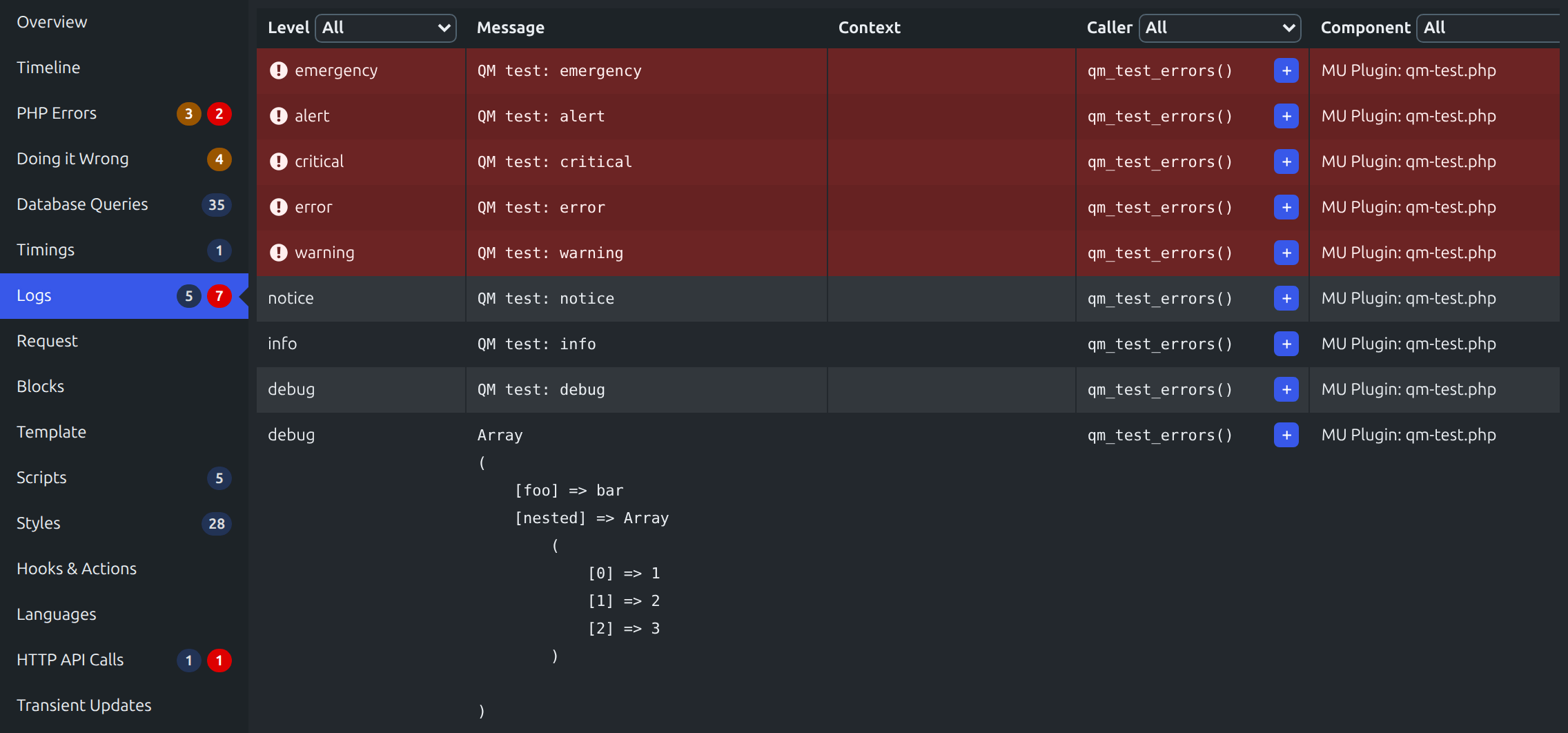
Hier eine Übersicht, was für jeden Seitenaufruf angezeigt wird:
Zusätzlich:
In der Standardeinstellung sind die Ausgaben von Query Monitor nur sichtbar für Administratoren (in Einzel-Installationen) bzw. Super-Admins (in Multisite-Installationen).
In addition to this, you can set an authentication cookie which allows you to view Query Monitor output when you’re not logged in (or if you’re logged in as a non-Administrator). See the Settings panel for details.
Ich pflege mehrere andere Plugins für Entwickler. Probiere sie aus:
The time that I spend maintaining this plugin and others is in part sponsored by:
Query Monitor is private by default and always will be. It does not persistently store any of the data that it collects. It does not send data to any third party, nor does it include any third party resources. Query Monitor’s full privacy statement can be found here.
Query Monitor aims to be fully accessible to all of its users. Query Monitor’s full accessibility statement can be found here.
Beschreibung veröffentlicht von John Blackbourn auf WordPress.org, lizenziert unter GPL v2 or later.
Screenshots
Screenshots veröffentlicht von John Blackbourn auf WordPress.org, lizenziert unter GPL v2 or later.

Historie nach Version
Versionsdetails anzeigen (2 Versionen)
Historie nach Version
Versionsdetails anzeigen (2 Versionen)
Wie sich das Plugin von Version zu Version entwickelt.
| Version | Homepage | Admin | Letzter Scan |
|---|---|---|---|
| v4.1.1 | 3 Scans | — | vor 1 Woche |
| v4.0.7 | 1 Scan | 1 Scan | vor 1 Monat |
Scan-Verlauf
Einzelnes Scan-Protokoll anzeigen (5 Scans)
Scan-Verlauf
Einzelnes Scan-Protokoll anzeigen (5 Scans)
| Datum | Version | Kontext | Score | Bewertung | Zeit | Speicher |
|---|---|---|---|---|---|---|
| vor 1 Woche | v4.1.1 | Homepage | 99/100 | A | 35 ms | 6.0 MB |
| vor 1 Woche | v4.1.1 | Homepage | 94/100 | A | 98 ms | 6.0 MB |
| vor 1 Woche | v4.1.1 | Homepage | 99/100 | A | 23 ms | 6.0 MB |
| vor 1 Monat | v4.0.7 | Homepage | 100/100 | A | 26 ms | 0.0 MB |
| vor 1 Monat | v4.0.7 | Admin | 99/100 | A | 33 ms | 0.0 MB |