



- Time
- 494 ms
- Memory
- 10.0 MB
- SQL
- +84
About
Classic Editor is an official plugin maintained by the WordPress team that restores the previous (“classic”) WordPress editor and the “Edit Post” screen. It makes it possible to use plugins that extend that screen, add old-style meta boxes, or otherwise depend on the previous editor.
Classic Editor is an official WordPress plugin, and will be fully supported and maintained until 2024, or as long as is necessary.
At a glance, this plugin adds the following:
Read more Show less
In addition, the Classic Editor plugin includes several filters that let other plugins control the settings, and the editor choice per post and per post type.
By default, this plugin hides all functionality available in the new block editor (“Gutenberg”).
Description published by WordPress.org on WordPress.org, licensed under GPLv2 or later.
Tags
block-editor
classic editor
editor
gutenberg
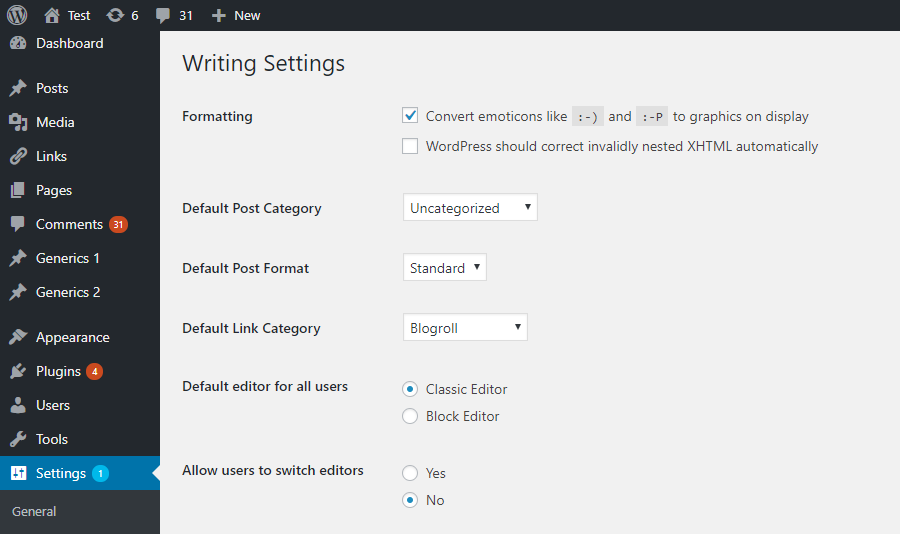
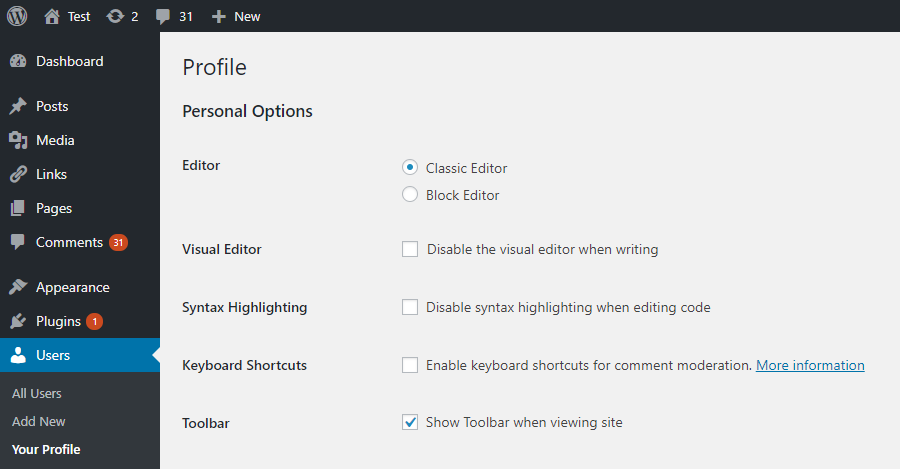
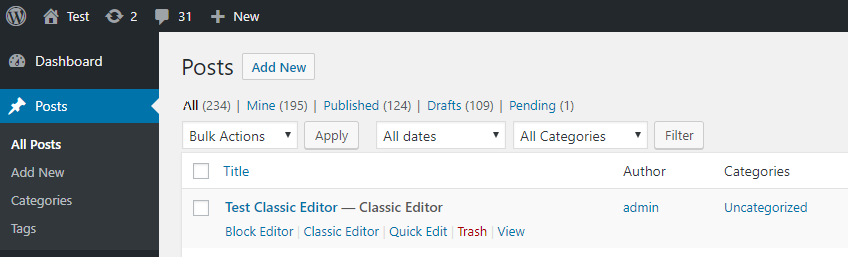
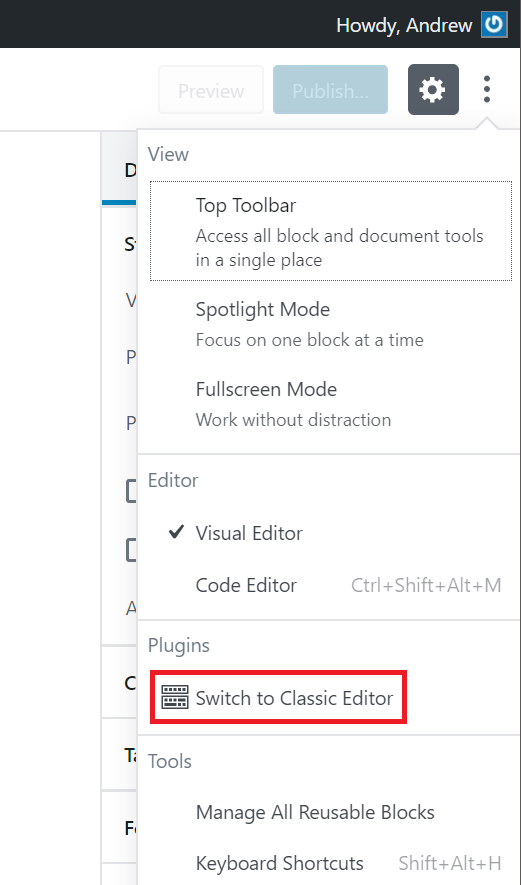
Screenshots
Screenshots published by WordPress.org on WordPress.org, licensed under GPLv2 or later.
Per-version history
Show per-version detail (1 version)
Per-version history
Show per-version detail (1 version)
How the plugin evolves version by version.
| Version | Homepage | Admin | Last scan |
|---|---|---|---|
| v1.7.0 |
A
100/100 · 39
|
A
100/100 · 18
|
1 day ago |
Alternatives in the same category
Other page builder plugins measured by the community, ranked from lightest to heaviest.
Not enough scans yet to publish the score (4 received).
Not enough scans yet to publish the score (2 received).
Not enough scans yet to publish the score (4 received).
Not enough scans yet to publish the score (3 received).
Not enough scans yet to publish the score (2 received).
Scan history
Show individual scan log (57 scans)
Scan history
Show individual scan log (57 scans)
| Date | Version | Context | Score | Grade | Time | Memory |
|---|---|---|---|---|---|---|
| 3 months ago | v1.7.0 | Homepage | 99/100 | A | 0 ms | 0.0 MB |
| 3 months ago | v1.7.0 | Homepage | 100/100 | A | 0 ms | 0.0 MB |
| 3 months ago | v1.7.0 | Homepage | 100/100 | A | 17 ms | 0.0 MB |
| 3 months ago | v1.7.0 | Homepage | 100/100 | A | 0 ms | 0.0 MB |
| 3 months ago | v1.7.0 | Homepage | 100/100 | A | 42 ms | 0.0 MB |
| 3 months ago | v1.7.0 | Homepage | 100/100 | A | 14 ms | 0.0 MB |
| 3 months ago | v1.7.0 | Homepage | 98/100 | A | 0 ms | 8.0 MB |