
Impact score
Footprint Score across the two most representative contexts.
1 scans · last scan 2 months ago
Homepage Score
Impact measured on the public homepage
Admin Score
Impact measured in the WordPress admin
v1.4.7 · 1 scan · Consolidated score over 90 days · 1 versions
What it adds to every page load
- Added time
- 0 ms
- Added memory
- 0.0 MB
- SQL queries
- +0
- CSS/JS files
- +2
- External calls
- 0
About
A quicklook into Insert PHP Code Snippet
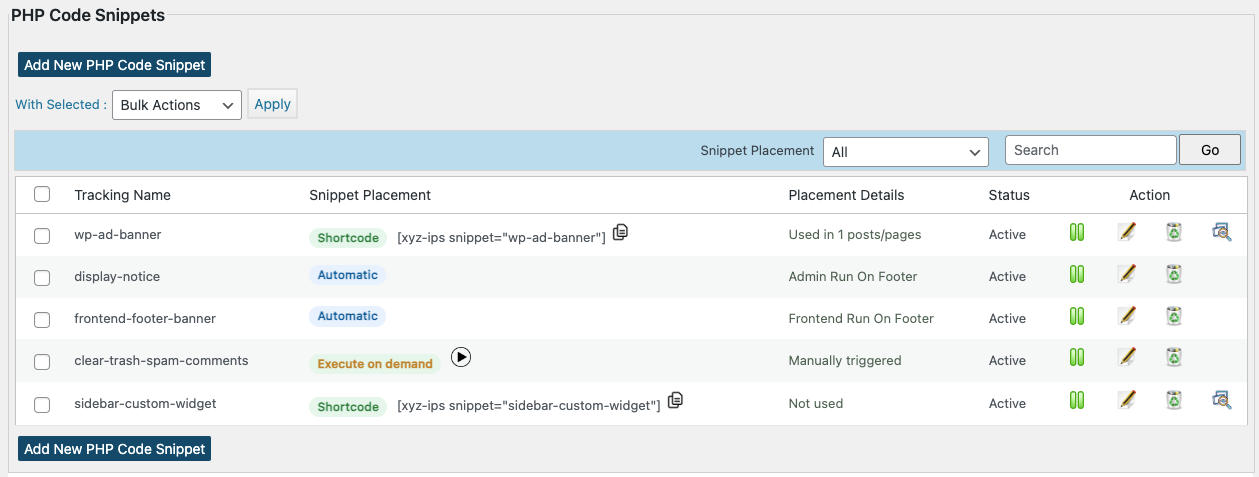
★ Convert PHP snippets to shortcodes
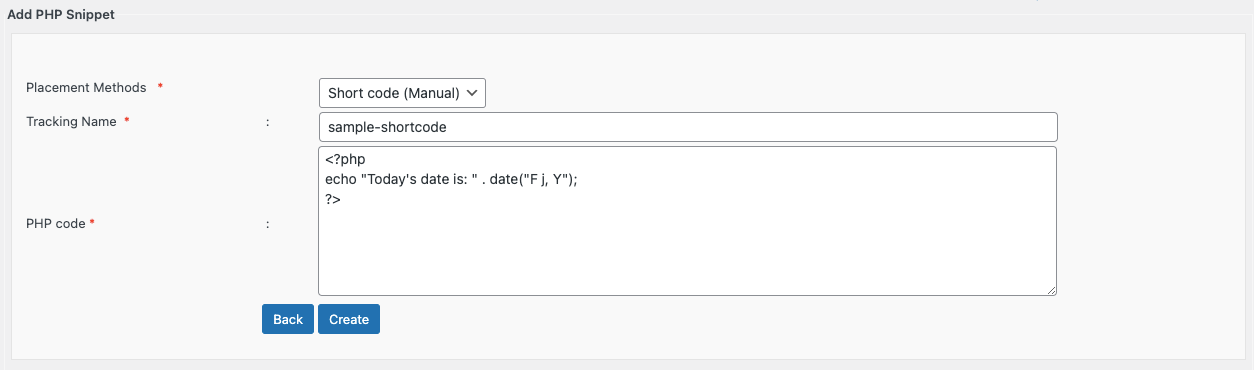
★ Insert PHP code easily using shortcode
★ Support for PHP snippet shortcodes in widgets
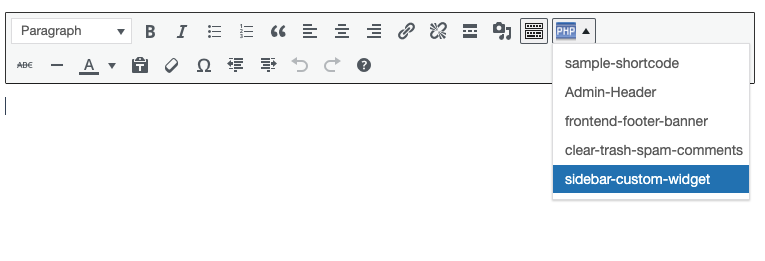
★ Dropdown menu in TinyMCE editor to pick snippet shortcodes easily
Features in Detail
Insert PHP Code Snippet allows you to create shortcodes corresponding to PHP code snippets. You can create a shortcode corresponding to any random PHP code such as ad codes, login validation etc. and use the same in your posts, pages or widgets.
The shortcodes generated using the plugin are easily available as a dropdown in the standard wordpress content editor as well as in widget settings, thereby giving you ease of integrating your PHP snippets with your posts and pages.
Read more Show less
Insert PHP Code Snippet is developed and maintained by XYZScripts. For any support, you may contact us.
★ Insert PHP Code Snippet User Guide
★ Insert PHP Code Snippet FAQ
★ Insert PHP Code Snippet User Guide
★ Insert PHP Code Snippet FAQ
Please read the FAQ first if you are having problems.
WordPress 5.0+
PHP 7+
Feedback
We would like to receive your feedback and suggestions. You may submit them at our support desk.
Description published by f1logic on WordPress.org, licensed under GPLv2 or later.
Screenshots
Screenshots published by f1logic on WordPress.org, licensed under GPLv2 or later.
Per-version history
Show per-version detail (1 version)
Per-version history
Show per-version detail (1 version)
How the plugin evolves version by version.
| Version | Homepage | Admin | Last scan |
|---|---|---|---|
| v1.4.7 | — | 1 scan | 2 months ago |
Scan history
Show individual scan log (1 scans)
Scan history
Show individual scan log (1 scans)
| Date | Version | Context | Score | Grade | Time | Memory |
|---|---|---|---|---|---|---|
| 2 months ago | v1.4.7 | Admin | 99/100 | A | 0 ms | 0.0 MB |