
- Time
- 0 ms
- Memory
- 0.0 MB
- SQL
- +1
About
Manage is a centralized dashboard for monitoring, optimizing, and maintaining multiple WordPress sites without switching between individual site admins.
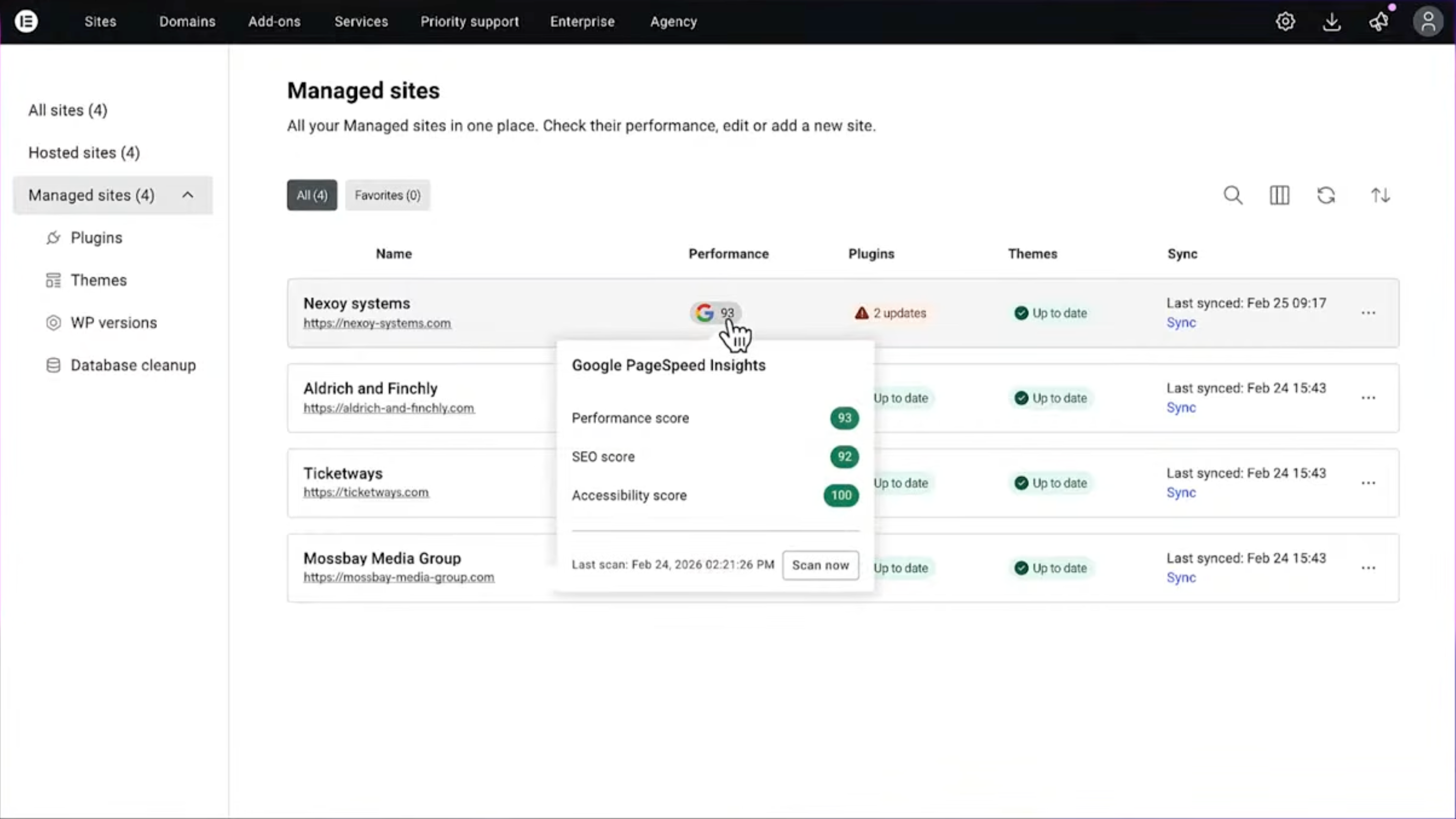
Get full visibility into all your sites’ performance and identify security risks at a glance. Manage gives you one place to monitor site health, maintenance needs, and operational status across your portfolio.
Keep your sites lean, clutter-free, and performant in a click. Run database optimizations and performance scans across your portfolio without having to log in to each site separately.
Read more Show less
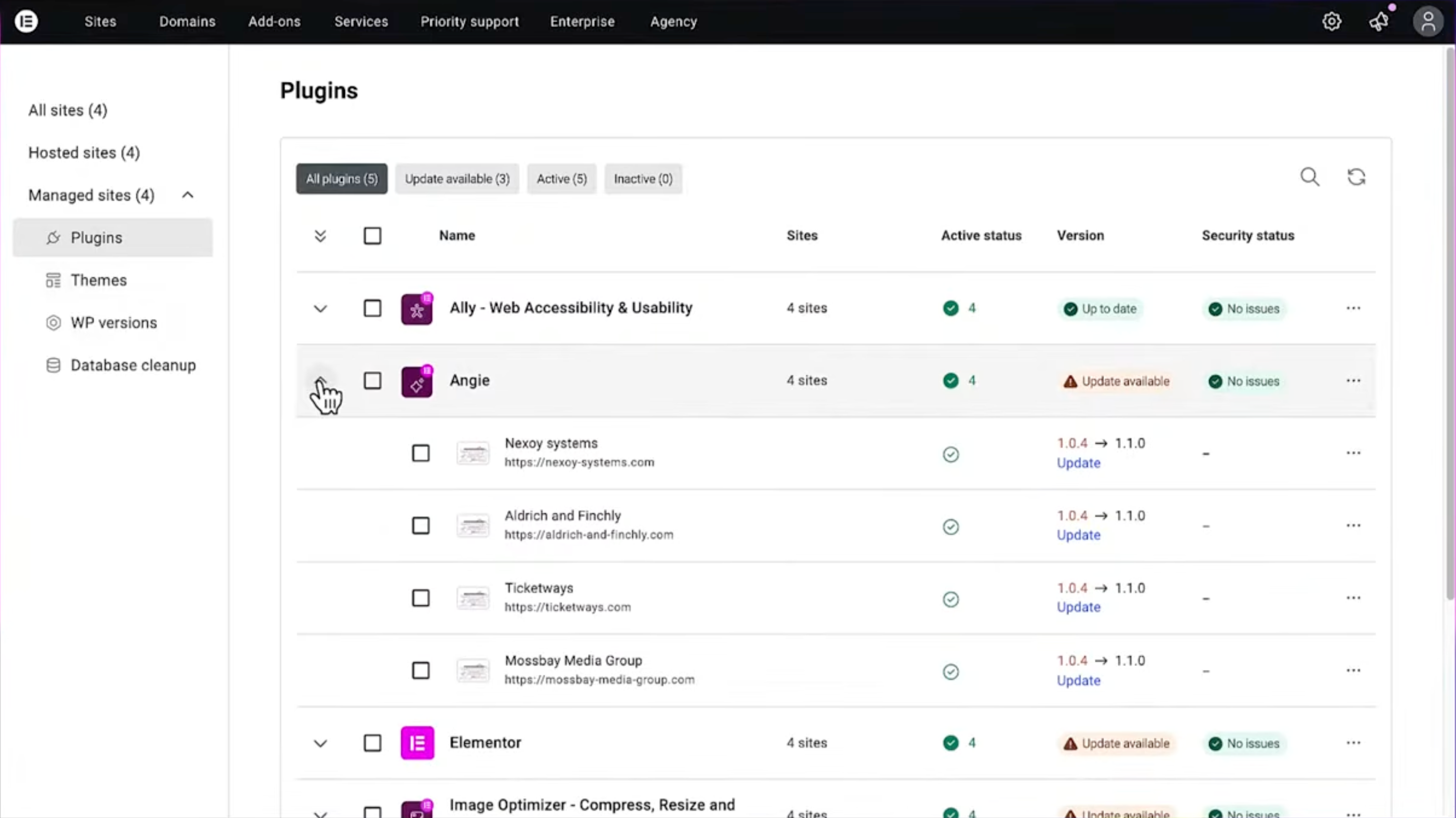
Eliminate site-by-site maintenance overhead by handling updates and optimizations for multiple sites from one dashboard, helping agencies, freelancers, and site owners work more efficiently at scale.
FEATURES
Manage acts as a professional maintenance checklist, surfacing maintenance issues that are often missed when working only within the standard WordPress admin.
Efficiency at scale: Perform bulk updates and optimizations across all sites to eliminate repetitive manual work and reclaim hours of your work week.
Proactively improve site health: Improve performance and accessibility directly from the dashboard by leveraging integrated tools like image optimization and accessibility remediation, available only in the premium version.
Professional workflow: Maintain a clear history of actions and monitor site health so your sites stay updated, optimized, and secure.
For more details, visit our Help Center.
Get started with a few easy steps
This plugin requires a connection to an active Elementor account. This connection is initiated manually by the user.
Image Optimizer: Superior image compression for faster, high-quality website performance.
Ally: Simplify web accessibility with Ally. Detect violations, apply guided fixes, empower visitors with personalization tools, and publish your accessibility statement in minutes.
Description published by Elementor on WordPress.org, licensed under GPLv3.
Tags
bulk
elementor
monitoring
performance
updates
Screenshots
Screenshots published by Elementor on WordPress.org, licensed under GPLv3.
Per-version history
Show per-version detail (3 versions)
Per-version history
Show per-version detail (3 versions)
How the plugin evolves version by version.
| Version | Homepage | Admin | Last scan |
|---|---|---|---|
| v1.0.12 | 1 scan | — | 1 day ago |
| v1.0.9 | 1 scan | — | 4 weeks ago |
| v1.0.8 | 2 scans | 2 scans | 3 months ago |
Alternatives in the same category
Other page builder plugins measured by the community, ranked from lightest to heaviest.
- Time
- 494 ms
- Memory
- 10.0 MB
- SQL
- +84
Not enough scans yet to publish the score (4 received).
Not enough scans yet to publish the score (2 received).
Not enough scans yet to publish the score (4 received).
Not enough scans yet to publish the score (2 received).
Scan history
Show individual scan log (6 scans)
Scan history
Show individual scan log (6 scans)
| Date | Version | Context | Score | Grade | Time | Memory |
|---|---|---|---|---|---|---|
| 1 day ago | v1.0.12 | Homepage | 100/100 | A | 0 ms | 0.0 MB |
| 4 weeks ago | v1.0.9 | Homepage | 70/100 | B | 1,487 ms | 0.0 MB |
| 3 months ago | v1.0.8 | Admin | 96/100 | A | 46 ms | 0.0 MB |
| 3 months ago | v1.0.8 | Homepage | 100/100 | A | 0 ms | 0.0 MB |
| 3 months ago | v1.0.8 | Admin | 97/100 | A | 36 ms | 0.0 MB |
| 3 months ago | v1.0.8 | Homepage | 89/100 | A | 125 ms | 0.0 MB |