


Not enough scans yet to publish the score (9 received).
About
Migrate Guru is a powerful WordPress migration plugin designed to seamlessly transfer your WordPress site to a new host or domain. Whether you need to clone, move, or migrate your WordPress website, Migrate Guru ensures a hassle-free process with its one-click migration feature. This plugin supports all-in-one WP migrations, handling large sites up to 200 GB without overloading your server. Compatible with every major web host and equipped with automatic URL rewriting and serialized data handling, it’s the go-to tool for moving WordPress sites to new domains or hosts. Move, clone, or migrate your WordPress site with Migrate Guru—the smart, swift, and secure WordPress migrator and backup plugin.
Effortlessly move WordPress sites 80% faster with a single click, migrating 1 GB in under 30 minutes.
Migrate Guru uses its own servers, preventing site crashes.
Read more Show less
Easily migrate WordPress sites up to 200 GB, overcoming live-site server limits.
Seamlessly handle multi-sites and serialized data without extra plugins.
Temporary copies are removed post-migration.
Compatible with all web hosts, making transfers simple.
Accurate search and replace for serialized data.
Receive real-time and email alerts on migration status.
Currently we don’t support:
Pantheon, LiquidWeb, Cloudways, Savvii, DigitalOcean, Hostgator, Godaddy, Bluehost, SiteGround, Kinsta, AWS, Pressable, Webhostingtalk, Inmotion Hosting, Softlayer, Reverbnation, Homestead, Site5, Linode, Fatcow, DreamHost, Rackspace, etc.
For dedicated support and guidance on Migrate Guru, visit the WordPress.org support page. Here you can find community discussions, ask questions, and access resources to ensure smooth and efficient WordPress migrations.
Description published by migrateguru on WordPress.org, licensed under GPLv2 or later.
Tags
clone
copy
migrate
migration
Wordpress migrate
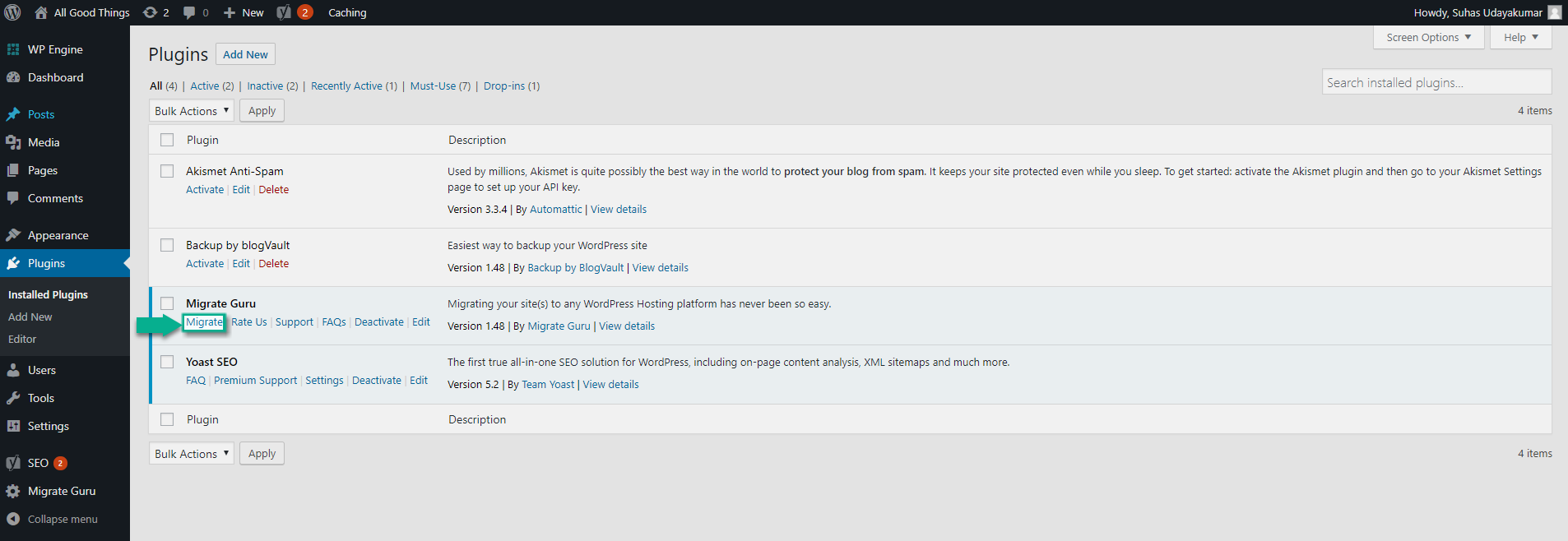
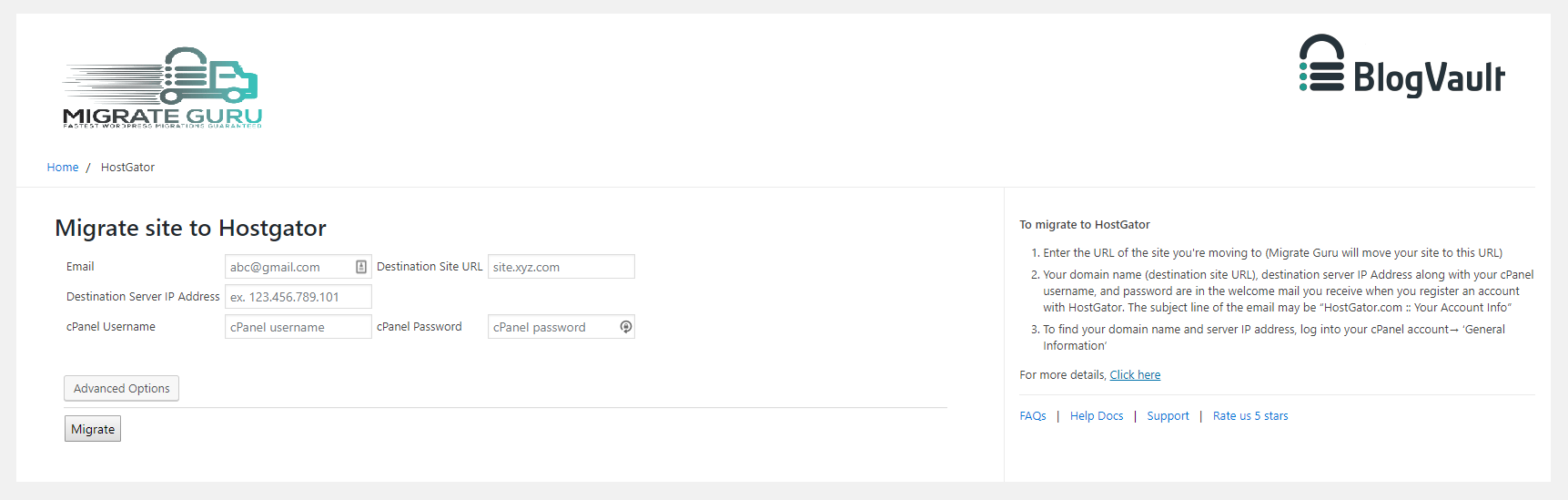
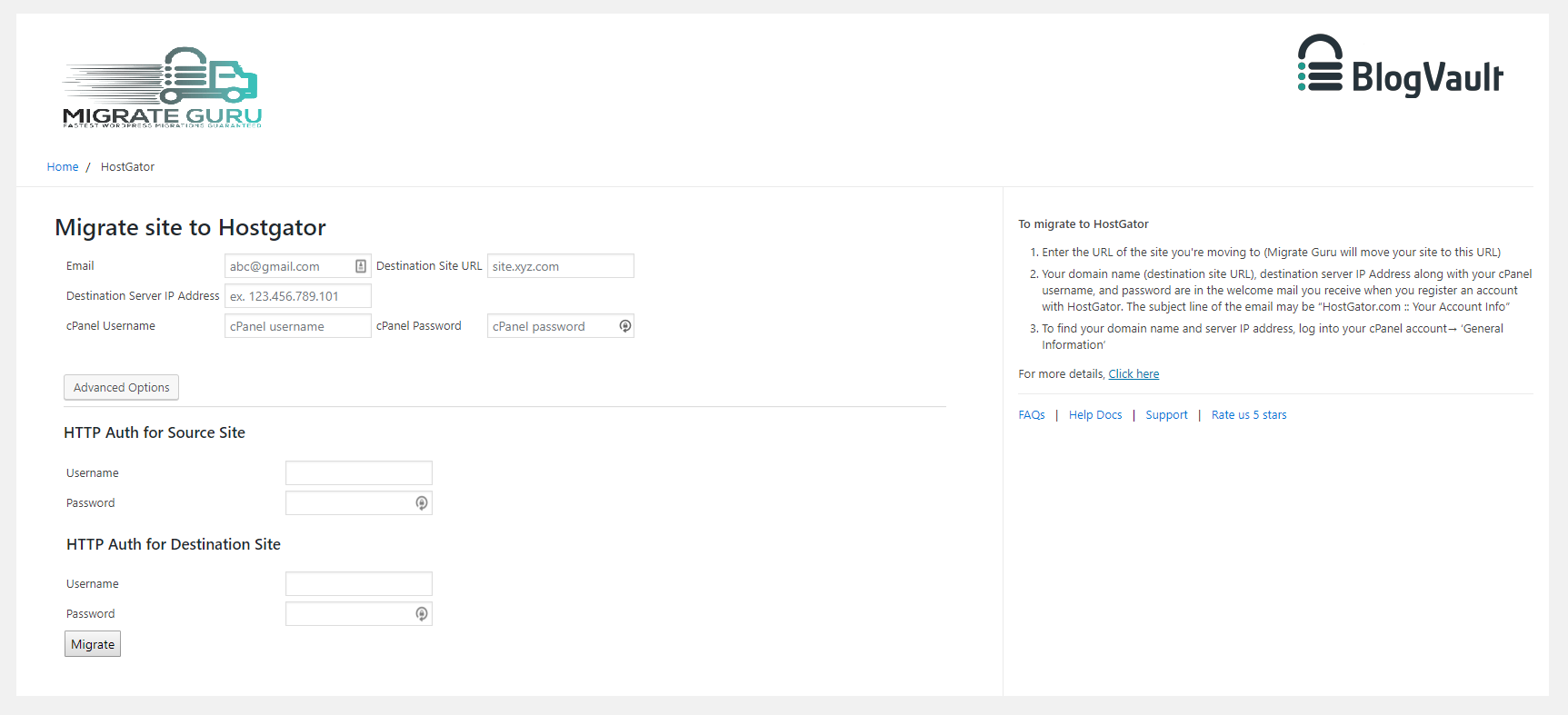
Screenshots
Screenshots published by migrateguru on WordPress.org, licensed under GPLv2 or later.
Per-version history
Show per-version detail (1 version)
Per-version history
Show per-version detail (1 version)
How the plugin evolves version by version.
| Version | Homepage | Admin | Last scan |
|---|---|---|---|
| v6.72 | 1 scan | — | 1 month ago |
Alternatives in the same category
Other backup plugins measured by the community, ranked from lightest to heaviest.
Not enough scans yet to publish the score (2 received).
Not enough scans yet to publish the score (3 received).
Scan history
Show individual scan log (1 scans)
Scan history
Show individual scan log (1 scans)
| Date | Version | Context | Score | Grade | Time | Memory |
|---|---|---|---|---|---|---|
| 1 month ago | v6.72 | Homepage | 95/100 | A | 2,424 ms | 0.0 MB |