

Not enough scans yet to publish the score (1 received).
About
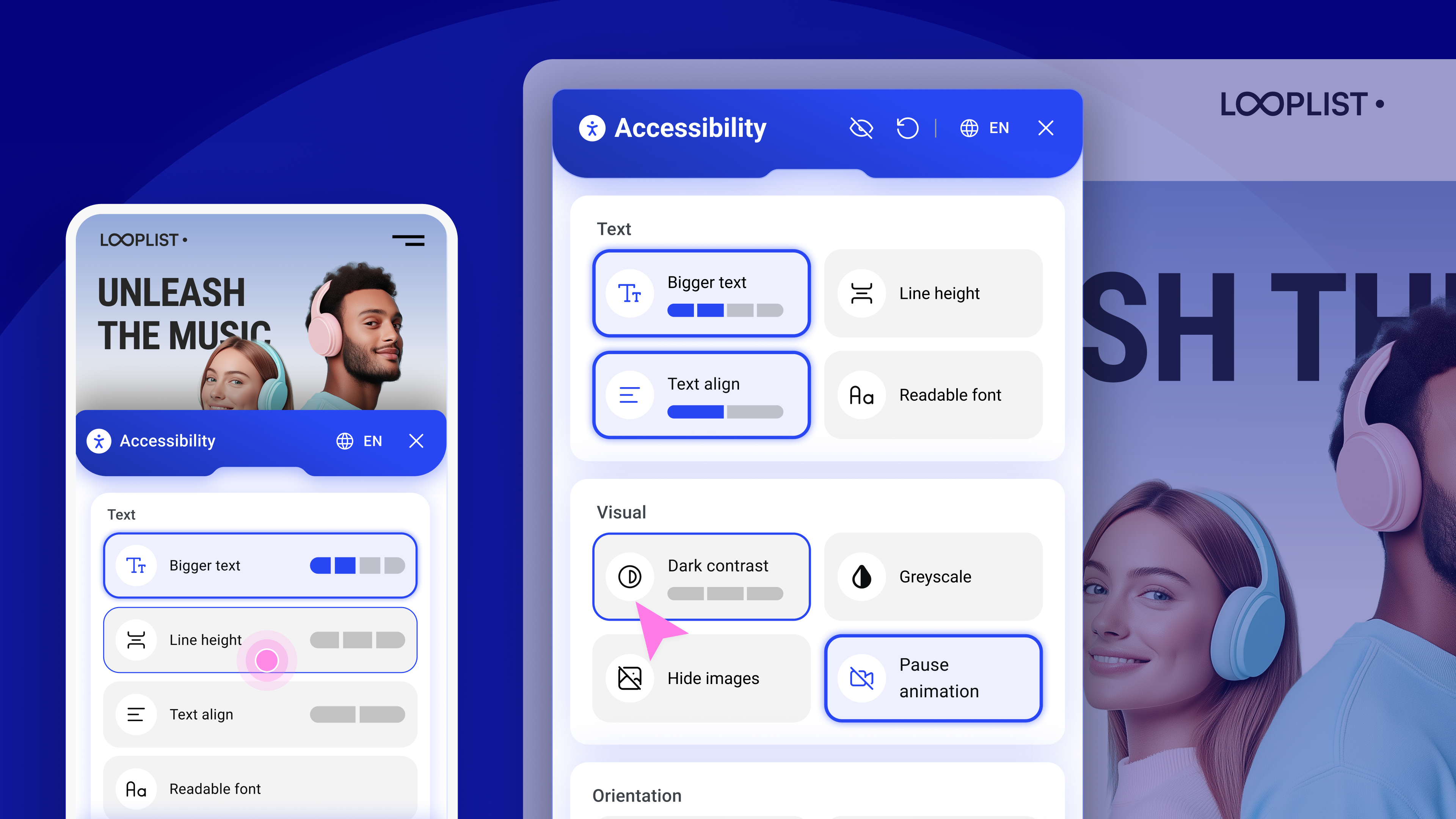
Web Accessibility (formally known as Ally) is a free, powerful, and user-friendly plugin that helps WordPress creators build more accessible websites with ease.
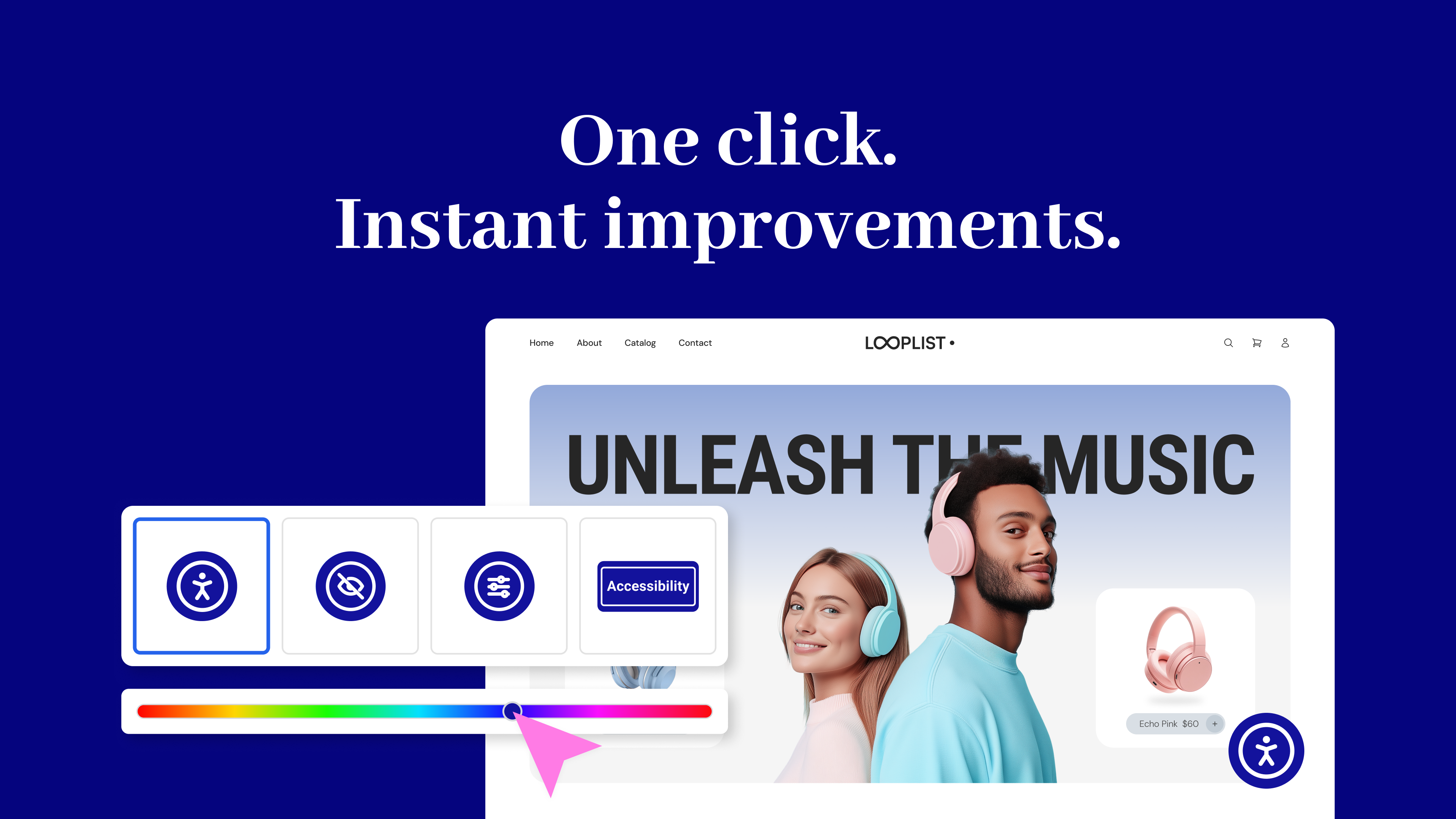
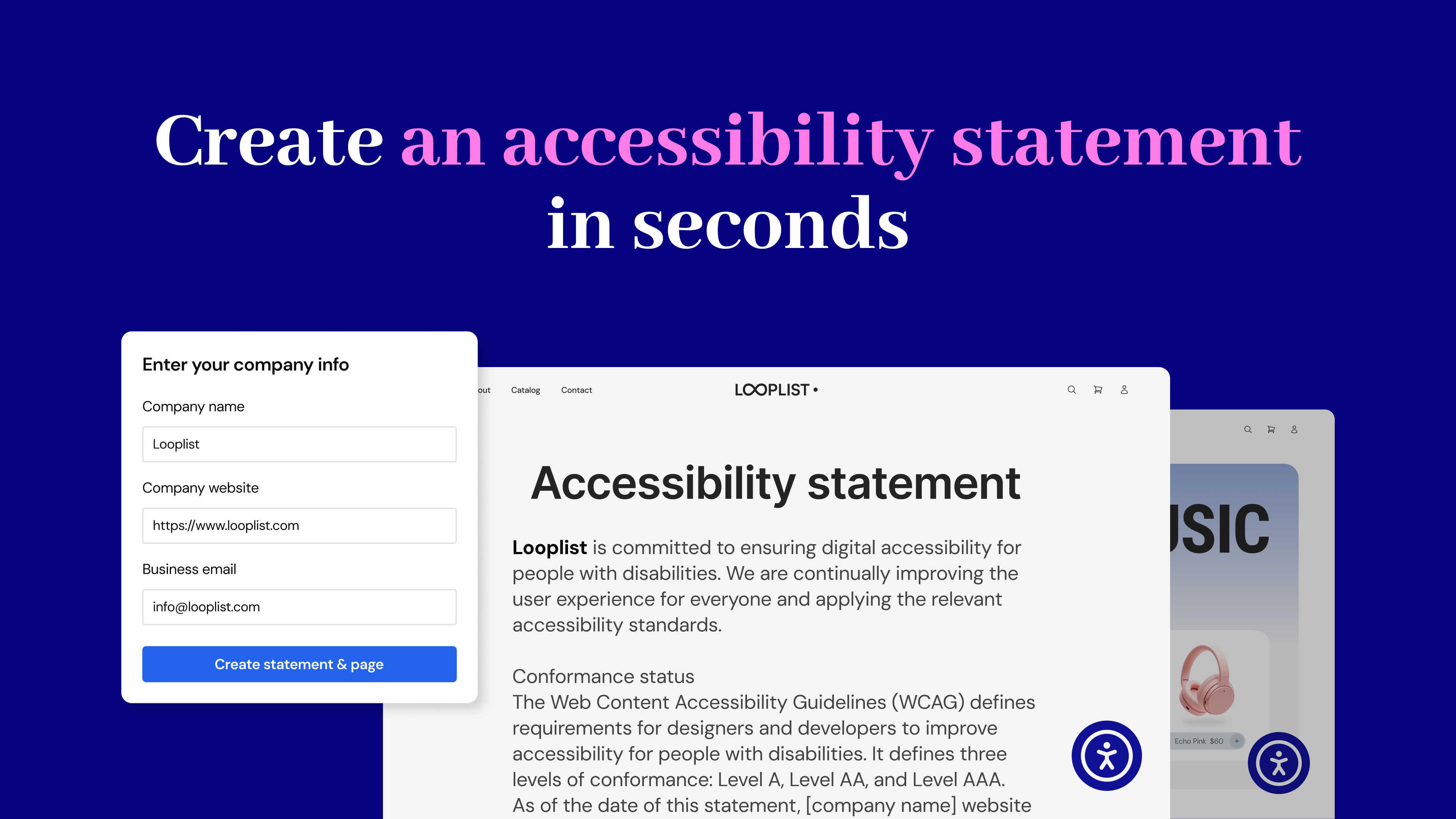
It simplifies accessibility with three essential tools:
No expertise required – Just activate, configure, and start making your site more inclusive today. Built by Elementor and designed for every WordPress site.
Read more Show less
As accessibility standards continue to evolve and become mandatory, it’s important to start making website adjustments to comply with fast-approaching global regulations. Among its other capabilities, this plugin lets you instantly generate your website’s Accessibility Statement, which is now mandatory in most locales.
The Web Accessibility plugin is not a substitute for a thorough accessibility audit and is NOT intended to completely make your website legally compliant. However, with it, you’re one step closer to making your website inclusive to more visitors, including those with visual, auditory, or cognitive challenges.
Ensuring that your website complies with all applicable accessibility requirements is your responsibility. We recommend working with qualified accessibility professionals to help achieve full compliance.
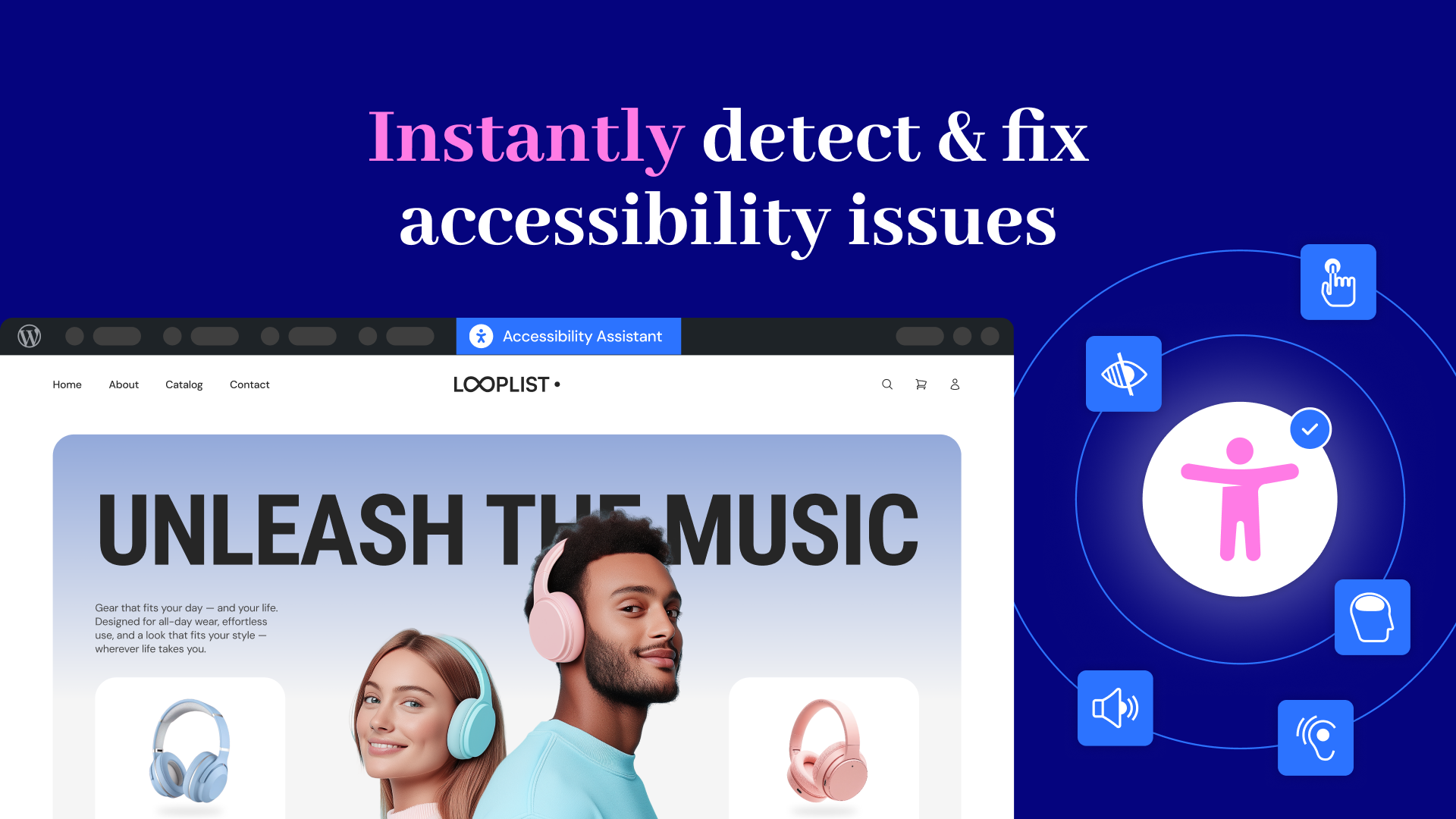
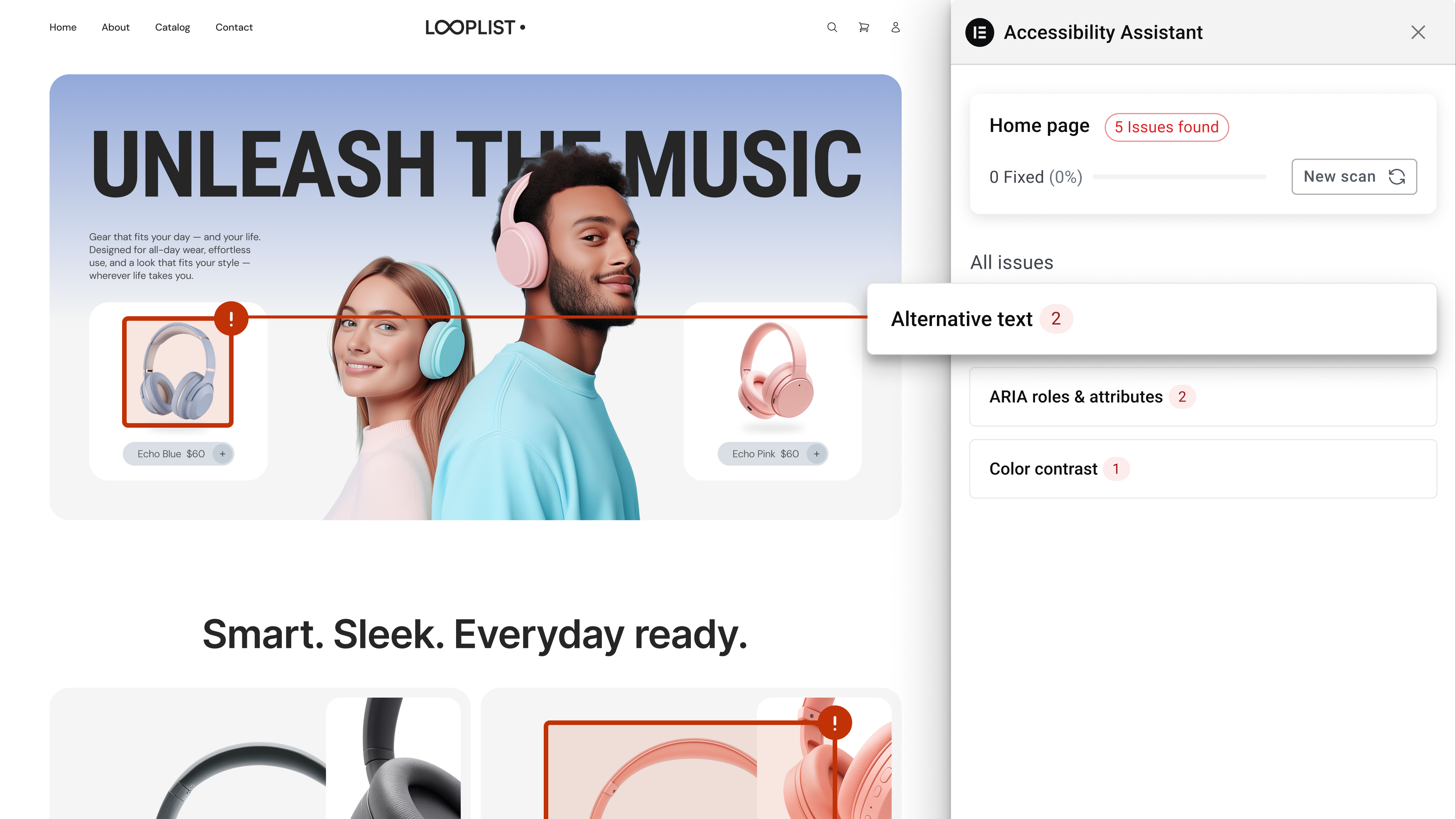
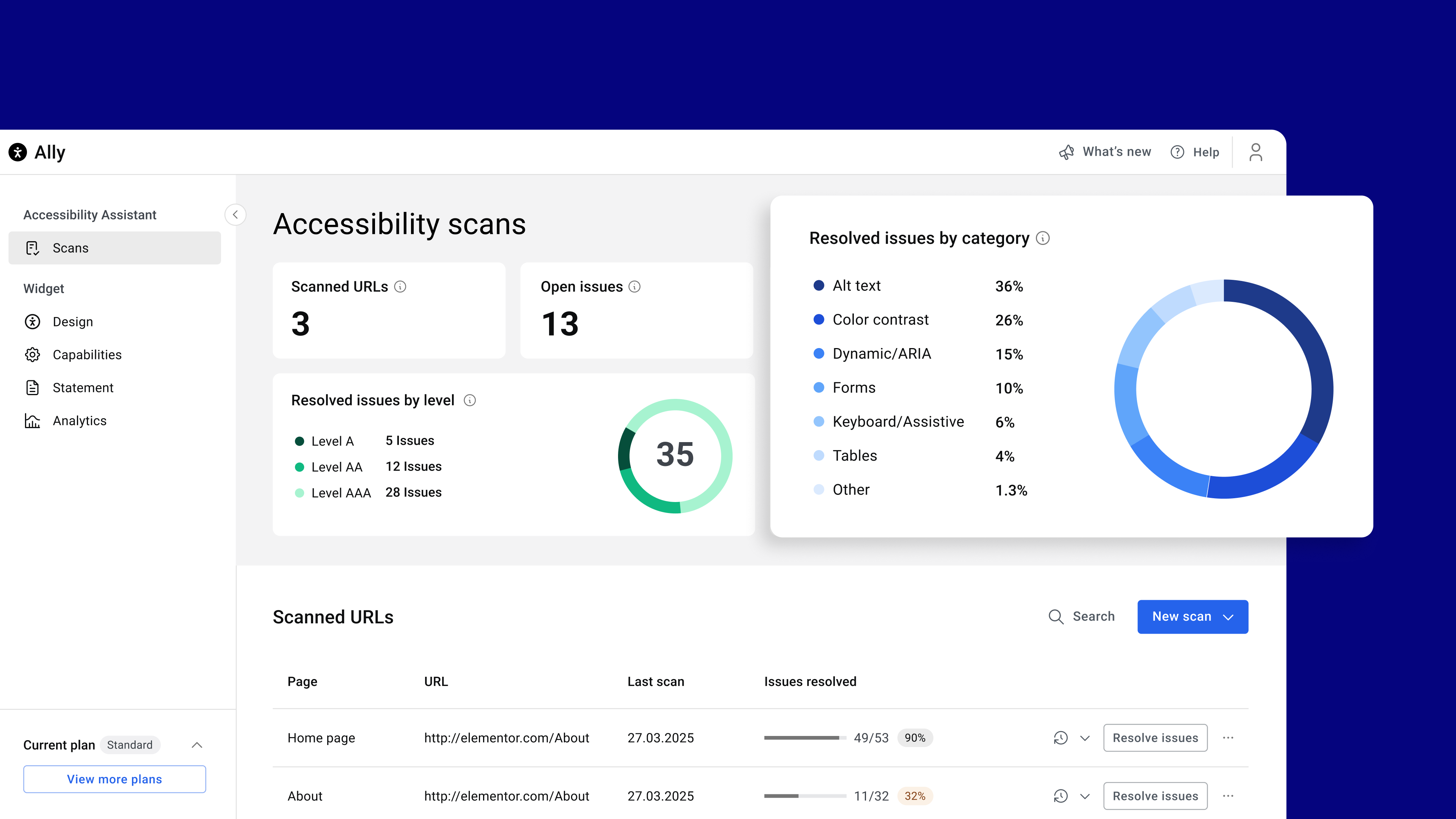
Accessibility Assistant scans individual URLs for accessibility violations, categorizes them by type and severity, and provides actionable insights. You can apply manual fixes manually or use AI suggestions while tracking your progress over time. Accessibility Assistant helps you:
Premium widget features are also available within paid plans, including:
Tailor the widget’s look and behavior with options like:
Need help? Visit our help center or contact Support.
This plugin requires a connection to an active Elementor account to identify the user and provide the purchased service. This connection is initiated manually by the user via the plugin’s settings panel. Learn more about our terms and conditions. This plugin uses a 3rd party service operated by Elementor.
More accessibility features are on the way, so stay tuned!
Description published by Elementor on WordPress.org, licensed under GPLv2 or later.
Tags
a11y
accessibility
Accessibility statement
wcag
web accessibility
Screenshots
Screenshots published by Elementor on WordPress.org, licensed under GPLv2 or later.
Per-version history
Show per-version detail (2 versions)
Per-version history
Show per-version detail (2 versions)
How the plugin evolves version by version.
| Version | Homepage | Admin | Last scan |
|---|---|---|---|
| v4.1.4 | 7 scans | — | 6 days ago |
| v4.1.3 | 3 scans | 2 scans | 3 months ago |
Alternatives in the same category
Other ecommerce plugins measured by the community, ranked from lightest to heaviest.
Not enough scans yet to publish the score (1 received).
Not enough scans yet to publish the score (1 received).
Not enough scans yet to publish the score (1 received).
Not enough scans yet to publish the score (1 received).
Not enough scans yet to publish the score (1 received).
Scan history
Show individual scan log (13 scans)
Scan history
Show individual scan log (13 scans)
| Date | Version | Context | Score | Grade | Time | Memory |
|---|---|---|---|---|---|---|
| 6 days ago | v4.1.4 | messages.page_type.custom | 100/100 | A | 0 ms | 0.0 MB |
| 6 days ago | v4.1.4 | Homepage | 95/100 | A | 226 ms | 0.0 MB |
| 1 week ago | v4.1.4 | Homepage | 79/100 | B | 953 ms | 0.0 MB |
| 1 week ago | v4.1.4 | Homepage | 100/100 | A | 0 ms | 0.0 MB |
| 1 week ago | v4.1.4 | Homepage | 88/100 | A | 0 ms | 2.0 MB |
| 1 week ago | v4.1.4 | Homepage | 82/100 | B | 109 ms | 2.0 MB |
| 1 week ago | v4.1.4 | Homepage | 89/100 | A | 0 ms | 2.0 MB |
| 4 weeks ago | v4.1.4 | Homepage | 52/100 | C | 1,490 ms | 0.0 MB |
| 3 months ago | v4.1.3 | Homepage | 99/100 | A | 0 ms | 0.0 MB |
| 3 months ago | v4.1.3 | Admin | 78/100 | B | 59 ms | 0.0 MB |
| 3 months ago | v4.1.3 | Homepage | 79/100 | B | 67 ms | 0.0 MB |
| 3 months ago | v4.1.3 | Admin | 77/100 | B | 54 ms | 0.0 MB |
| 3 months ago | v4.1.3 | Homepage | 69/100 | B | 167 ms | 0.0 MB |