
Impact score
Footprint Score across the two most representative contexts.
22 scans · last scan 2 months ago
Homepage Score
Impact measured on the public homepage
v2.8.6 · 10 scans · Consolidated score over 90 days · 2 versions
What it adds to every page load
- Added time
- 0 ms
- Added memory
- 0.0 MB
- SQL queries
- +0
- CSS/JS files
- +0
- External calls
- 0
Admin Score
Impact measured in the WordPress admin
v2.8.4 · 6 scans · Consolidated score over 90 days · 1 versions
What it adds to every page load
- Added time
- 11 ms
- Added memory
- 0.0 MB
- SQL queries
- +0
- CSS/JS files
- +0
- External calls
- 0
About
Simple Custom Post Order is the easiest way to manually sort your WordPress content using drag-and-drop functionality. Whether you’re managing blog posts, portfolio items, WooCommerce products, team members, testimonials, or any custom post type, this plugin gives you complete control over your content order.
Sort Any Content Type
Intuitive Admin Interface
Read more Show less
Smart Query Integration
Reset & Restore
Portfolio Management
Arrange your portfolio items to showcase your best work first, group similar projects together, or create a visual narrative of your creative journey.
Team Page Organization
Display team members by hierarchy, department, or seniority rather than by when they were added to the system.
Product Highlighting
Feature seasonal items, bestsellers, or new arrivals at the top of your WooCommerce shop without relying solely on sorting by date or price.
Content Curation
Create curated reading lists by manually ordering posts in the exact sequence you want readers to discover them.
FAQ Organization
Sort frequently asked questions by importance or topic, ensuring the most relevant questions appear first.
Testimonial Display
Show your most compelling testimonials first to maximize their impact on potential customers.
Action Hooks
Filter Hooks
Example — let only editors and administrators reorder:
add_filter( 'scpo_capability', function () { return 'edit_others_posts'; } );
Drag & Drop Engine
Choose between the modern, dependency-free SortableJS engine (default) and the classic jQuery UI sorter under Settings > SCPOrder. The classic engine remains fully supported as a fallback.
Advanced View Mode
Enable the advanced view in settings to see all registered post types, including those normally hidden from the admin menu.
Simple Custom Post Order works with:
The plugin uses WordPress’s native menu_order field for posts and pages, and adds a term_order column for taxonomy terms. This approach ensures compatibility and data persistence.
For support questions, please use the WordPress.org support forum.
Report bugs on our GitHub repository.
Contributions are welcome! Please submit pull requests to our GitHub repository.
This plugin is made with love by the team at Colorlib.
Description published by colorlibplugins on WordPress.org, licensed under GPLv3 or later.
Screenshots
Screenshots published by colorlibplugins on WordPress.org, licensed under GPLv3 or later.
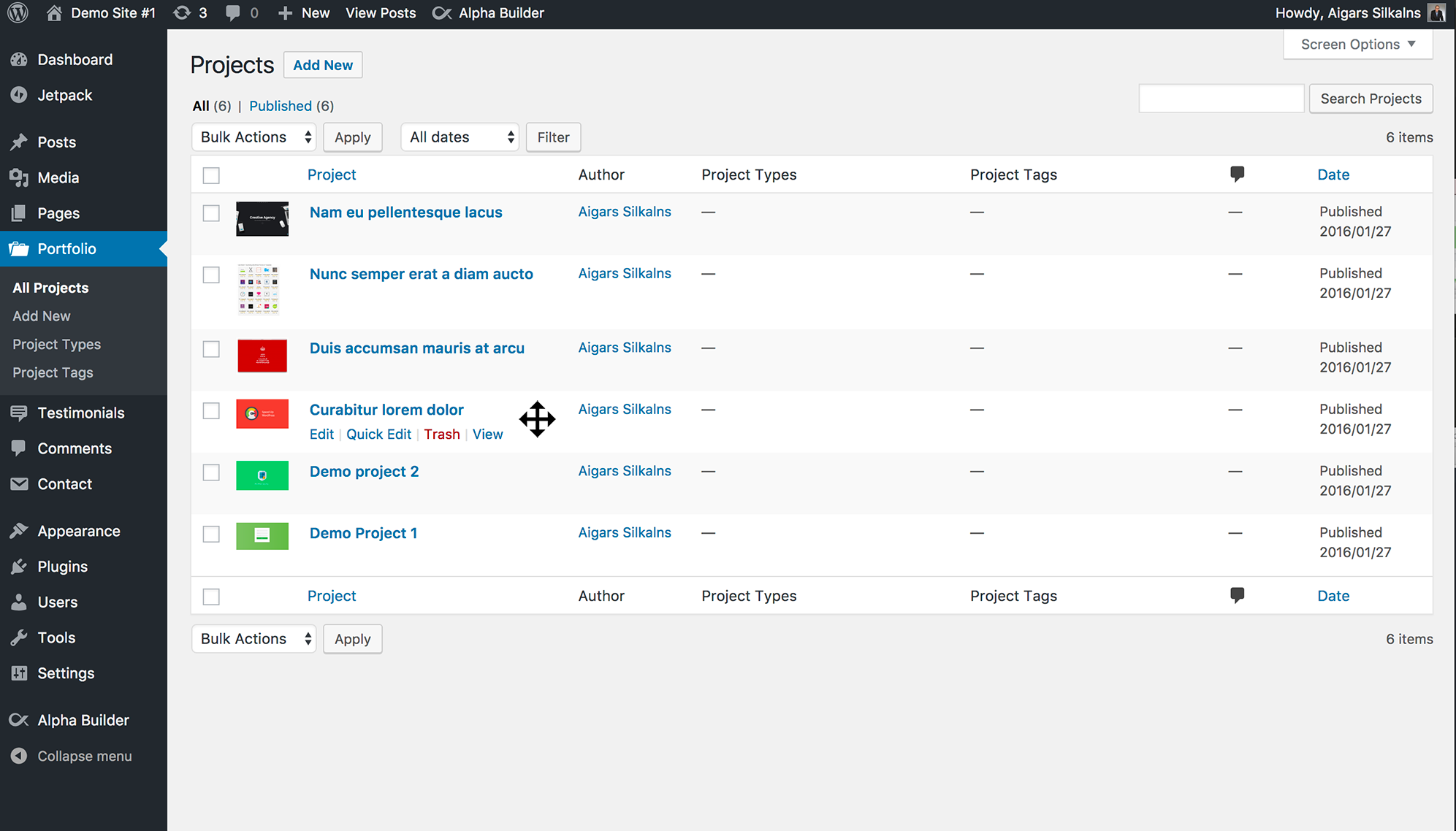


Per-version history
Show per-version detail (2 versions)
Per-version history
Show per-version detail (2 versions)
How the plugin evolves version by version.
| Version | Homepage | Admin | Last scan |
|---|---|---|---|
| v2.8.6 | 3 scans | — | 2 months ago |
| v2.8.4 | 7 scans | 6 scans | 3 months ago |
Scan history
Show individual scan log (16 scans)
Scan history
Show individual scan log (16 scans)
| Date | Version | Context | Score | Grade | Time | Memory |
|---|---|---|---|---|---|---|
| 2 months ago | v2.8.6 | Homepage | 100/100 | A | 0 ms | 0.0 MB |
| 2 months ago | v2.8.6 | Homepage | 100/100 | A | 0 ms | 0.0 MB |
| 2 months ago | v2.8.6 | Homepage | 85/100 | A | 533 ms | 0.0 MB |
| 3 months ago | v2.8.4 | Homepage | 99/100 | A | 0 ms | 0.0 MB |
| 3 months ago | v2.8.4 | Admin | 94/100 | A | 188 ms | 2.0 MB |
| 3 months ago | v2.8.4 | Admin | 100/100 | A | 22 ms | 0.0 MB |
| 3 months ago | v2.8.4 | Admin | 100/100 | A | 0 ms | 0.0 MB |
| 3 months ago | v2.8.4 | Admin | 86/100 | A | 188 ms | 0.0 MB |
| 3 months ago | v2.8.4 | Homepage | 100/100 | A | 0 ms | 0.0 MB |
| 3 months ago | v2.8.4 | Admin | 100/100 | A | 0 ms | 0.0 MB |
| 3 months ago | v2.8.4 | Homepage | 100/100 | A | 0 ms | 0.0 MB |
| 3 months ago | v2.8.4 | Homepage | 100/100 | A | 0 ms | 0.0 MB |
| 3 months ago | v2.8.4 | Admin | 100/100 | A | 0 ms | 0.0 MB |
| 3 months ago | v2.8.4 | Homepage | 100/100 | A | 7 ms | 0.0 MB |
| 3 months ago | v2.8.4 | Homepage | 100/100 | A | 0 ms | 0.0 MB |
| 3 months ago | v2.8.4 | Homepage | 100/100 | A | 2 ms | 0.0 MB |