

- Time
- 0 ms
- Memory
- 0.0 MB
- SQL
- +6
About
Vigilant provides enterprise-level WordPress security features completely free. No premium version, no upsells, no hidden features behind paywalls.
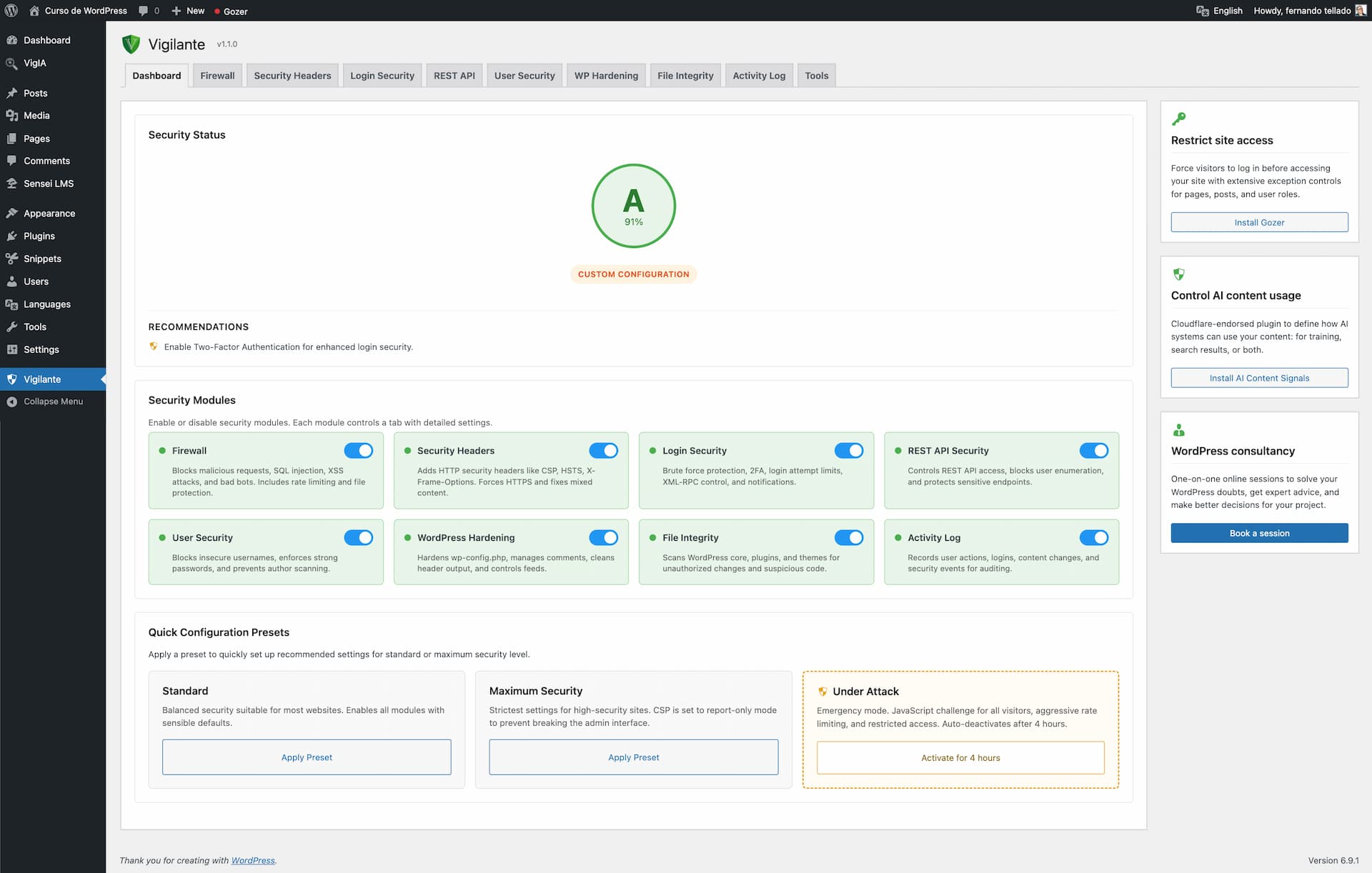
Protect your site with a complete security suite: firewall, two-factor authentication, brute force protection, security headers, file integrity monitoring, closed plugin detection, malware detection, user management, security audit logging, under attack mode, verification of its own files and much more.
Once activated, Vigilant immediately applies firewall rules against common attacks (SQL injection, XSS, file inclusion), security headers, login attempt monitoring, XML-RPC blocking, WordPress version hiding and sensitive file protection (.htaccess, wp-config.php).
Read more Show less
Choose a preset and get protected instantly:
Standard – Balanced security suitable for most websites. Enables all modules with sensible defaults that won’t interfere with normal site operation.
Maximum Security – Strictest settings for high-security sites. Tighter rate limits, stronger CSP rules, mandatory admin notifications. May require fine-tuning for some setups.
You can always customize individual settings after applying a preset.
Is your site under active attack? Activate Under Attack mode with one click and stop malicious traffic instantly:
Under Attack mode works independently from your preset configuration. Your regular settings are preserved and restored when the mode deactivates.
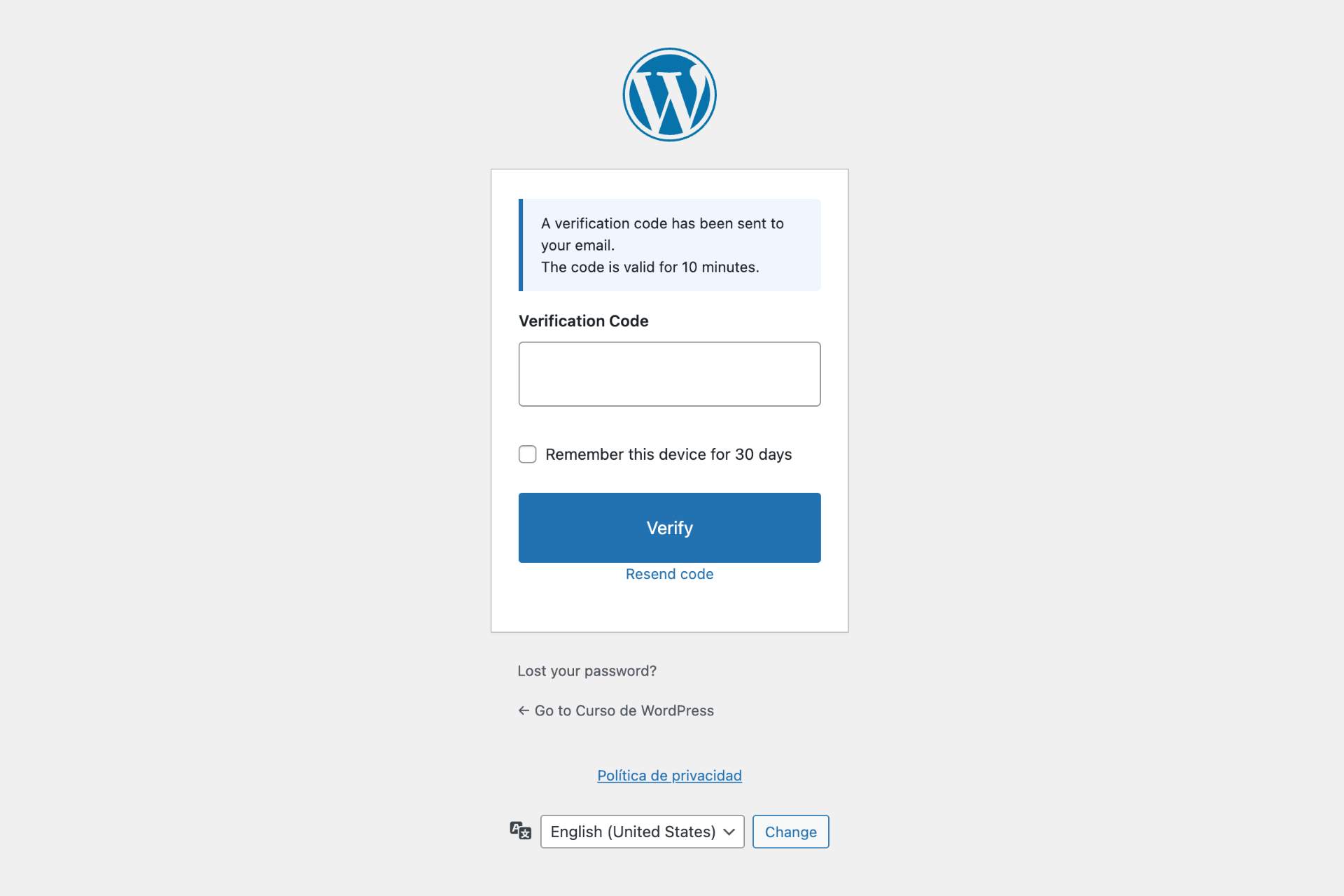
Add a second verification step to your WordPress login:
Block malicious requests before they reach WordPress:
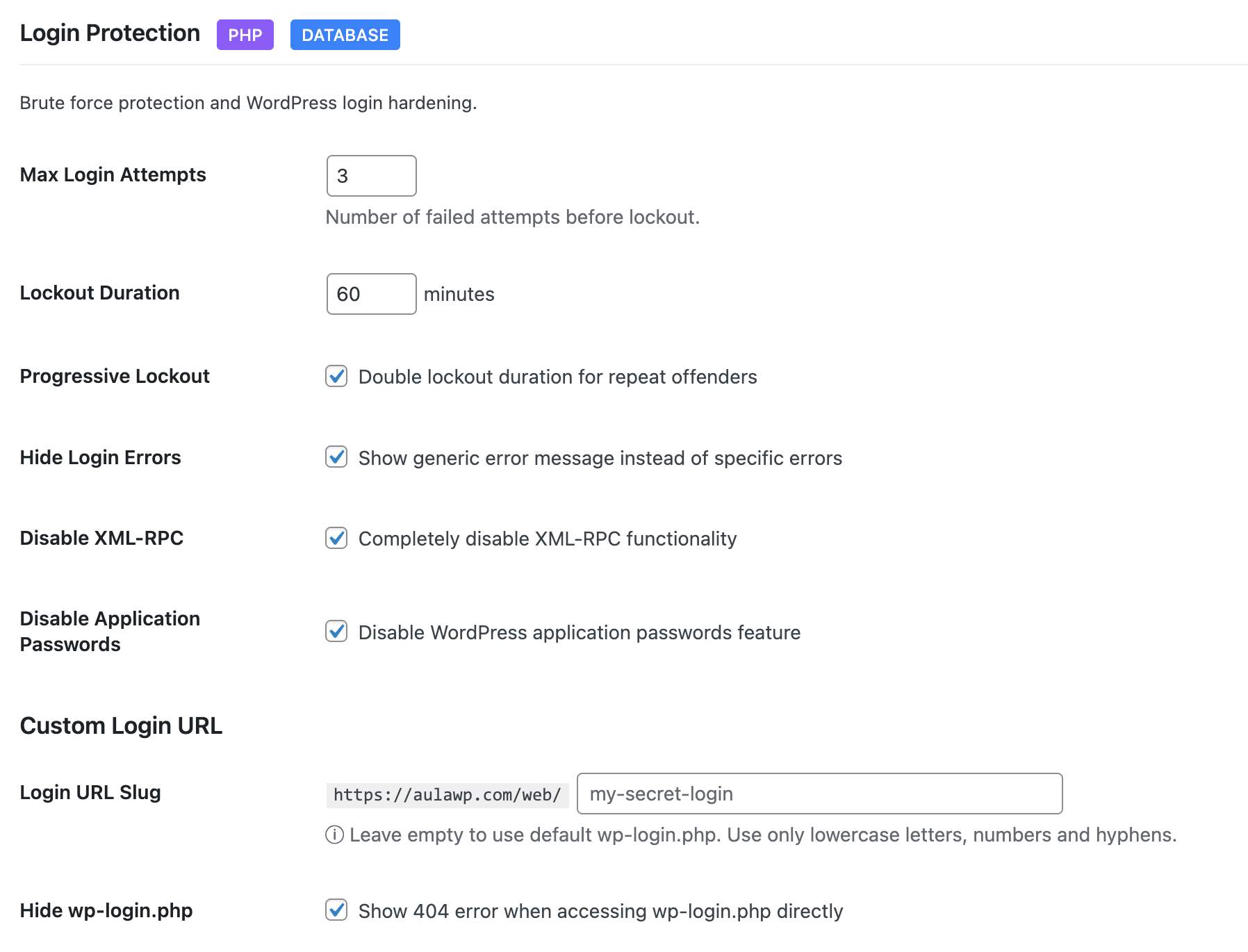
Stop unauthorized access attempts:
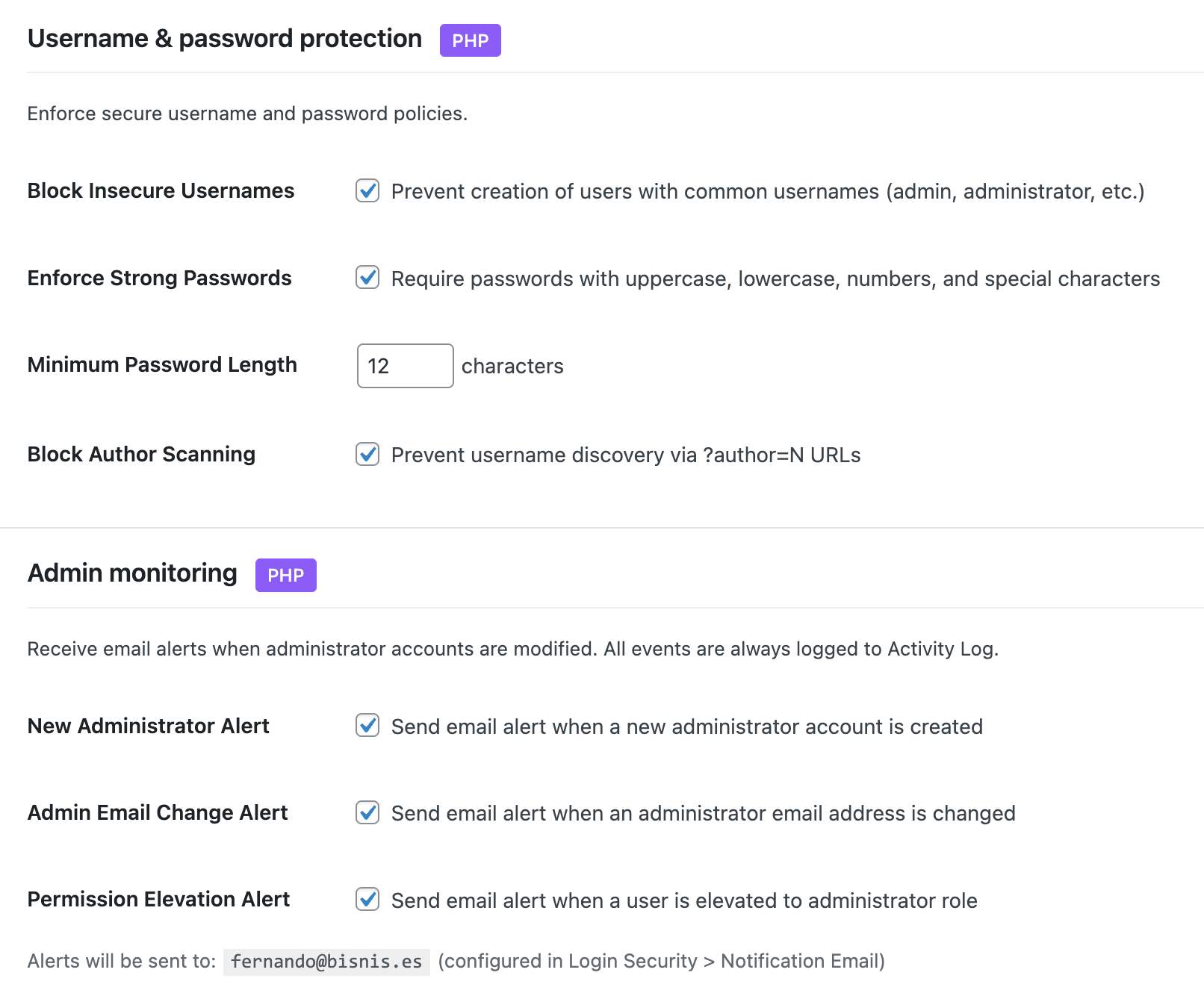
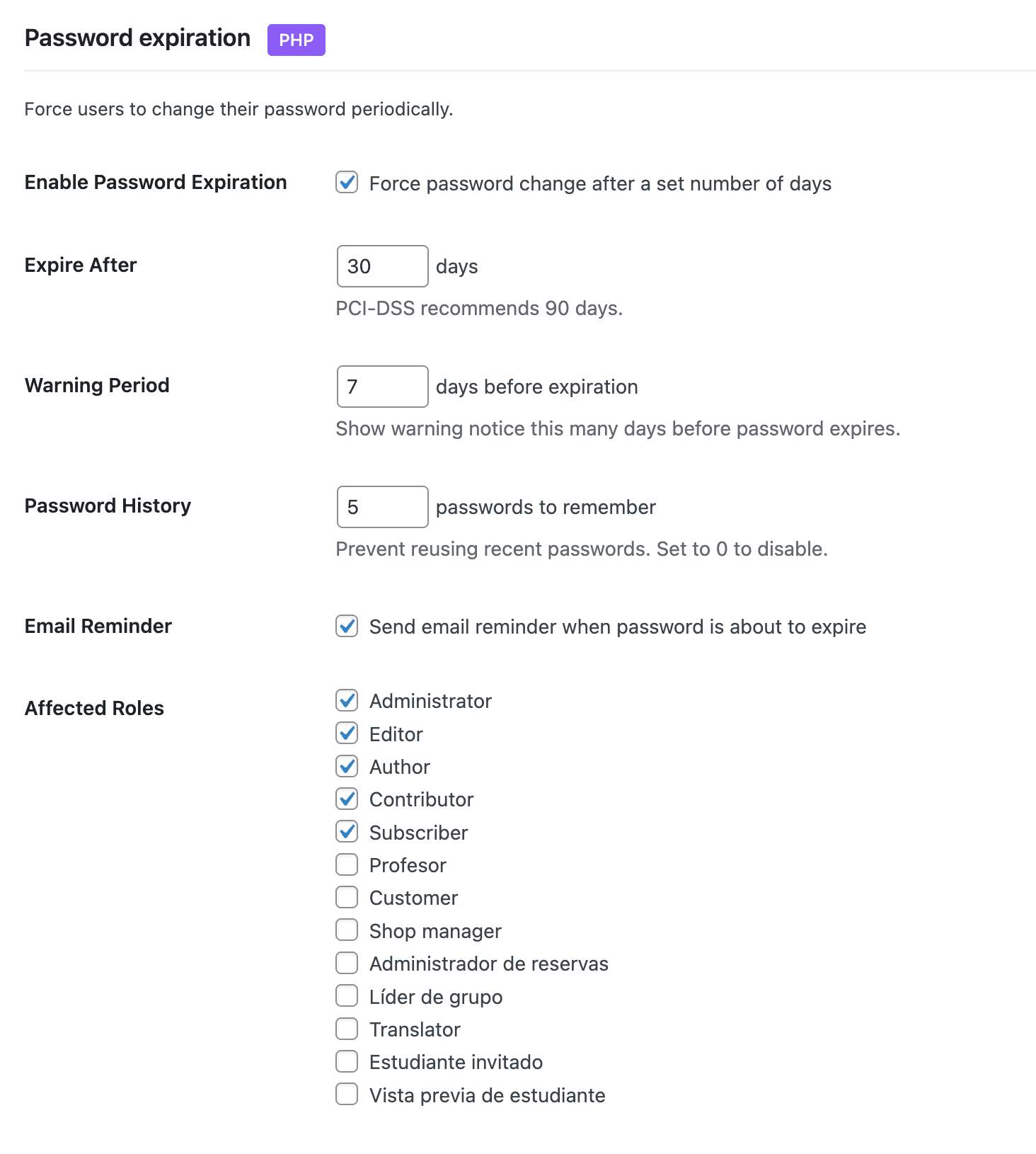
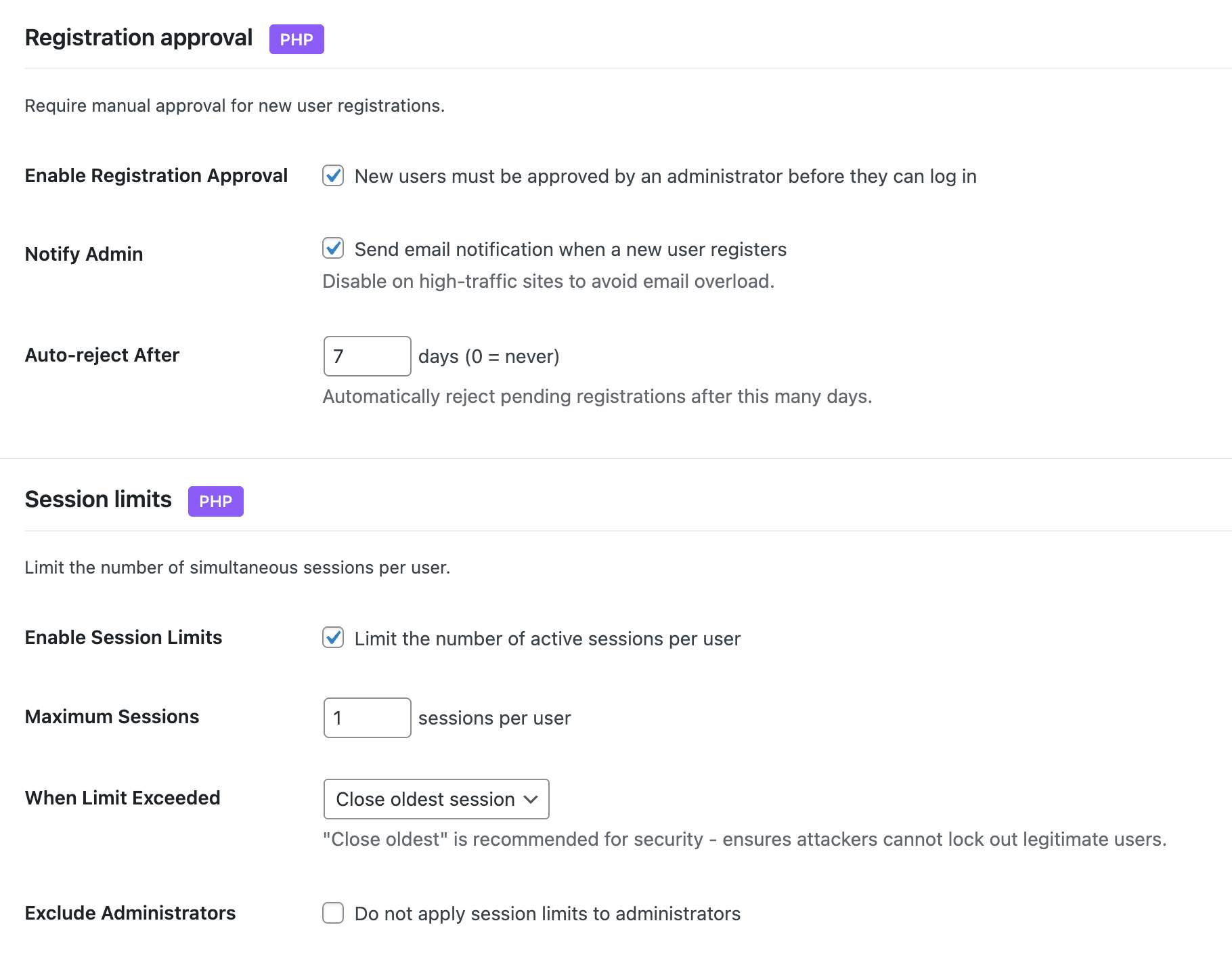
Comprehensive user account protection:
Achieve Grade A security ratings:
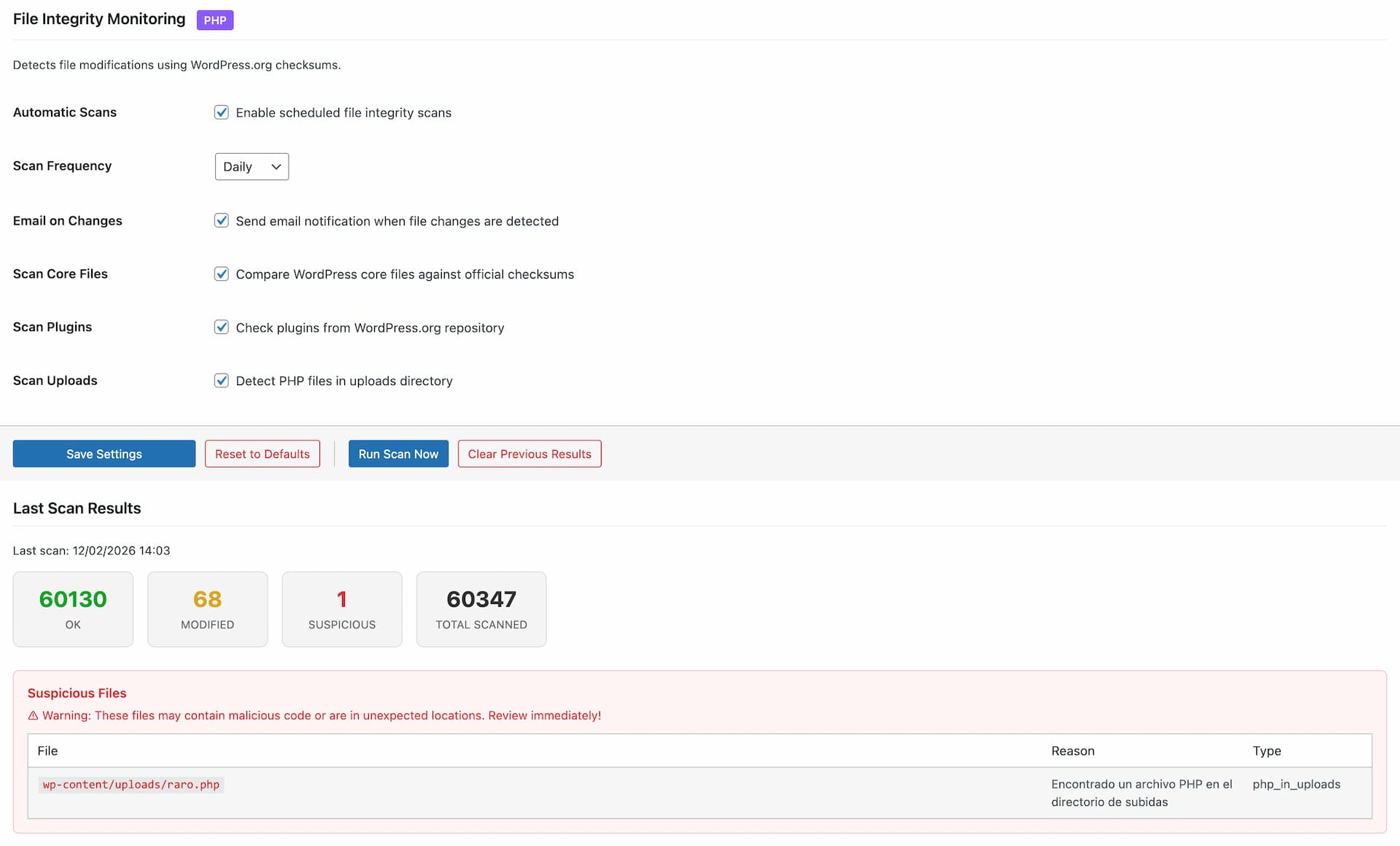
Detect unauthorized changes to your files and compromised plugins:
A tampered security plugin is worse than none, because it keeps reporting that everything is fine. Vigilant verifies its own files against the checksums WordPress.org publishes, a SHA-256 manifest shipped with the plugin and a fingerprint of that manifest stored in the database:
It detects tampering, not vulnerabilities in Vigilant itself. SECURITY.md explains what it covers, what it does not, and how to verify your installation from outside the server.
Track everything happening on your site:
Audit Alerts – get an email when the audit log points to something worth your attention, off by default and configured under Security Audit:
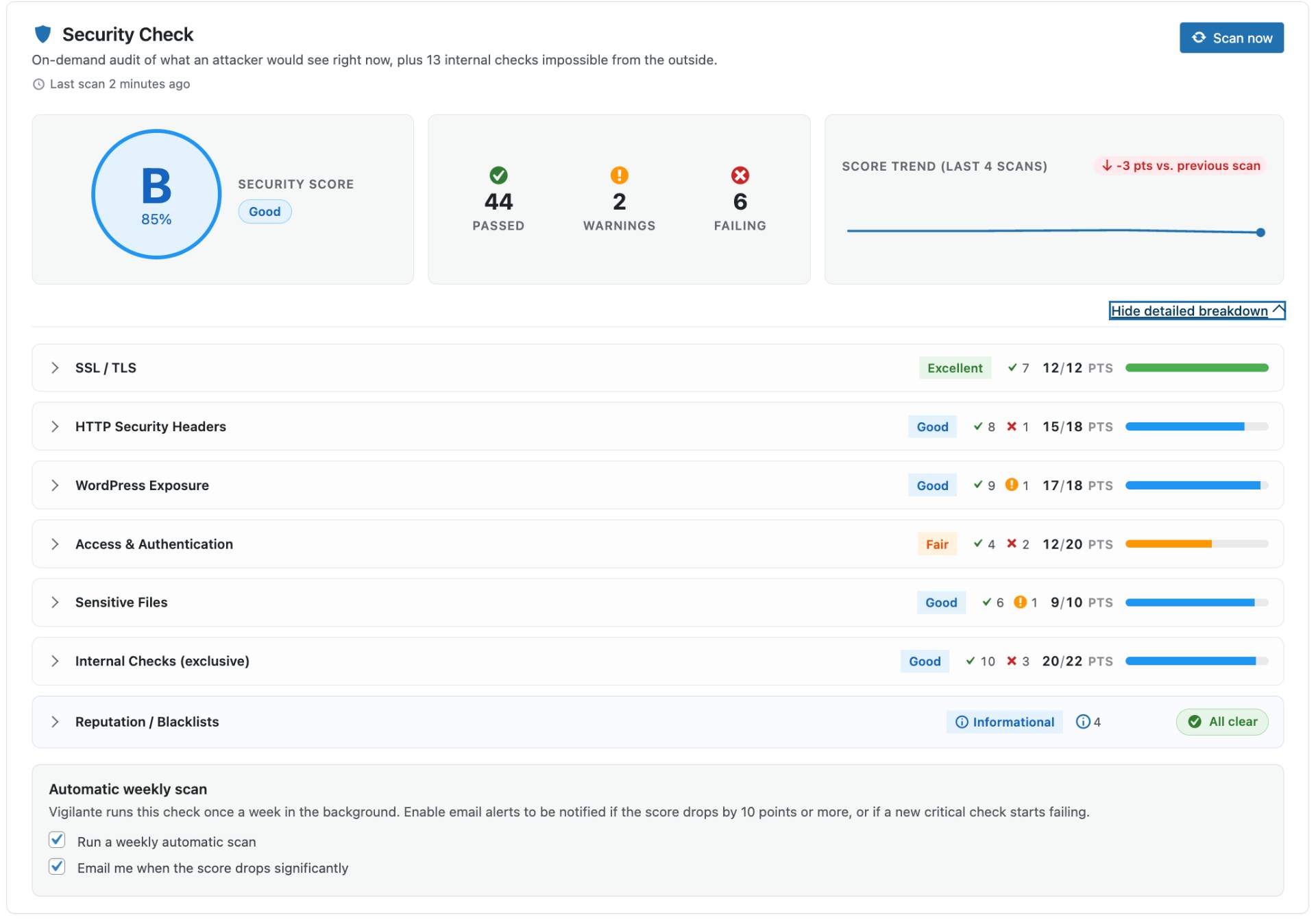
On-demand security audit built into the Dashboard. No external services, no accounts, no API keys – everything runs on your server:
Layered protection at the WordPress level – admin, content, head, feeds and database:
Control API access to your site:
Utilities included:
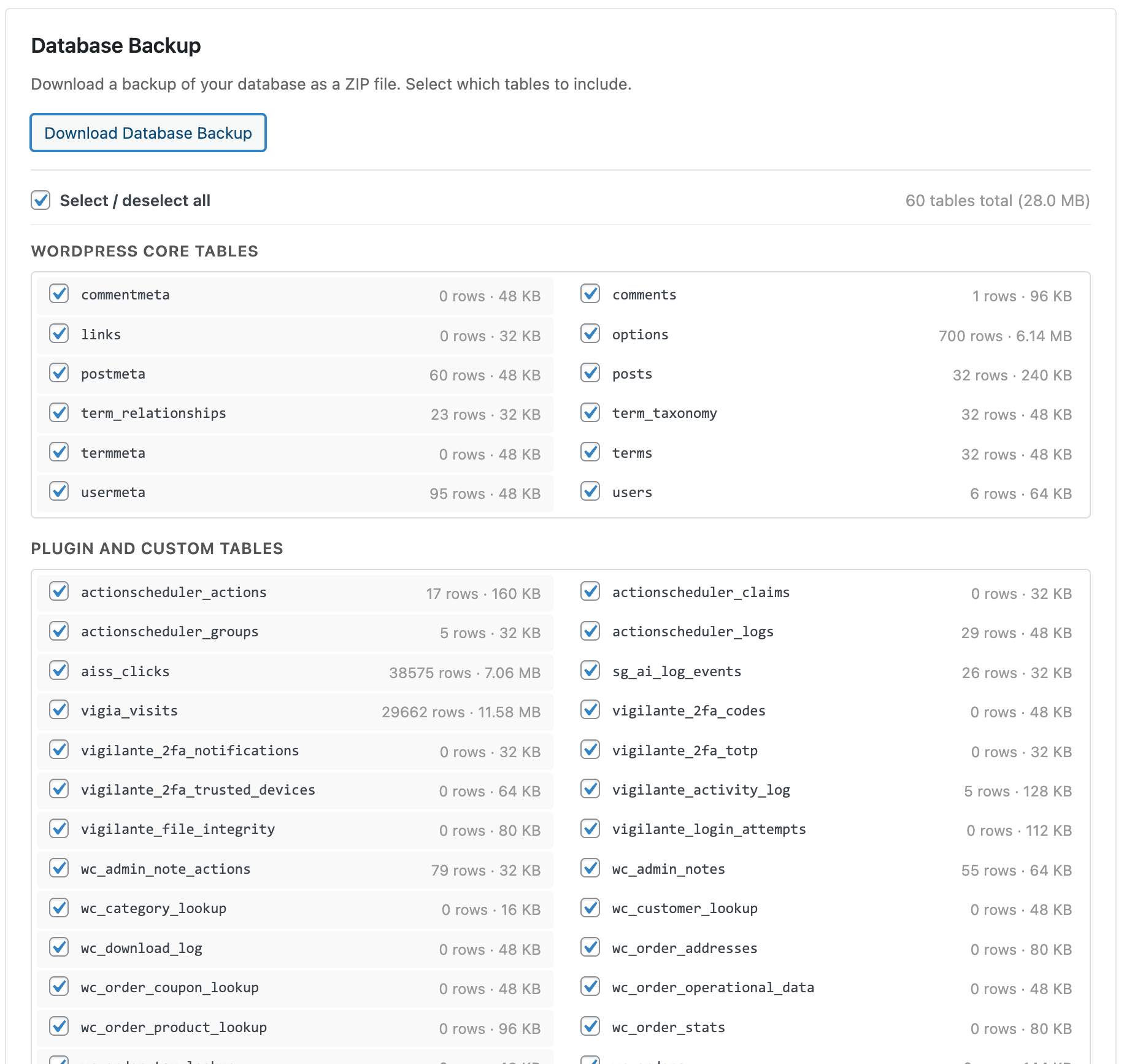
Vigilant validates .htaccess and wp-config.php before writing to them, and keeps no copy of them, because they hold your database password: download a backup from Settings & Tools first.
Deactivating removes its blocks from both files and brings back the lines it had commented out. Switch Under Attack mode off before deactivating.
Vigilant checks its own files too, and tells you how to check them yourself: every release ships a MANIFEST.sha256 that sha256sum can verify, and WordPress.org publishes the same checksums for comparison.
Most WordPress security plugins reserve their best features for paid plans. Vigilant gives you everything upfront – no premium tier, no feature locks, no upsells. Firewall, 2FA with authenticator app, security headers, file integrity scanner, security audit, on-demand Security Check with weekly regression alerts, and more. All free, all maintained, all following WordPress coding standards.
We maintain a detailed feature comparison between Vigilant and other popular security plugins (Wordfence, Solid Security, AIOS, Sucuri, SG Security). See what each offers in its free version and where Vigilant fills the gaps.
Need private support or custom development?
Do you need one-on-one help, priority troubleshooting, or a custom feature, integration, or tweak built specifically for your site? I offer private support and custom development. Just contact me and tell me what you need.
Need help or have suggestions?
Love the plugin? Please leave us a 5-star review and help spread the word!
We are specialists in WordPress security, SEO, AI and performance optimization plugins. We create tools that solve real problems for WordPress site owners while maintaining the highest coding standards and accessibility requirements.
Description published by Fernando Tellado on WordPress.org, licensed under GPL v2 or later.
Tags
2FA
firewall
malware
scanner
security
Screenshots
Screenshots published by Fernando Tellado on WordPress.org, licensed under GPL v2 or later.
Per-version history
Show per-version detail (1 version)
Per-version history
Show per-version detail (1 version)
How the plugin evolves version by version.
| Version | Homepage | Admin | Last scan |
|---|---|---|---|
| v3.0.0 | 1 scan | 1 scan | 1 month ago |
Alternatives in the same category
Other security plugins measured by the community, ranked from lightest to heaviest.
Not enough scans yet to publish the score (1 received).
Not enough scans yet to publish the score (1 received).
Not enough scans yet to publish the score (1 received).
Not enough scans yet to publish the score (1 received).
Not enough scans yet to publish the score (3 received).
Scan history
Show individual scan log (2 scans)
Scan history
Show individual scan log (2 scans)
| Date | Version | Context | Score | Grade | Time | Memory |
|---|---|---|---|---|---|---|
| 1 month ago | v3.0.0 | Homepage | 95/100 | A | 47 ms | 0.0 MB |
| 1 month ago | v3.0.0 | Admin | 83/100 | B | 86 ms | 0.0 MB |