
Not enough scans yet to publish the score (1 received).
About
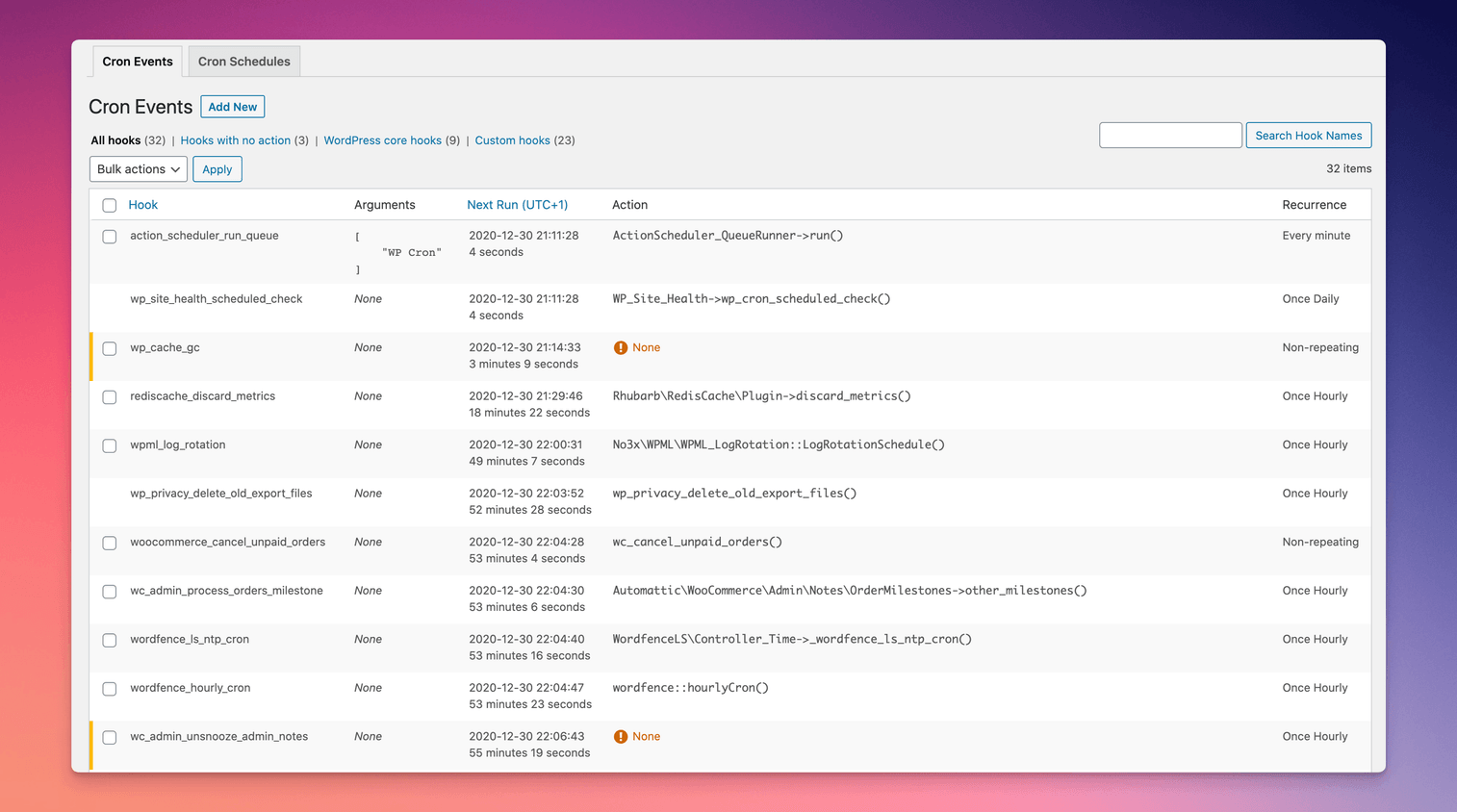
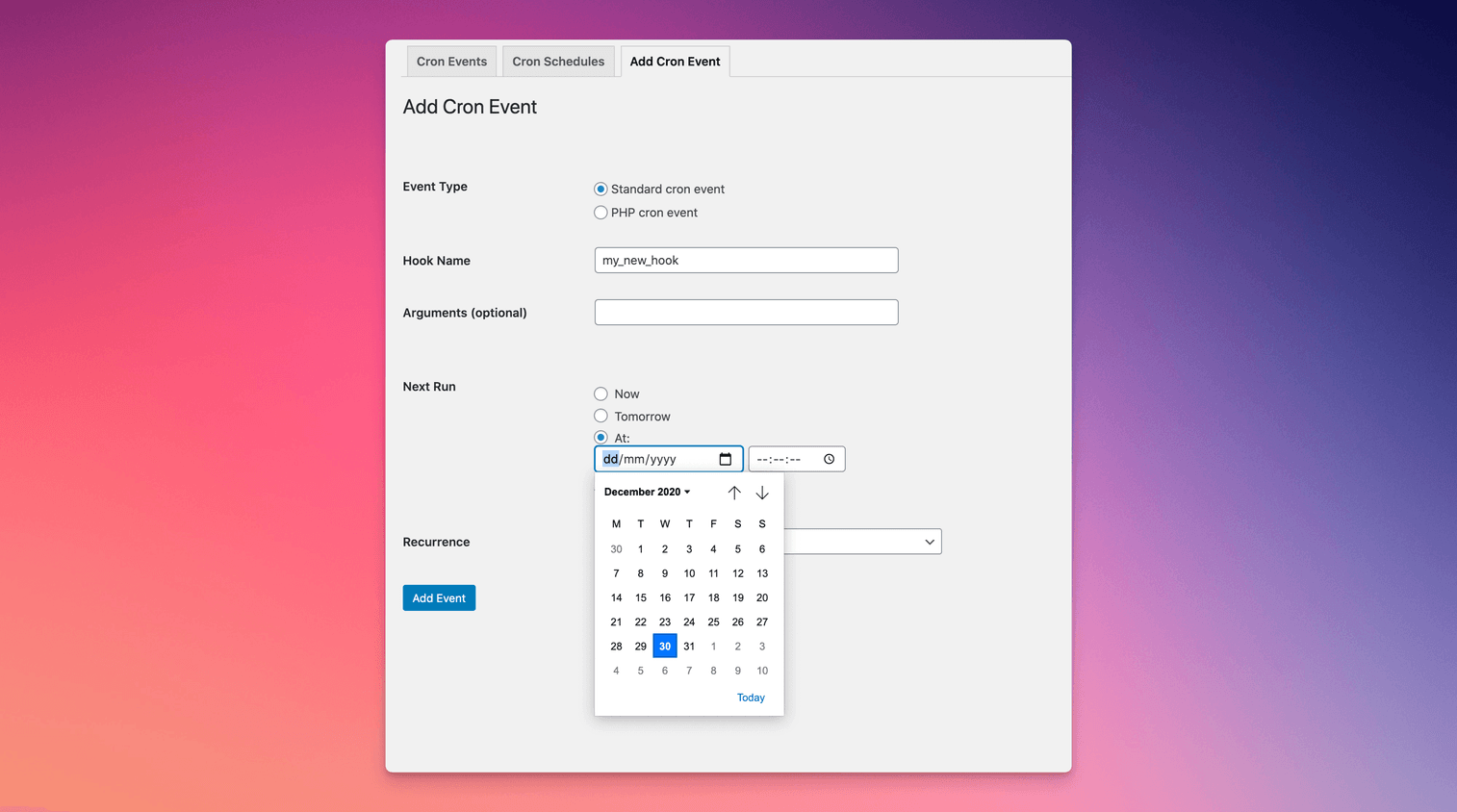
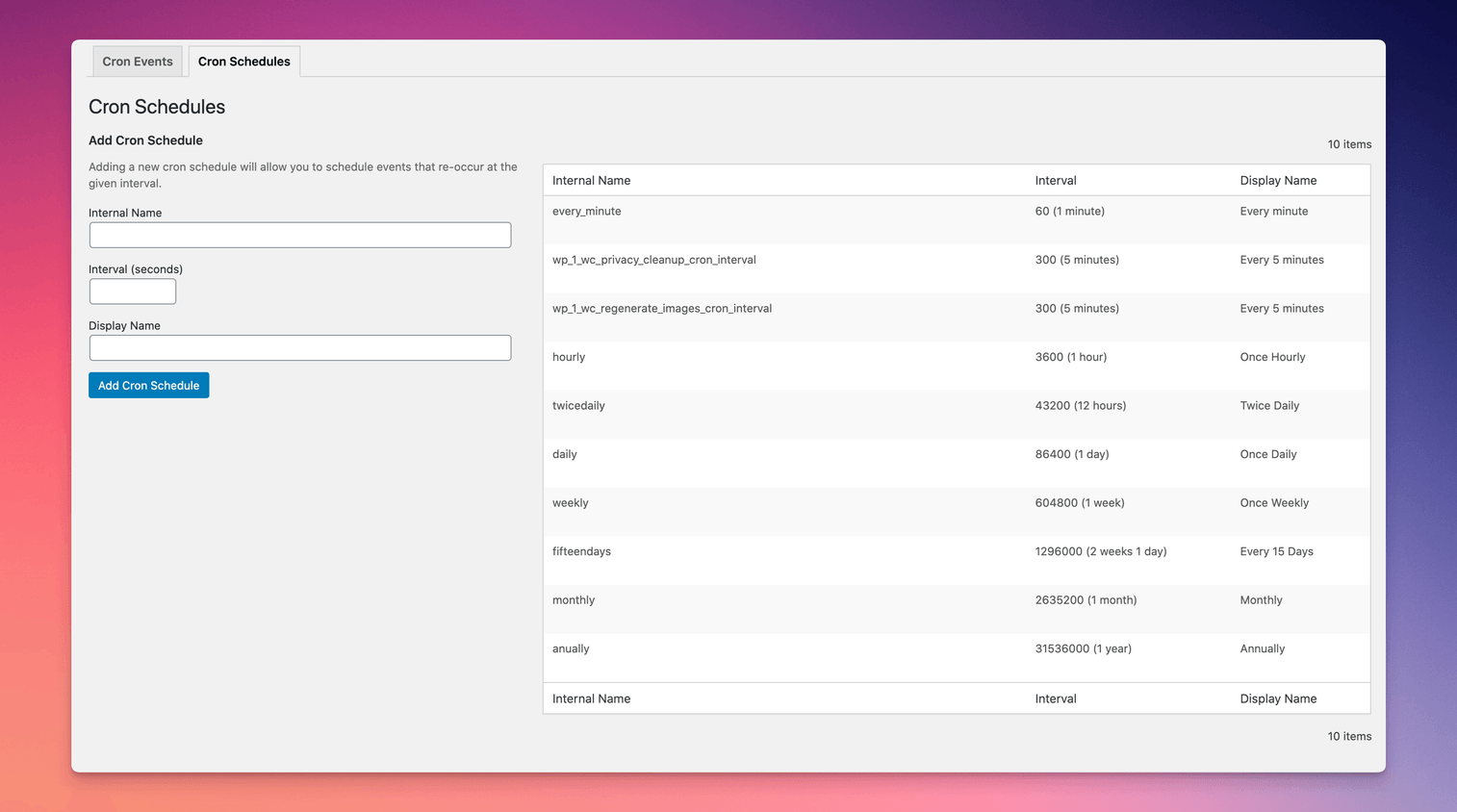
Take control of the cron events on your WordPress website or WooCommerce store with WP Crontrol. From the admin screens you can:
WP Crontrol is aware of timezones, will alert you to events that have no actions or that have missed their schedule, and will show you a helpful warning message if it detects any problems with your cron system.
Read more Show less
Owners of WordPress websites and WooCommerce stores use WP Crontrol to ensure that scheduled cron events run correctly and efficiently. By providing complete control over cron events, WP Crontrol helps you:
Developers use WP Crontrol to streamline and debug their WordPress development process:
WP Crontrol was built by John Blackbourn, who also maintains these plugins for developers:
WP Crontrol is now looked after by the Duplicator team. If it’s useful to you, these might be too:
WP Crontrol is private by default and always will be. It does not send data to any third party, nor does it include any third party resources. WP Crontrol’s full privacy statement can be found here.
Cron alerts are sent by your site’s own email setup, only to the addresses you choose. When you install or activate one of our other plugins from a WP Crontrol screen, WP Crontrol notes which one in your site’s database, so you can see what came from WP Crontrol. That note stays on your site and is never sent anywhere.
WP Crontrol aims to be fully accessible to all of its users. WP Crontrol’s full accessibility statement can be found here.
Crontrol® is a registered trademark of Clever Things For The Web Limited.
Description published by Syed Balkhi on WordPress.org, licensed under GPL v2 or later.
Tags
cron
crontrol
debug
woocommerce
wp cron
Screenshots
Screenshots published by Syed Balkhi on WordPress.org, licensed under GPL v2 or later.
Per-version history
Show per-version detail (2 versions)
Per-version history
Show per-version detail (2 versions)
How the plugin evolves version by version.
| Version | Homepage | Admin | Last scan |
|---|---|---|---|
| v1.21.1 | 1 scan | — | 2 months ago |
| v1.21.0 | 3 scans | 2 scans | 3 months ago |
Alternatives in the same category
Other ecommerce plugins measured by the community, ranked from lightest to heaviest.
Not enough scans yet to publish the score (1 received).
Not enough scans yet to publish the score (1 received).
Not enough scans yet to publish the score (1 received).
Not enough scans yet to publish the score (1 received).
Not enough scans yet to publish the score (1 received).
Scan history
Show individual scan log (6 scans)
Scan history
Show individual scan log (6 scans)
| Date | Version | Context | Score | Grade | Time | Memory |
|---|---|---|---|---|---|---|
| 2 months ago | v1.21.1 | Homepage | 98/100 | A | 0 ms | 0.0 MB |
| 3 months ago | v1.21.0 | Homepage | 100/100 | A | 0 ms | 0.0 MB |
| 3 months ago | v1.21.0 | Admin | 100/100 | A | 17 ms | 0.0 MB |
| 3 months ago | v1.21.0 | Admin | 100/100 | A | 0 ms | 0.0 MB |
| 3 months ago | v1.21.0 | Homepage | 100/100 | A | 0 ms | 0.0 MB |
| 3 months ago | v1.21.0 | Homepage | 90/100 | A | 176 ms | 0.0 MB |