
Puntuación de impacto
Footprint Score en los dos contextos más representativos.
2 escaneos · último escaneo hace 1 mes
Score Homepage
Impacto medido en la página de inicio pública
v1.12.0 · 2 escaneos · Puntuación consolidada sobre 90 días · 1 versiones
Lo que añade a cada carga de página
- Tiempo añadido
- 17 ms
- Memoria añadida
- 0.0 MB
- Consultas SQL
- +0
- Archivos CSS/JS
- +0
- Llamadas externas
- 0
Score Admin
Impacto medido en la administración WordPress
Acerca de
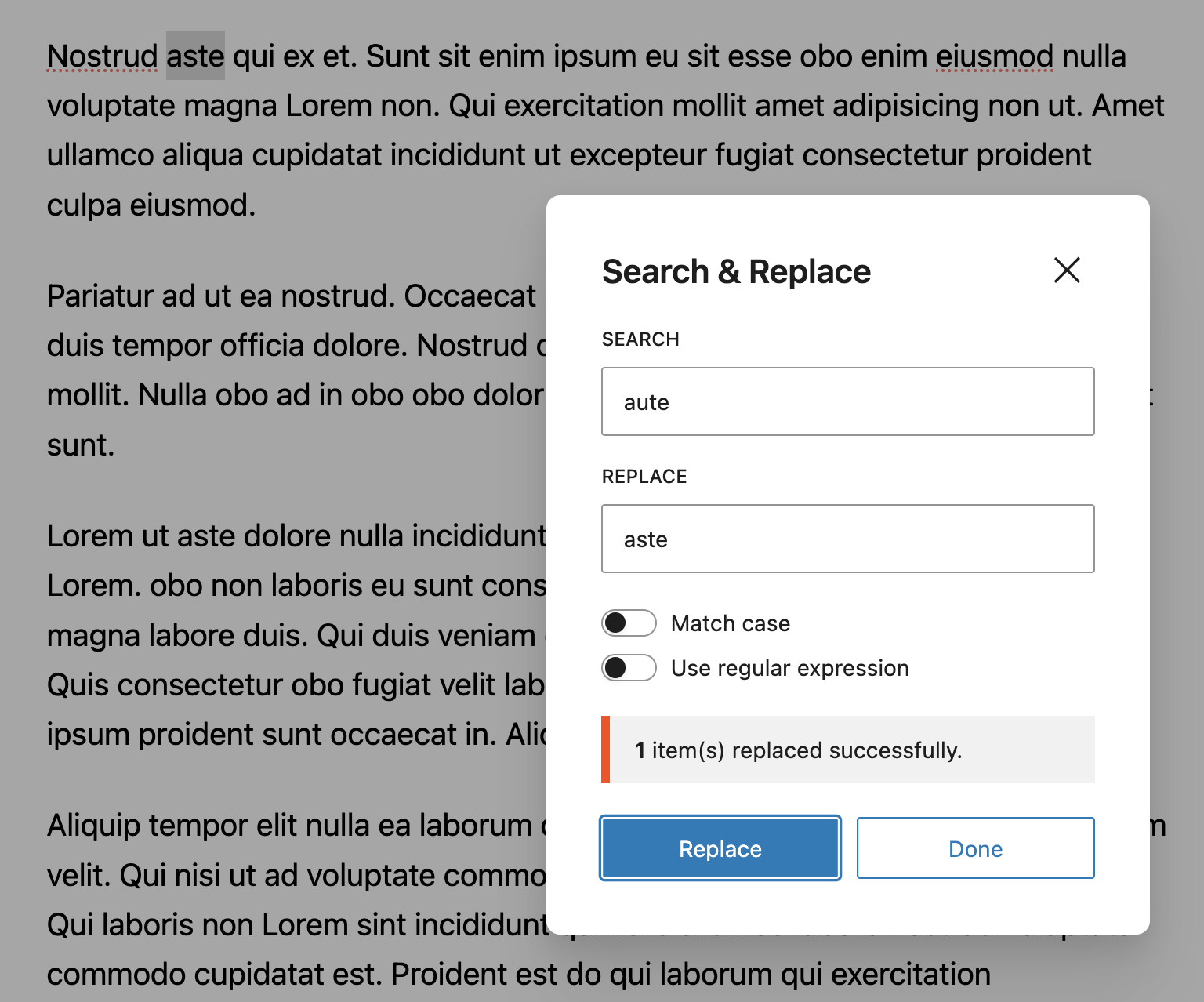
This plugin brings the familiar Search and Replace functionality that PC users have grown accustomed to in Microsoft Word and Google Docs to the Block Editor.
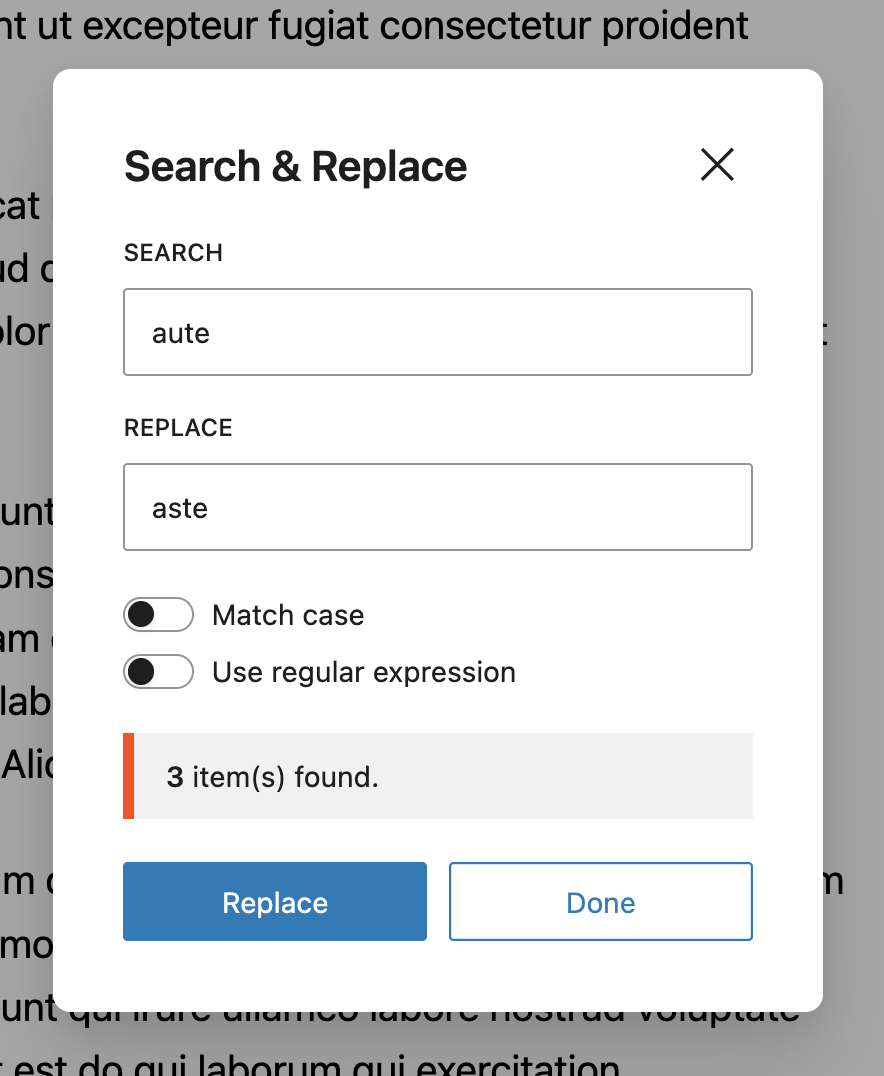
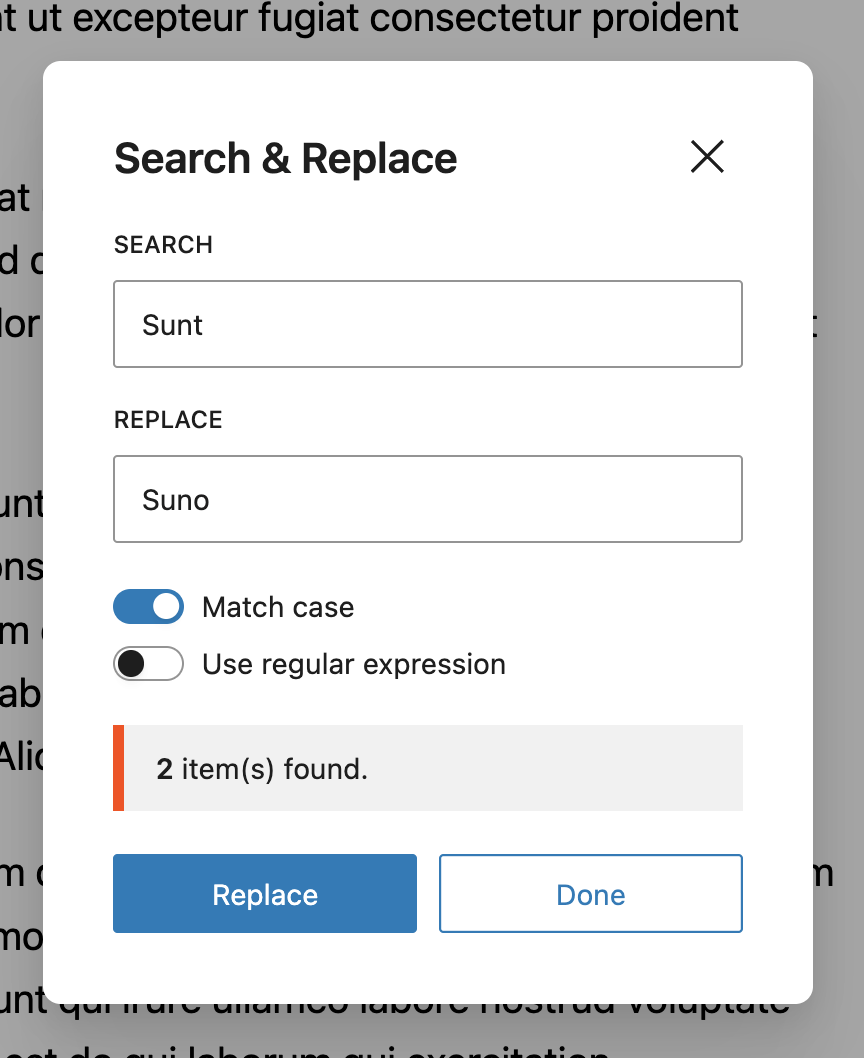
Now you can easily search and replace text right in the Block Editor. Its easy and does exactly what it says. You can also match the text case using the ‘Match Case | Expression’ toggle.
Nuestro plugin viene con todo lo que necesitas para encontrar y reemplazar texto de forma más rápida y eficiente.
Leer más Mostrar menos
✔️ Search & Replace text, typos, keywords faster.
✔️ Shortcut Keys – CMD + F.
✔️ Match Case Sensitivity.
✔️ Custom Hooks to help you customize plugin behaviour.
✔️ Available in mutiple langauges such as Arabic, Chinese, Hebrew, Hindi, Russian, German, Italian, Croatian, Spanish & French languages.
✔️ Backward compatible, works with most WP versions.
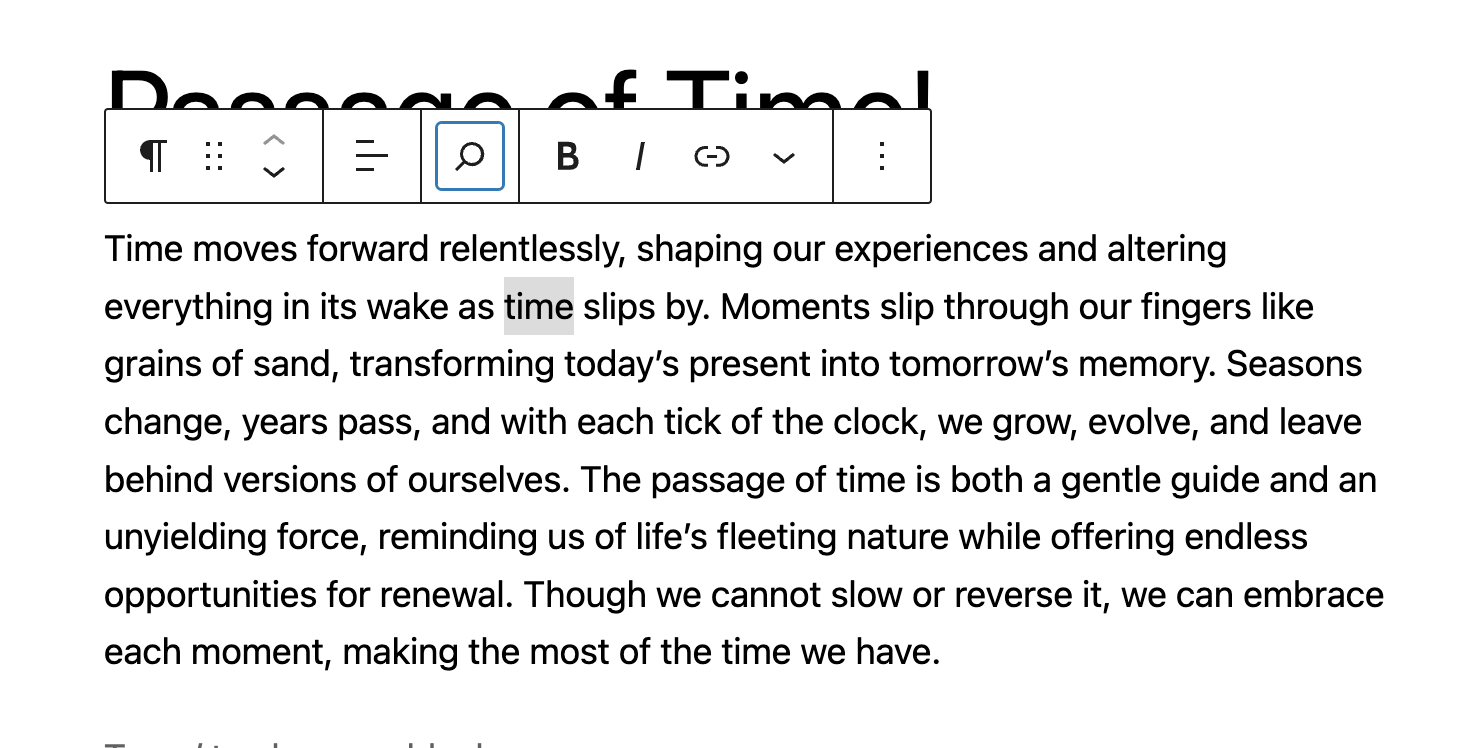
Create a new Post or open an existing Post. Locate the ‘Search and Replace’ icon at the top left corner of the Block Editor and click on it. Proceed to type in the text you wish to replace and click on ‘Replace’.
Puedes ver cómo funciona usando el enlace de demo.
To quickly access the Search and Replace modal, press CTRL + F. This will fire up the dialog box where you can quickly change things.
You can also select text on your Block Editor and use the Shortcut. This will grab the text you have selected and fire up your dialog box with the text already typed into it. This makes working with the Search and Replace tool faster.
The Search & Replace for Block Editor plugin is built to work right out of the box. Simply install, activate and start using.
Want to add your personal touch? All of our documentation can be found here. You can override the plugin’s behaviour with custom logic of your own using hooks.
Si deseas contribuir al desarrollo de este plugin, puedes encontrarlo en GitHub.
Para compilar, clona el repositorio y ejecuta npm install && npm run build
Descripción publicada por badasswp en WordPress.org, bajo licencia GPLv2 or later.
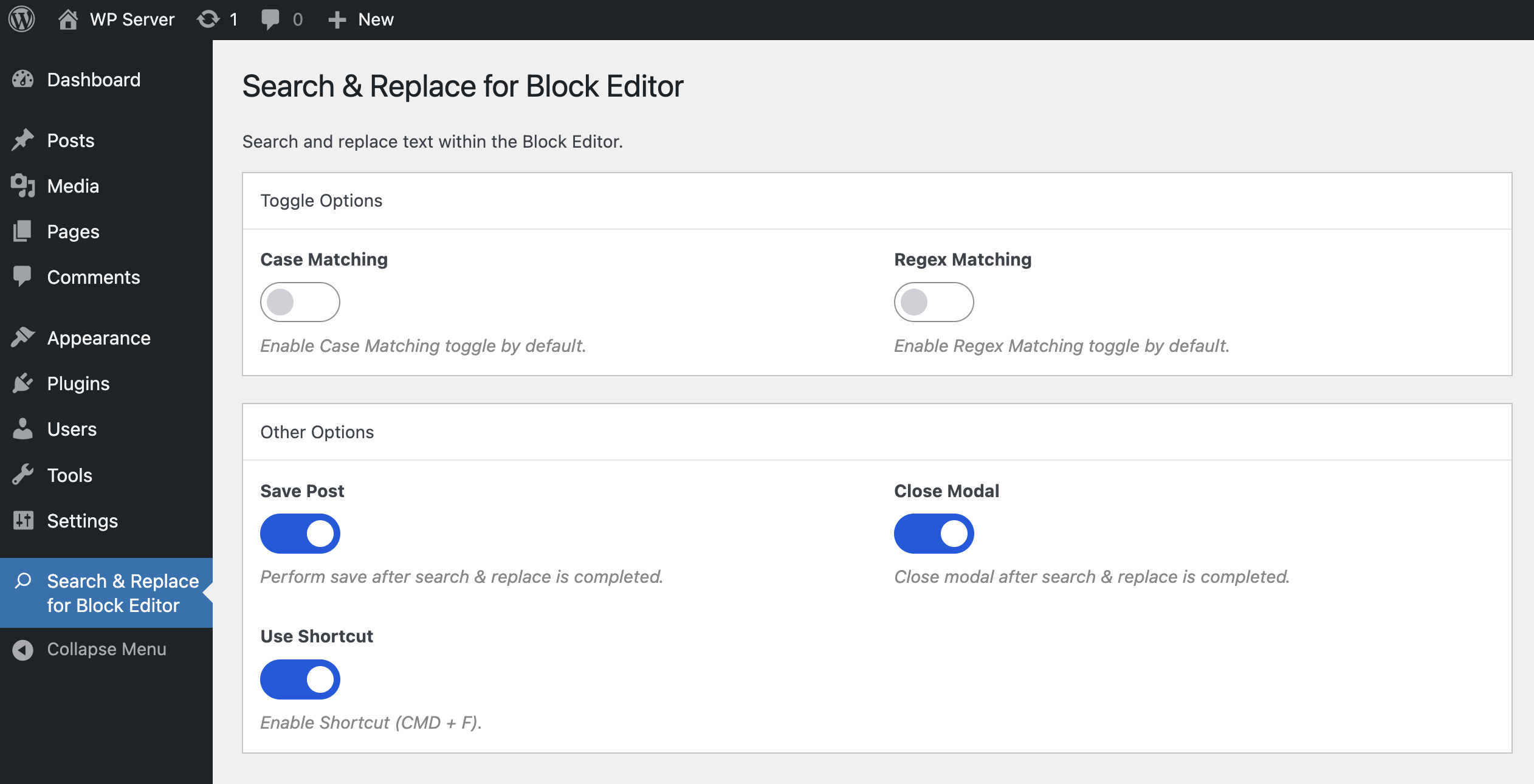
Capturas de pantalla
Capturas publicadas por badasswp en WordPress.org, bajo licencia GPLv2 or later.

Historial por versión
Ver el detalle por versión (1 versión)
Historial por versión
Ver el detalle por versión (1 versión)
Cómo evoluciona el plugin versión a versión.
| Versión | Homepage | Admin | Último escaneo |
|---|---|---|---|
| v1.12.0 | 2 escaneos | — | hace 1 mes |
Historial de escaneos
Ver el registro de escaneos individuales (2 escaneos)
Historial de escaneos
Ver el registro de escaneos individuales (2 escaneos)
| Fecha | Versión | Contexto | Puntuación | Nota | Tiempo | Memoria |
|---|---|---|---|---|---|---|
| hace 1 mes | v1.12.0 | Homepage | 94/100 | A | 31 ms | 0.0 MB |
| hace 2 meses | v1.12.0 | Homepage | 100/100 | A | 3 ms | 0.0 MB |