Punteggio di impatto
Footprint Score sui due contesti più rappresentativi.
0 scansioni · ultima scansione 22 ore fa
Score Homepage
Impatto misurato sulla home page pubblica
Score Admin
Impatto misurato nell'amministrazione WordPress
Informazioni
Vuoi sostituire i vecchi ← Older posts | Newer posts → con quale link di pagina?
Questo plugin fornisce il tag wp_pagenavi() che genera link di impaginazione fantasiosi.
Much of the 2.x line was the work of scribu, whose write-ups on using it with secondary queries are still the ones the FAQ below points at. The plugin icon is by SimpleIcon from Flaticon.
Leggi tutto Mostra meno
Ho passato molto del mio tempo libero creando, aggiornando, manutenendo e dando supporto per questi plugin. Se davvero ami i miei plugin e vuoi donare qualcosa lo apprezzerò.
Sentiti libero di usarlo senza nessun obbligo.
Nel tuo tema devi trovare e sostituire le chiamate a next_posts_link() e previous_posts_link().
Nel tema Twentyten è così:
<div class="nav-previous"><?php next_posts_link( __( '<span class="meta-nav">←</span> Older posts', 'twentyten' ) ); ?></div>
<div class="nav-next"><?php previous_posts_link( __( 'Newer posts <span class="meta-nav">→</span>', 'twentyten' ) ); ?></div>
Dovrai sostituire quelle due linee con queste:
<?php wp_pagenavi(); ?>
Per le pagine con più parti il tuo codice dovrà essere come questo:
<?php wp_link_pages( ... ); ?>
e sostituiscilo con questo:
<?php wp_pagenavi( array( 'type' => 'multipart' ) ); ?>
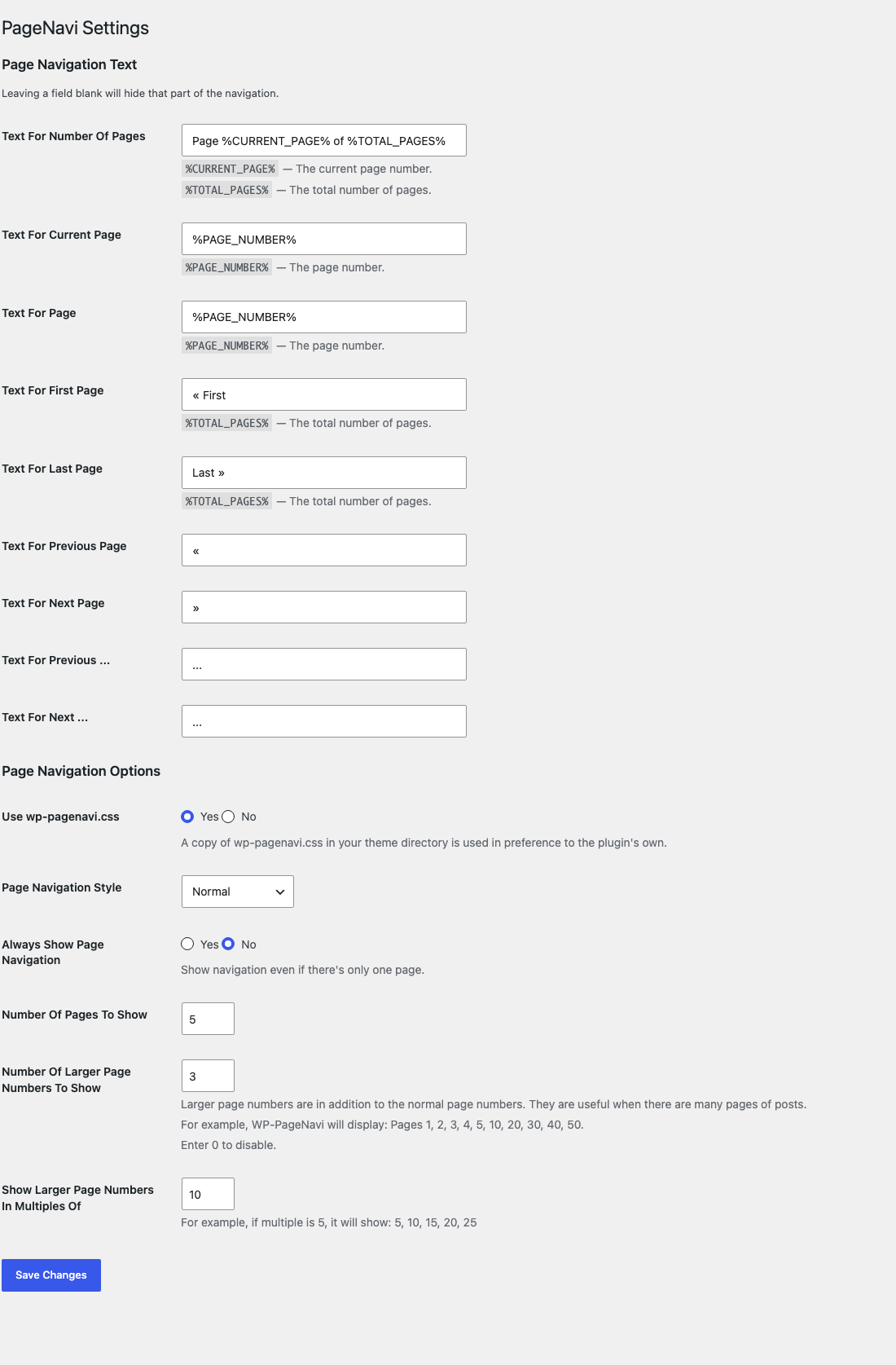
Per la configurazione vai a WP-Admin -> Impostazioni -> PageNavi.
If you need to configure the CSS style of WP-PageNavi, you can copy the css/wp-pagenavi.css file from the plugin directory into your theme’s directory as wp-pagenavi.css and make your modifications there. This way, you won’t lose your changes when you update the plugin.
The stylesheet sets no font and no text colour, so it inherits both from your theme, and its two border colours are CSS custom properties. A small change needs no copy of the file at all:
.wp-pagenavi {
    --wp-pagenavi-border-color: #d0d0d0;
    --wp-pagenavi-border-color-current: rebeccapurple;
}
Alternatively, you can set “Use wp-pagenavi.css” to No on the settings page and add the styles to your theme’s style.css file directly.
There are filters that can be used to change the default class names that are assigned to page navigation elements.
Descrizione pubblicata da Lester Chan su WordPress.org, con licenza GPLv2 or later.
Schermate
Schermate pubblicate da Lester Chan su WordPress.org, con licenza GPLv2 or later.