Impact score
Footprint Score across the two most representative contexts.
0 scans · last scan 22 hours ago
Homepage Score
Impact measured on the public homepage
Admin Score
Impact measured in the WordPress admin
About
Want to replace the old ← Older posts | Newer posts → links with some page links?
This plugin provides the wp_pagenavi() template tag which generates fancy pagination links.
Much of the 2.x line was the work of scribu, whose write-ups on using it with secondary queries are still the ones the FAQ below points at. The plugin icon is by SimpleIcon from Flaticon.
Read more Show less
I spent most of my free time creating, updating, maintaining and supporting these plugins, if you really love my plugins and could spare me a couple of bucks, I will really appreciate it. If not feel free to use it without any obligations.
In your theme, you need to find calls to next_posts_link() and previous_posts_link() and replace them.
In the Twentyten theme, it looks like this:
<div class="nav-previous"><?php next_posts_link( __( '<span class="meta-nav">←</span> Older posts', 'twentyten' ) ); ?></div>
<div class="nav-next"><?php previous_posts_link( __( 'Newer posts <span class="meta-nav">→</span>', 'twentyten' ) ); ?></div>
You would replace those two lines with this:
<?php wp_pagenavi(); ?>
For multipart pages, you would look for code like this:
<?php wp_link_pages( ... ); ?>
and replace it with this:
<?php wp_pagenavi( array( 'type' => 'multipart' ) ); ?>
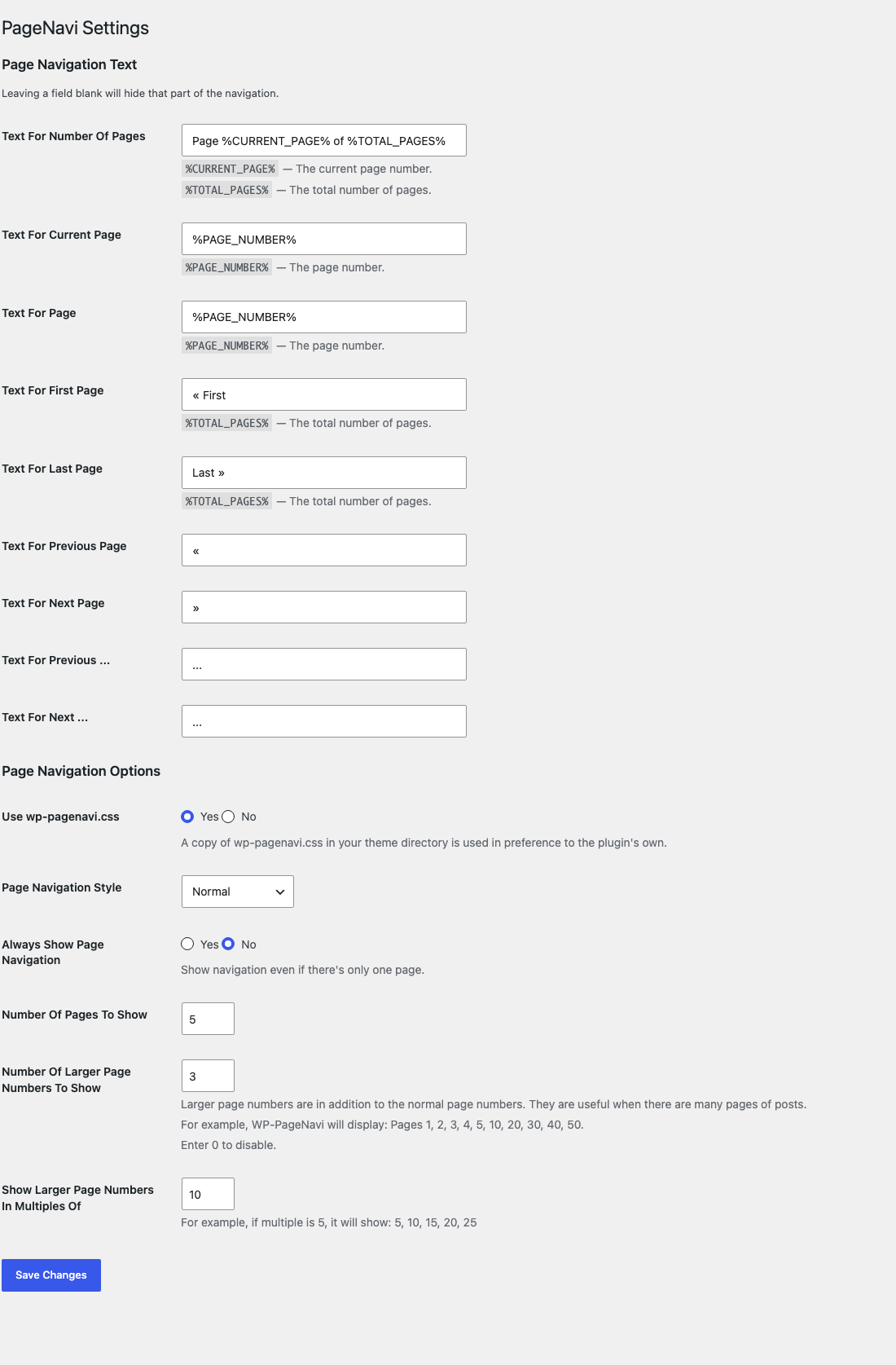
Go to WP-Admin -> Settings -> PageNavi for configuration.
If you need to configure the CSS style of WP-PageNavi, you can copy the css/wp-pagenavi.css file from the plugin directory into your theme’s directory as wp-pagenavi.css and make your modifications there. This way, you won’t lose your changes when you update the plugin.
The stylesheet sets no font and no text colour, so it inherits both from your theme, and its two border colours are CSS custom properties. A small change needs no copy of the file at all:
.wp-pagenavi {
    --wp-pagenavi-border-color: #d0d0d0;
    --wp-pagenavi-border-color-current: rebeccapurple;
}
Alternatively, you can set “Use wp-pagenavi.css” to No on the settings page and add the styles to your theme’s style.css file directly.
There are filters that can be used to change the default class names that are assigned to page navigation elements.
Description published by Lester Chan on WordPress.org, licensed under GPLv2 or later.
Screenshots
Screenshots published by Lester Chan on WordPress.org, licensed under GPLv2 or later.