
Impact score
Footprint Score across the two most representative contexts.
1 scans · last scan 1 month ago
Homepage Score
Impact measured on the public homepage
v3.1.2 · 1 scan · Consolidated score over 90 days · 1 versions
What it adds to every page load
- Added time
- 0 ms
- Added memory
- 0.0 MB
- SQL queries
- +0
- CSS/JS files
- +0
- External calls
- 0
Admin Score
Impact measured in the WordPress admin
About
Quickly and easily roll back any theme or plugin from WordPress.org to any previous (or newer) version without any of the manual fuss. Works just like the plugin updater, except you’re rolling back (or forward) to a specific version. No need for manually downloading and FTPing the files or learning Subversion. This plugin takes care of the trouble for you.
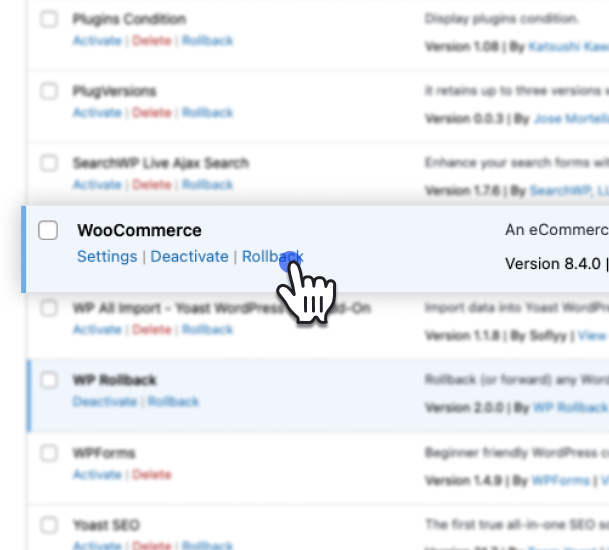
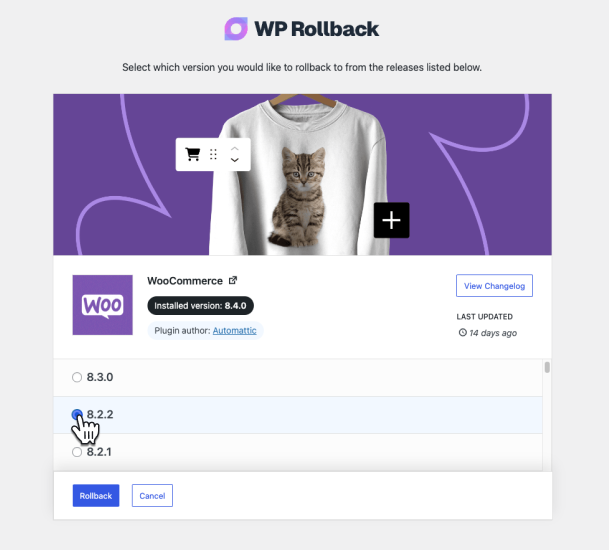
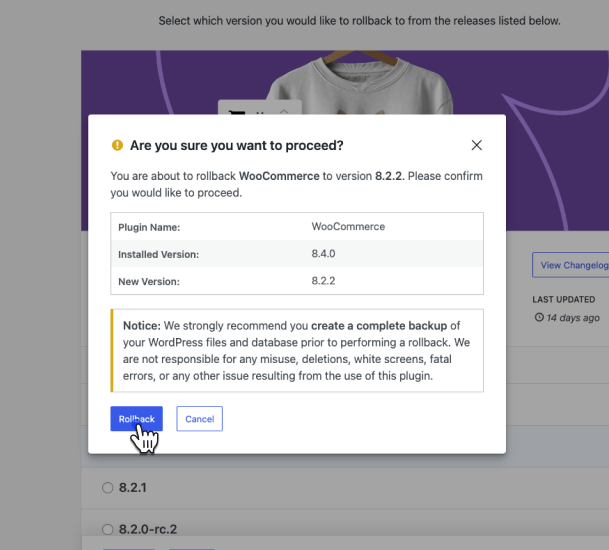
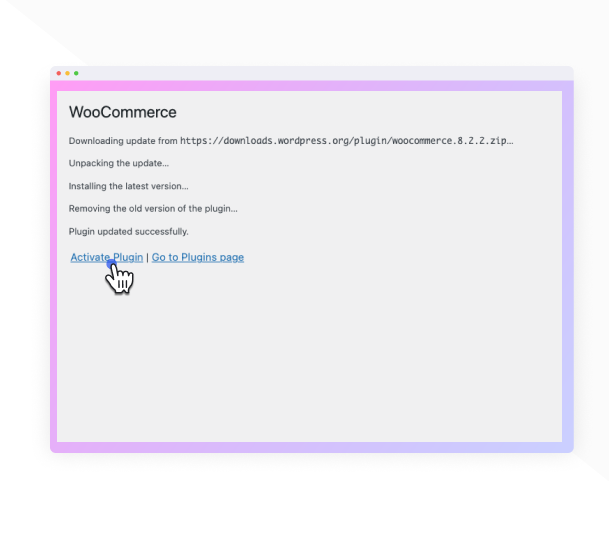
While it’s considered best practice to always keep your WordPress plugins and themes updated, we understand there are times you may need to quickly revert to a previous version. This plugin makes that process as easy as a few mouse clicks. Simply select the version of the plugin or theme that you’d like to roll back to, confirm, and in a few moments you’ll be using the version requested. No more fumbling to find the version, downloading, unzipping, FTPing, learning Subversion or hair pulling.
For advanced features including rollback support for premium plugins and themes you already have licensed and installed (Elementor Pro, Gravity Forms, WooCommerce extensions, Kadence Pro, Astra Pro, GeneratePress Premium, Divi, Envato/ThemeForest products, and more), comprehensive activity logging, multisite network management, and priority support, consider upgrading to WP Rollback Pro.
Read more Show less
Important Disclaimer: This plugin is not intended to be used without first taking the proper precautions to ensure zero data loss or site downtime. Always be sure you have first tested the rollback on a staging or development site prior to using WP Rollback on a live site.
We provide no (zero) assurances, guarantees, or warranties that the plugin, theme, or WordPress version you are downgrading to will work as you expect. Use this plugin at your own risk.
Do you speak another language? Want to contribute in a meaningful way to WP Rollback? There’s no better way than to help us translate the plugin. This plugin is translation ready. Simply header over to the WP Rollback translation project that’s powered by WordPress.org volunteer translators. There you can contribute to the translation of the plugin into your language.
We answer all free user support requests on the WordPress.org support forum. For pro users, please submit your questions to WP Rollback Pro support.
WP Rollback was created to be as intuitive to the natural WordPress experience as possible. We believe that once you activate WP Rollback, you’ll quickly discover exactly how it works without question.
BUT!!
We do have documentation on our website. See WP Rollback Documentation.
Besides WordPress.org, where it finds plugin and theme versions, WP Rollback connects to one service, and only when you ask it to.
WP Rollback newsletter (wprollback.com)
After a rollback, at the end of the 1-minute tour, and on the WP Rollback dashboard, you can subscribe to the WP Rollback newsletter: tips for safer WordPress updates, WP Rollback news, and the occasional deal. Nothing is sent unless you click Subscribe. When you do, your site sends the email address you entered and where the form was (for example, “free-plugin-rollback-complete”) to https://wprollback.com/wp-json/wp-rollback/v1/subscribe, which also sees your server’s IP address. You’ll get an email asking you to confirm, and every email has a link to unsubscribe.
Click “No thanks” to hide the form. To hide it for every user, return false from the wpr_newsletter_signup_enabled filter.
Description published by Devin Walker on WordPress.org, licensed under GPLv3.
Screenshots
Screenshots published by Devin Walker on WordPress.org, licensed under GPLv3.
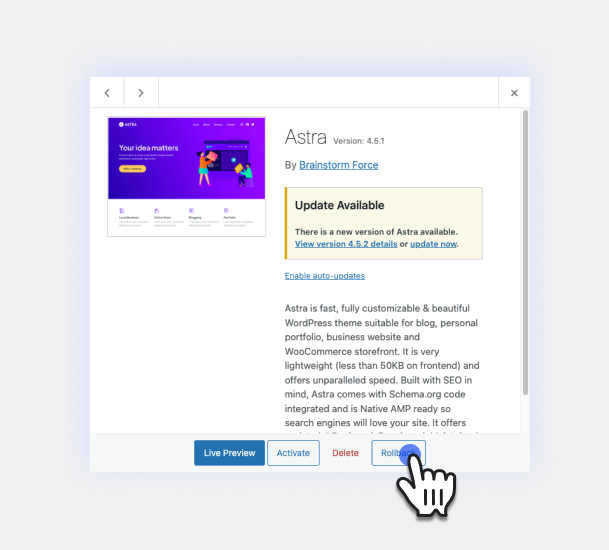
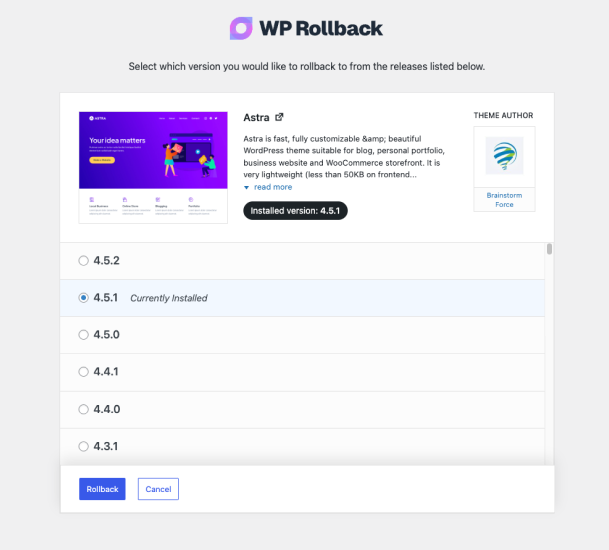
Per-version history
Show per-version detail (1 version)
Per-version history
Show per-version detail (1 version)
How the plugin evolves version by version.
| Version | Homepage | Admin | Last scan |
|---|---|---|---|
| v3.1.2 | 1 scan | — | 1 month ago |
Scan history
Show individual scan log (1 scans)
Scan history
Show individual scan log (1 scans)
| Date | Version | Context | Score | Grade | Time | Memory |
|---|---|---|---|---|---|---|
| 1 month ago | v3.1.2 | Homepage | 100/100 | A | 0 ms | 0.0 MB |